
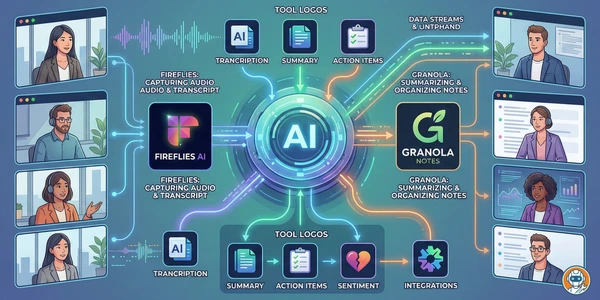
-
#1 Fireflies.aiBest overall — Perplexity AI search, 100+ languages, real-time notes
-
#2 FathomBest free tier — unlimited recordings and transcriptions, no catch
-
#3 GranolaMost private — no bot, no audio stored, highest accuracy
Twenty-five meetings a week. That's roughly 20 hours of Zoom and Google Meet, trying to remember what somebody said about the Q2 timeline while responding to a Slack message about something completely different.
AI meeting assistants are supposed to fix this. And honestly? The transcription part mostly works now. But after researching the six most popular options, the real story turned out to be everything else: two companies facing class-action lawsuits, multiple universities banning specific tools, and free tier differences so extreme they border on deceptive. One tool gives you unlimited free recordings. Another gives you 10 AI notes for your entire lifetime and calls it a "free plan."
If you're already using a smart calendar tool to manage your schedule, adding a meeting assistant is the logical next step. Just don't confuse meeting transcription with broader agentic work: if you want tools that can operate across apps instead of only summarizing calls, our AI agents roundup is the better starting point. If the problem is speaking into documents rather than recording meetings, use our AI dictation tools comparison instead. If meeting notes mostly turn into inbox follow-ups, the AI email assistant guide compares tools built for drafts and triage. And if those recordings need to become clips instead of notes, our Descript vs VEED vs InVideo comparison covers the editing side. Here's which meeting assistants are actually worth it.
The 6 best AI meeting assistants
1. Fireflies.ai — Best overall
Perplexity AI-powered voice search lets you fact-check stats mid-meeting while the conversation is still happening.
Teams at universities or regulated institutions where the BIPA lawsuit and campus bans are a compliance risk.
- Perplexity AI search during live meetings
- Real-time bullet-point notes (not just post-meeting)
- 100+ language transcription
- Generous 800-minute free storage
- 75% of Fortune 500 companies use it
- BIPA class-action lawsuit filed December 2025
- Auto-charges for AI credit overages unless you opt out
- Speaker labeling gets confused with 5+ participants
- Processing delay of 10-15 minutes after meetings
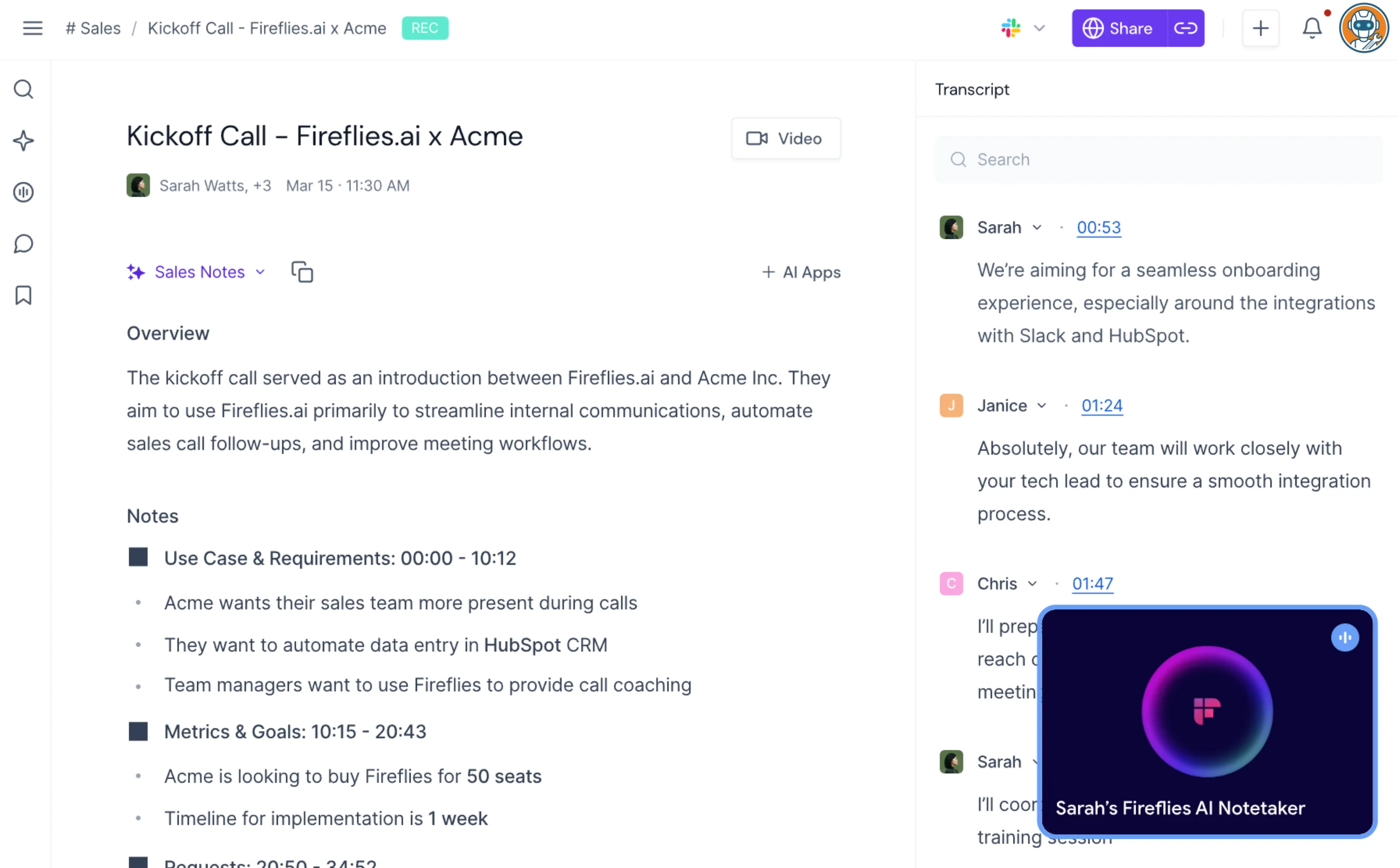
Fireflies hit unicorn status in June 2025. A billion-dollar valuation for a meeting transcription tool sounds absurd until you actually use it. The "Talk to Fireflies" feature, powered by Perplexity AI, lets you voice-search the web mid-meeting. Someone drops a stat about market size? Say "Hey Fireflies" and get a fact-check while the conversation is still happening. I've never seen another meeting tool do this.
The real-time notes are the other standout. Most tools make you wait until the meeting ends to see a summary. Fireflies generates bullet points as the conversation happens, so the summary is basically ready the moment you hang up. Users on r/productivity and r/remotework consistently complain that Otter, by comparison, takes 10-15 minutes of processing time after each call.
There's a catch, though. In December 2025, Fireflies got hit with a class-action lawsuit under Illinois' Biometric Information Privacy Act for collecting voiceprint data without written consent. Cornell, Tufts, Oxford, and Cambridge have all banned the tool. The company claims SOC 2 Type II and HIPAA compliance and says they don't train on your data, but the lawsuit is ongoing.
Pricing: Free (800 min storage), Pro $18/seat/mo ($10 annual), Business $29/seat/mo ($19 annual), Enterprise $39/seat/mo. AI credits: Pro gets 20/month, Business 30/month. Extra credits cost additional money, and they auto-charge unless you disable it in settings.
Verdict: Use it if you need cross-meeting search and real-time notes for a team. The lawsuit is a wildcard, so keep an eye on it.
2. Fathom — Best free tier
Unlimited free recordings and transcriptions with no time limit, no credit system, and no surprise charges.
Sales teams needing CRM sync and multi-meeting intelligence across dozens of calls.
- Unlimited free recordings and transcriptions
- Botless recording option (no visible participant)
- SOC 2 Type II, HIPAA, and GDPR compliant
- AI sub-processors contractually barred from training on your data
- 90-day money-back guarantee on team plans
- Free plan limits advanced AI features to 5/month
- No engagement scores or sentiment analysis
- Occasional bot join/leave glitches (reported on Reddit)
- No mobile app for in-person recording
Here's the thing about Fathom: the free plan shouldn't be this good. Unlimited recordings. Unlimited transcriptions. AI summaries, clips, playlists, searchable history. All free, no time limit, no trial period. The only restriction is that advanced AI features (like "Ask Fathom" and detailed action items) cap at 5 per month on the free plan.
Community comparisons put Fathom's transcription quality close to Fireflies, maybe slightly behind on speaker identification. But the simplicity is what sells it. No credit system to worry about, no surprise charges, no "you've exceeded your minutes" emails. It just works.
The botless recording option is worth mentioning. If you're tired of the "Fathom Notetaker has joined the meeting" notification, you can switch to a mode where it records through your browser without adding a visible participant. Some competitors charge extra for this. Fathom includes it for free.
The privacy stance is also strong. SOC 2 Type II, HIPAA, GDPR. Their AI sub-processors (Anthropic, OpenAI, Google) are contractually barred from using customer data for training. Fathom does use de-identified data for its own model improvement, but you can opt out in settings.
Pricing: Free (unlimited recordings), Premium $20/user/mo ($16 annual), Team $19/user/mo ($15 annual, 2-user minimum), Business $34/user/mo ($25 annual). Nonprofits get 10 free seats. Startups can apply for up to 2 years free.
Verdict: Use it. The free tier alone beats most paid plans on this list.
3. tl;dv — Best for sales teams
Multi-meeting intelligence looks across all your calls so you can ask things like 'what objections came up most this quarter?'
Personal users, since the free tier gives only 10 AI notes total for your entire account lifetime.
- Multi-meeting intelligence (analyze across conversations)
- Sales playbook templates (MEDDIC, BANT, SPIN)
- AI coaching with talk-time analysis
- EU-based company with GDPR-first privacy
- Claude AI integration for summaries
- Free tier gives 10 AI notes — lifetime, not monthly
- Pro plan jumps to $29/mo (most expensive after enterprise tiers)
- No Discord, Slack calls, phone, or in-person support
- Users report buggy UI and broken HubSpot integration
If you manage a sales team, tl;dv is the tool that actually makes sense. It's positioning itself as the Gong alternative that doesn't cost $100+ per seat. The multi-meeting intelligence feature looks across all your recorded conversations instead of treating each one as isolated. You can ask things like "what objections came up most this quarter?" and get answers sourced from actual call data.
The sales playbook templates are the reason you'd pick this over Fireflies. Set up MEDDIC, BANT, or SPIN frameworks, and tl;dv automatically scores your calls against them. The AI coaching flags when a rep talks too much or misses key qualification questions. For $59/user/month on the Business plan (annual), you're getting maybe 60% of what Gong offers at roughly half the price.
I have to be honest about the free tier, though. The marketing says "free forever" with "AI-powered meeting notes." What it doesn't say upfront: you get 10 AI notes. Total. For your entire account lifetime. Not per month. Recordings auto-delete after 3 months. That's not a free plan. That's a trial without an expiration date.
The company is German-based (Tldx Solutions GmbH), which means GDPR compliance is baked in rather than bolted on. Data stays in EEA facilities. They use Anthropic's Claude for AI processing and claim meeting data is chunked and randomized so Anthropic can't reconstruct complete conversations.
Pricing: Free (10 AI notes lifetime), Pro $29/user/mo ($18 annual), Business $98/user/mo ($59 annual), Enterprise custom. Currently running 40% off annual plans.
Verdict: Use it if you manage sales reps and need call coaching. Skip it for personal use. The price-to-value ratio doesn't add up.
4. Granola — Best for privacy
No bot joins your meeting and no audio gets stored on any server, with the highest transcription accuracy at 90-92%.
Teams needing CRM integration, API access, or structured data export beyond copy-paste.
- No meeting bot — captures audio from system output
- No audio recordings stored anywhere
- Highest transcription accuracy across all 6 tools (90-92%)
- Clean, minimal interface
- Mac-first (Windows and iOS added recently, no Android)
- No API access or CRM integrations
- Speaker identification is unreliable
- Free tier: 25 meetings lifetime only
- Export is copy-paste only — no structured export
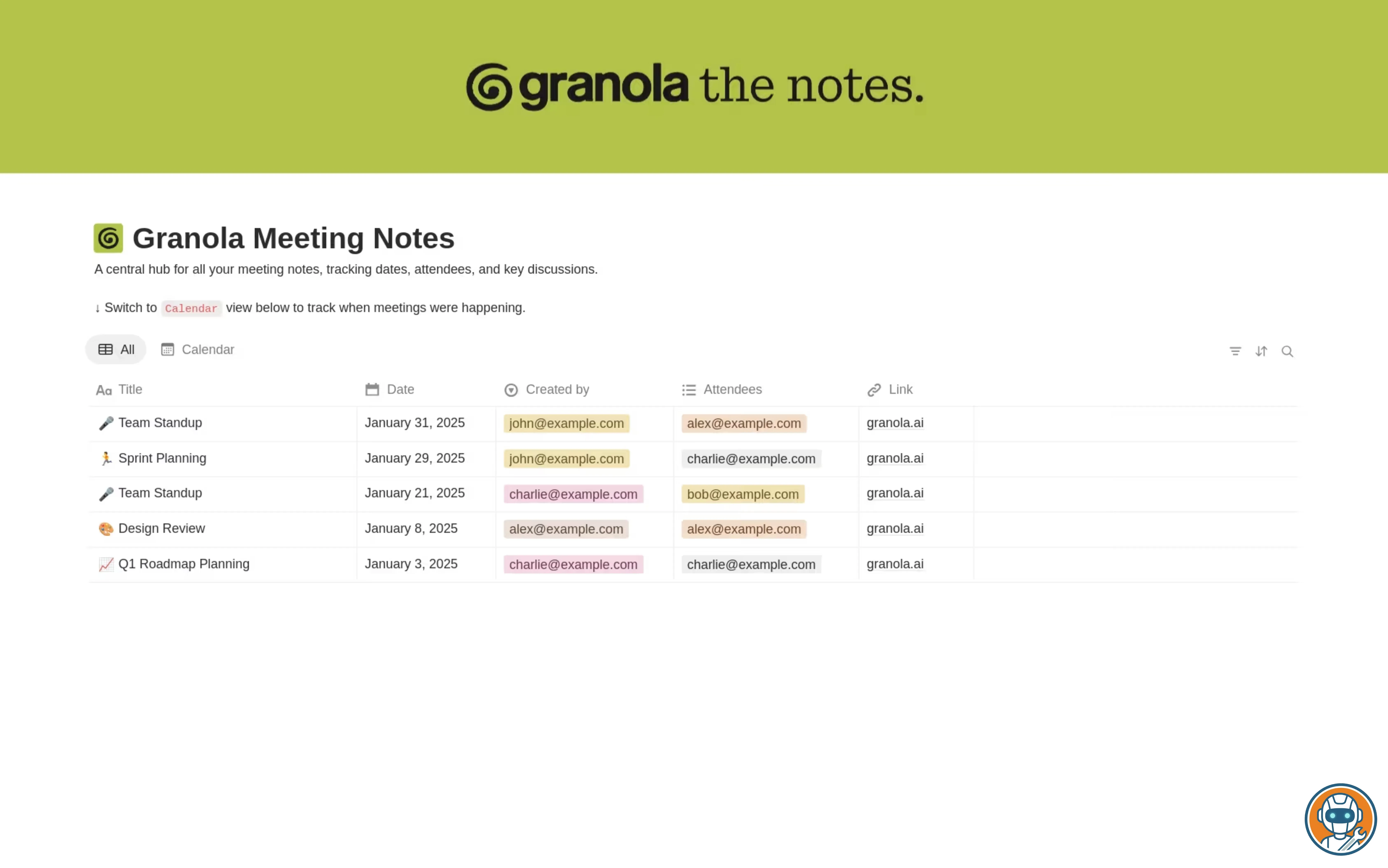
Granola takes the opposite approach to everyone else on this list. No bot joins your meeting. No audio gets stored on any server. It captures sound from your device's system output, transcribes it locally, generates notes, and throws away the audio. If you've been burned by the privacy concerns around Otter and Fireflies, or if your company policy prohibits third-party bots in meetings, this is the tool.
Users consistently report transcription accuracy around 90-92%, even with accented speakers. For comparison, Fireflies and Fathom tend to land around 80-85% based on community feedback, and Tactiq scores noticeably worse. Granola's accuracy advantage likely comes from the local audio capture, which avoids the quality loss of cloud-based processing.
The tradeoff is everything else. No CRM integration. No API. Export means copying and pasting text. Speaker identification works sometimes and fails sometimes. And it started as Mac-only, with Windows and iOS added recently. No Android, no web app. If you need Salesforce sync or team analytics, this isn't your tool. If you need clean, private meeting notes on your laptop, nothing else comes close.
Pricing: Free (25 meetings lifetime), Individual $18/mo, Business $14/user/mo, Enterprise $35/user/mo.
Verdict: Use it if privacy is non-negotiable. Skip it if you need CRM sync or team features.
5. Otter.ai — The name everyone knows (for better and worse)
AI Meeting Agents can answer questions during meetings using your company's entire meeting history.
Anyone concerned about trust, since Otter faces a class-action lawsuit and Reddit reports of uninvited bot joins and billing issues.
- AI Meeting Agents that answer questions in real-time using company data
- Largest user base and brand recognition
- HIPAA compliant (as of July 2025)
- Mobile app for in-person recording
- Class-action lawsuit for secret recording and using data for AI training
- Billing continues after cancellation (widely reported on Reddit)
- 'Shrinkflation' — fewer minutes for the same price over time
- Bot joins meetings uninvited and emails colleagues without permission
- Speaker identification often defaults to 'Speaker 1, Speaker 2'
Otter was the first AI meeting assistant most people tried, and it still has the biggest name in the space. The AI Meeting Agents (launched March 2025) are the real differentiator: a voice-activated participant that can answer questions during meetings using your company's entire meeting history. "Hey Otter, what did we decide about pricing in last week's call?" and it pulls the answer. No other tool does this as naturally.
But I can't write this section without addressing the elephant. In August 2025, a class-action lawsuit was filed alleging OtterPilot secretly records meetings without all-party consent and uses the data to train AI models. The claims fall under the Electronic Communications Privacy Act and California's Invasion of Privacy Act. Otter hit $100M in annual revenue that same year with fewer than 200 employees, which is impressive, but the lawsuit puts a shadow over everything.
The Reddit complaints paint an even uglier picture. Users report the bot joining meetings they never invited it to, sending emails to colleagues on their behalf, and continuing to charge after cancellation with no receipts and a difficult cancellation process. Multiple threads describe Otter's behavior as "virus-like." The overwhelming consensus in a popular Reddit thread titled "Is Otter.AI worth it for meeting minutes?" was no.
If none of that bothers you and you just want features, Otter is still competitive. The mobile app works for in-person recording, HIPAA compliance was added in July 2025, and the Enterprise Suite (October 2025) added API access and a desktop app. But for a tool that handles your most sensitive work conversations, trust matters. And Otter has a trust problem.
Pricing: Free (300 min/mo, 30 min/conversation), Pro $16.99/user/mo ($8.33 annual), Business $30/user/mo ($20 annual), Enterprise custom. Education: 20% off Pro for .edu emails.
Verdict: Skip it. The features are there but the trust issues are too big to ignore right now.
6. Tactiq — Best budget pick
Chrome extension captures audio without adding a visible bot, and the meeting screenshot feature is unique in this space.
Anyone who needs reliable transcription accuracy, since Tactiq consistently produces the least accurate transcripts here.
- No meeting bot — Chrome extension captures from browser
- Cheapest paid plan at $8/mo (annual Pro)
- Meeting screenshot capability (unique feature)
- AI Workflow Builder for custom automation
- Transcription accuracy is the weakest of all 6 tools
- Browser-only — no mobile, no desktop app
- Multi-language switching requires manual intervention
- Recent outage (February 2026) affecting Google Meet
Tactiq works differently from the rest. Instead of sending a bot into your meeting, it runs as a Chrome extension that captures audio directly from your browser tab. No "Tactiq Notetaker has joined" notification, no awkward bot presence. For people who find meeting bots unprofessional or annoying, this is appealing.
At $8/month (annual Pro), it's the cheapest paid option on this list. The meeting screenshot feature is unique on this list. Nobody else lets you capture screen grabs during a meeting and attach them to specific transcript moments. For design reviews or demos where visual context matters, that's actually useful.
The problem is accuracy. Tactiq consistently produces the least reliable transcripts of any tool here. Reddit users report accuracy as low as 60%, and multi-language meetings are particularly bad. If someone switches from English to Spanish mid-conversation, you need to manually change the language setting. There's also no video playback, so you can't go back and verify what was actually said.
Pricing: Free (10 transcripts/mo, 5 AI credits/mo), Pro $12/user/mo ($8 annual), Team $20/user/mo ($16.67 annual), Business $40/user/mo ($29.16 annual), Enterprise custom.
Verdict: Use it if $8/month is your ceiling and you just need basic transcripts. Don't expect accuracy miracles.
| Feature | Fireflies.ai | Fathom | tl;dv | Granola | Otter.ai | Tactiq |
|---|---|---|---|---|---|---|
| Monthly Cost | $10/seat annual | $20/user | $29/user | $18/user | $16.99/user | $12/user |
| Free Tier | 800 min storage | Unlimited recordings | 10 AI notes (lifetime) | 25 meetings (lifetime) | 300 min/month | 10 transcripts/month |
| Max Recording | 2 hours (Pro) | 4 hours (Business) | 3 hours | No limit | 90 min (Pro) | No limit |
| Languages | 100+ | 30+ | 30+ | Limited | 30+ | Multi-language |
| CRM Integration | Salesforce, HubSpot | Salesforce (Business) | HubSpot (Business) | None | Limited | None |
| Uses Bot | Yes | Optional | Yes | No | Yes | No (Chrome ext) |
| Compliance | SOC 2, HIPAA, GDPR | SOC 2, HIPAA, GDPR | GDPR | GDPR | SOC 2, HIPAA | SAML SSO |
| Best For | Teams & enterprise | Individual users | Sales teams | Privacy-first users | Brand familiarity | Budget users |
| Action | Try Fireflies → | Try Fathom → | Try tl;dv → | Try Granola → | Try Otter → | Try Tactiq → |
Two lawsuits and a university ban
This section exists because most "best meeting assistant" articles pretend it doesn't need to. Two of the six tools above are facing active class-action lawsuits.
Otter.ai (August 2025): Brewer v. Otter.ai alleges OtterPilot secretly records without all-party consent and uses meeting data to train AI models. Claims under the Electronic Communications Privacy Act and California's Invasion of Privacy Act. The case is in early stages.
Fireflies.ai (December 2025): Cruz v. Fireflies.AI alleges illegal collection of biometric voiceprint data without written consent under Illinois' Biometric Information Privacy Act. Fireflies' response is pending.
Meanwhile, universities are drawing their own lines. Cornell, Tufts, Oxford, and Cambridge have banned Fireflies. Chapman University and the University of Washington banned Read.ai (not in our main list, but worth noting). Harvard issued formal guidelines restricting AI meeting tools.
The safest options by privacy stance: Granola (no audio stored, no bot), Fathom (SOC 2/HIPAA/GDPR, opt-out of data training), and tl;dv (EU data storage, GDPR-first). If your company handles sensitive data or operates in a regulated industry, these three are the ones your legal team won't reject.
Wait, doesn't Zoom already do this?
Fair question. Zoom AI Companion, Microsoft Teams Copilot, and Google Meet's built-in notes have all gotten better in the last year. If all you need is a basic meeting summary and action items, the native tools might be enough. They're included in your existing subscription, they don't add a bot, and they avoid the third-party privacy concerns entirely.
Where they fall short: no cross-meeting search, no CRM integration, no conversation intelligence, and limited customization. You can't ask "what did the client say about pricing across our last 5 calls?" the way you can with Fireflies or tl;dv. Native tools treat each meeting as isolated. Third-party tools build a searchable knowledge base. That's the gap. And if you want to pipe meeting summaries into Slack, your CRM, or a project tracker automatically, you'll need a workflow automation tool like Make or Zapier either way.
My honest take: if you're an individual who has 5-10 meetings a week and just wants notes, try your platform's built-in AI first. If you manage a team, run sales calls, or need to search across meeting history, the dedicated tools are worth it. Just pick one that isn't getting sued. If you want the AI to answer or place calls instead of only summarizing meetings, jump to our AI voice agents guide.
Final verdict
For most people: Fireflies.ai . The Perplexity AI search, real-time notes, and 100+ language support make it the most complete tool. The BIPA lawsuit is concerning, but the company is SOC 2/HIPAA/GDPR compliant and profitable. If the lawsuit bothers you, Fathom is the next best option.
If you refuse to pay: Fathom . The free tier is unmatched. Unlimited recordings and transcriptions with no time limit. Every other free plan on this list has a catch. Fathom's doesn't.
If privacy is non-negotiable: Granola . No bot, no audio storage, no data leaving your device for training. The feature set is limited compared to Fireflies, but if your meetings involve sensitive business, legal, or medical conversations, this is the only tool that genuinely protects them.
If you run a sales team: tl;dv . Multi-meeting intelligence, sales playbook scoring, and AI coaching at roughly half the price of Gong. Just ignore the "free plan" marketing.
One more thing. Whichever tool you pick, the notes still need to go somewhere useful. If you haven't already set up a system for that, our Notion vs Obsidian comparison covers the two best options. If you want a broader look at AI-first note apps beyond meeting bots, read our AI note-taking apps roundup. If you're following up on sales calls or client meetings with drip sequences, our email marketing tools comparison covers 7 platforms with verified pricing. And if the AI models powering these transcriptions interest you, we broke down how ChatGPT and Claude compare under the hood.
Frequently Asked Questions
Ready to check Fireflies.ai?
Use the verified route if the trade-offs still fit. If not, jump back to the summary and compare the alternatives.
Crypto and productivity editor focused on cost, custody risk, setup friction, exports, fees, and workflow drag. Prioritizes verifiable numbers and clear skip criteria over hype.
Lucas starts with total operating cost, then ranks tools by setup and recurring friction, custody or export, reversibility, and whether the decision still makes sense when the exit path is included.
Related Articles

Hey Noah vs Lindy vs Fyxer: Best AI Executive Assistant
AI executive assistants compared by action authority, reversibility, workflow fit, cost predictability, context reach, and trust readiness
Compare Hey Noah, Lindy, and Fyxer by approvals, email sending, scheduling, calls, integrations, security, and current entry prices.

Paste vs Maccy vs Raycast: Which Mac Clipboard Manager Fits?
Mac clipboard managers compared by local history, Apple-device sync, privacy posture, launcher fit, setup burden, and subscription value
Paste, Maccy, and Raycast compared by clipboard history, Apple-device sync, local storage, privacy posture, pricing, and workflow fit.