
I've been using Notion and Obsidian side by side for the last eight months. Not casually. I mean running my entire task system, crypto research notes, content calendar, and personal wiki across both apps simultaneously. That sounds insane. It kind of was.
But it gave me something most "Notion vs Obsidian" articles don't have: actual opinions backed by daily use. Not marketing copy. Not "Notion is great for teams, Obsidian is great for individuals" boilerplate that you've already read twelve times.
Here's my bottom line before we get into the weeds: Obsidian is the better tool for most of our audience. If you care about speed, data ownership, and not paying Business-tier prices for AI features you can run through your own API key for a few dollars, Obsidian wins. But Notion still absolutely crushes it for team collaboration and project management. If that project question has narrowed to ClickUp, use the ClickUp vs Notion comparison instead. The gap there isn't even close.
Let me break down exactly why.
-
#1 ObsidianBest for devs, writers & privacy — free forever
-
#2 NotionBest for teams, agencies & project management
-
#3 AnytypeSecret 3rd option — Notion UI + local-first privacy
2026 pricing quick take
- Notion Plus is still $8/user/month when billed annually, but full Notion AI now pushes most serious AI users toward Business at $15/user/month annually.
- Obsidian removed the commercial license requirement, so solo users and teams can use the app for work without paying for the core product.
- Obsidian Sync is optional at $4/month if you want end-to-end encrypted sync; otherwise your Markdown files stay local and free.
- Bottom line: Notion is still better for teams, but Obsidian is the better value for private notes, research, writing, and AI-assisted knowledge work.
The 2026 Reality Check: What Actually Changed
Two massive shifts happened since the last time most comparison sites bothered to update their articles.
First: Obsidian went fully free. The commercial license requirement? Gone. As of early 2025, you can use Obsidian for work without paying a dime. The developers are betting on voluntary support and paid services (Sync and Publish) rather than mandatory licensing. Bold move. It's working. The r/ObsidianMD community is larger than ever.
Second: Notion killed the AI add-on and forced everyone up a tier. This is the one that stings. Back in 2024, you could get Notion Plus ($8/user/mo annual) and tack on AI for $8/user/mo if you wanted it. In May 2025, they scrapped the add-on entirely. Now AI is bundled exclusively into the Business tier at $15/user/mo (annual). Plus plan users? You get a "limited trial" of AI features. Translation: a few dozen queries before it stops working and nudges you to upgrade.
Let that sink in. If you're a solo user who just wants AI assistance with your notes, Notion now costs $15/month (annual). Obsidian costs $0, and you can plug in your own Claude or GPT API key for literal pennies per query.
Most comparison articles are still quoting the old $8 add-on pricing. That pricing doesn't exist anymore.
Notion vs Obsidian: The Core Differences
If you're brand new to this debate, here's the fundamental split in about 30 seconds:
Notion is a cloud-first, block-based workspace. Everything lives on Notion's servers. You get databases, kanban boards, wikis, calendars, and real-time multiplayer editing. It's like Google Docs met Trello and had an extremely organized child. The interface is polished, the templates are endless, and onboarding a team takes about 10 minutes.
Obsidian is a local-first, Markdown-based knowledge base. Everything lives on your hard drive as plain .md files. You get bidirectional linking, a graph view of your knowledge, and a plugin ecosystem so deep it's almost overwhelming. There's no lock-in. Your notes are just text files that work in any editor. The learning curve is steeper, but the ceiling is way higher.
Think of it this way: Notion is a hotel. Obsidian is owning your own house. The hotel is convenient and the room service is great. But you don't own the furniture, and they can change the rates whenever they want.
Real-time collaboration is still the cleanest part: databases, kanban boards, and shared wikis that non-technical teams actually use.
Solo users who care about speed, data ownership, and not paying $15/user/month annual for AI features available cheaper through API keys.
- Excellent real-time collaboration — multiple people editing the same page, live cursors, comments, the works
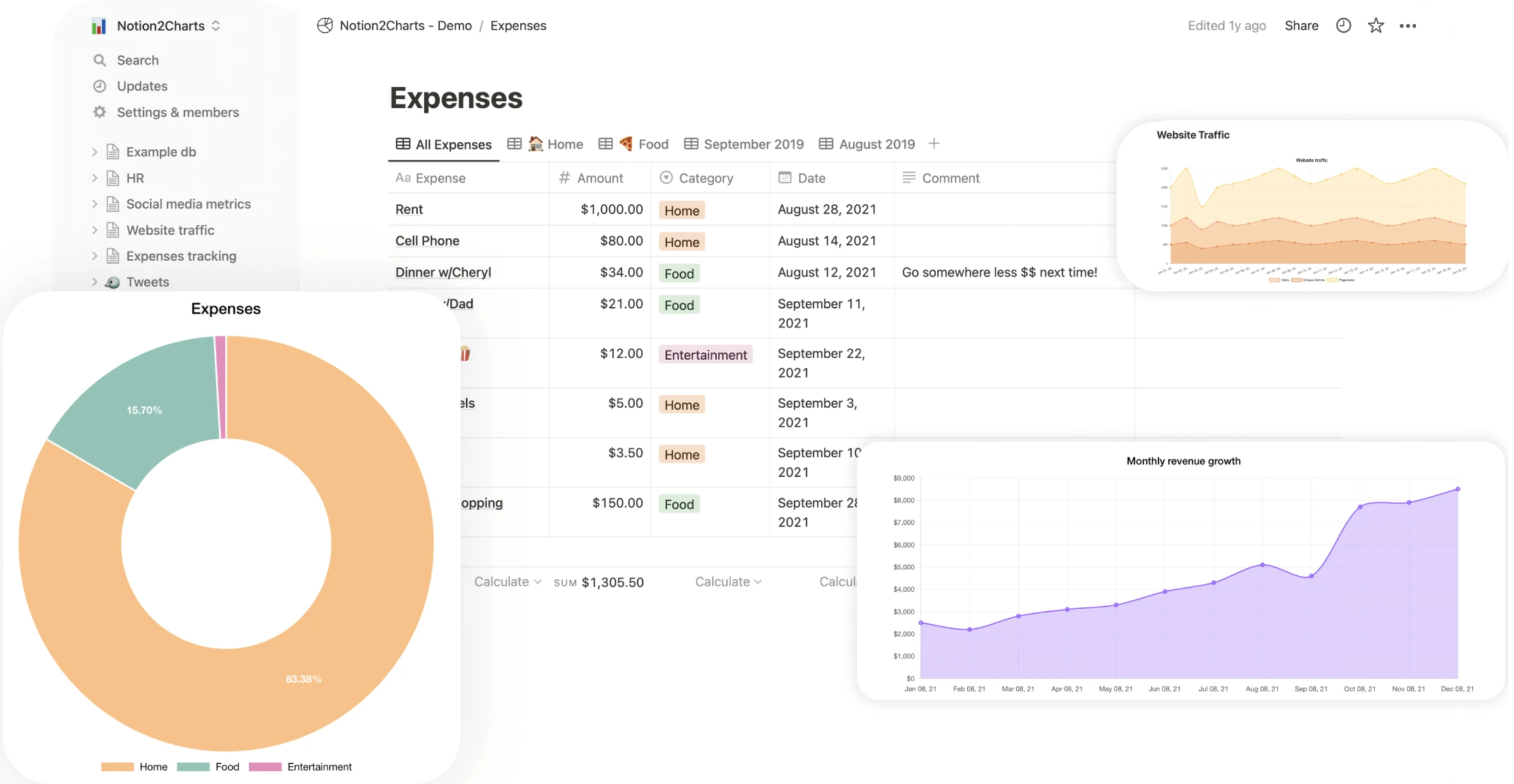
- Databases are incredibly powerful — linked relations, rollups, formulas, filtered views that replace entire project management tools
- Beautiful templates and a polished UI that non-technical team members actually enjoy using
- All-in-one: wiki + project management + docs + calendar in a single tool — fewer subscriptions to juggle
- Full AI now requires Business tier at $15/user/mo (annual) — a price jump over the old Plus + AI combo
- Noticeable lag on databases with 5,000+ rows — filtering and sorting becomes painful at scale
- No end-to-end encryption — your notes live on Notion's servers and employees can technically access them
- Markdown export is notoriously messy — nested databases, relations, and embeds break on export, creating real vendor lock-in
Notion's sweet spot hasn't changed: it's the best tool for teams who need a shared workspace without the learning curve of something like Confluence or SharePoint. If you're running a 5-person startup or a 20-person agency, Notion makes collaboration effortless. That's not hype. It genuinely works.
Where it falls apart is when you use it as a personal knowledge base. The search is slow compared to Obsidian's local Markdown search. The mobile app caches aggressively but still needs internet for full functionality. And the database performance issue is real. I have a crypto portfolio tracker with about 3,200 rows, and filtering it takes a solid 2-3 seconds. Not catastrophic, but noticeable enough that I moved it to a spreadsheet.
Use Notion if five people need to edit the same workspace today. Skip it if the notes are private, long-lived, or expensive to lose in a messy export.
100% free with zero vendor lock-in, local Markdown files, and AI via plugins for roughly $1.50-$3/month instead of Business-tier AI pricing.
Teams of 3+ people who need real-time multiplayer editing, since Obsidian's collaboration is clunky at best.
- 100% free for personal and commercial use — no surprise pricing changes, no tier upgrades required
- Local Markdown files mean zero vendor lock-in — your notes work in VS Code, Typora, or any text editor
- Plugin ecosystem is absurdly deep — 1,800+ community plugins including AI, kanban, calendars, Dataview for database queries
- End-to-end encrypted sync via Obsidian Sync ($4/mo) — or use free cloud drive alternatives like iCloud/Google Drive
- Mobile app loads slowly on large vaults — 5,000+ notes can take 5-8 seconds to index on older phones
- Team collaboration requires hacky workarounds — shared Git repos or LiveSync plugin, neither as smooth as Notion
- Steeper learning curve — getting real power out of Obsidian means learning plugins, Dataview queries, and template syntax
- No native databases or kanban — you can approximate them with plugins, but it's never as polished as Notion's native implementation
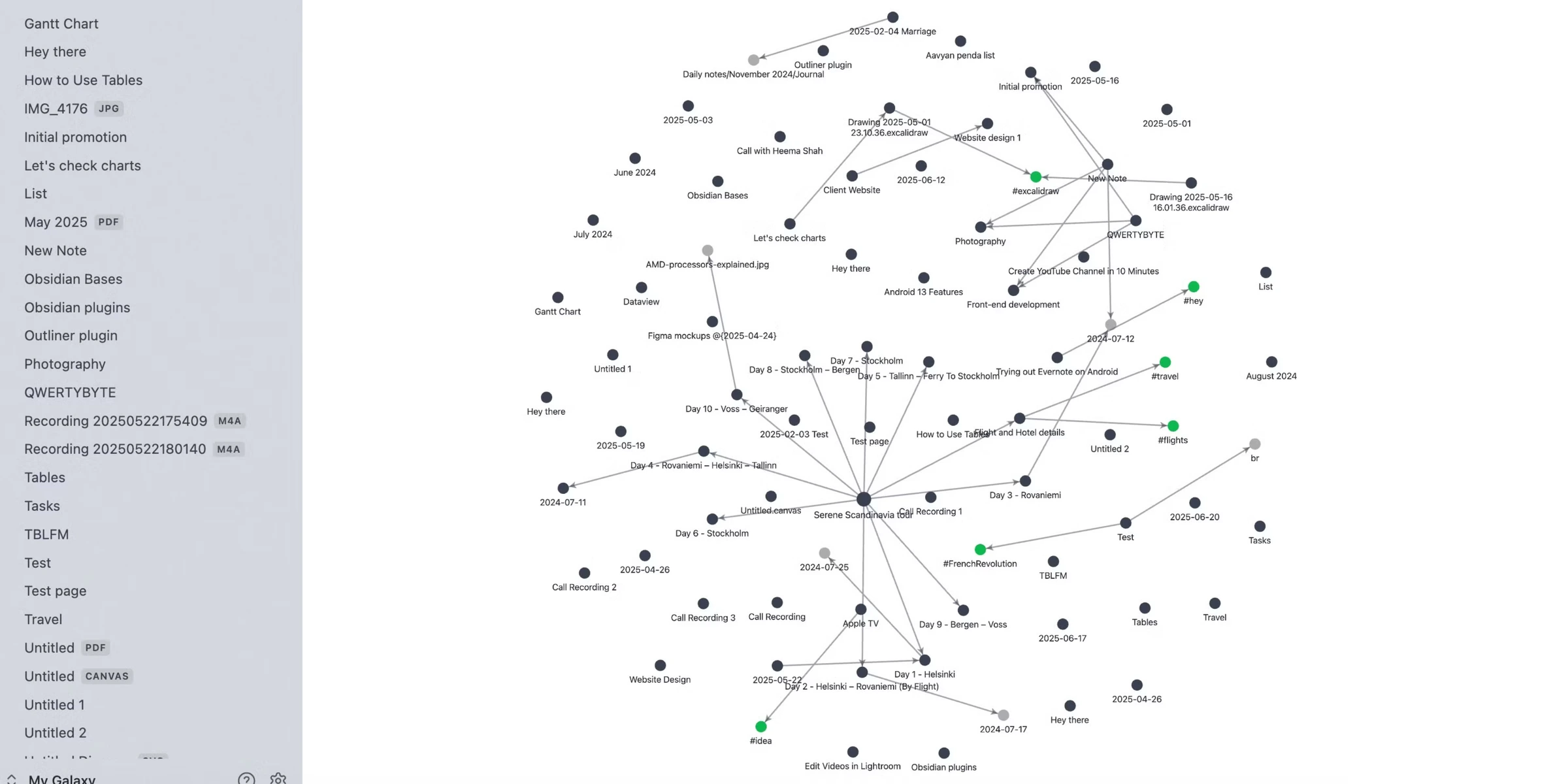
Obsidian wins on everything I personally care about: speed, privacy, cost, and extensibility. My vault has about 4,800 notes, and desktop search returns results in under a second. The graph view (which I thought was a gimmick) has genuinely helped me find connections between crypto research notes that I'd forgotten existed.
The plugin situation deserves its own article. I'm running Dataview for dynamic note queries, Templater for automated daily notes, Text Generator for AI-assisted writing (more on that in a minute), and the Kanban plugin for task management. Total cost for all of this? Zero. Every one of those plugins is free and community-maintained. (If you're looking for a dedicated task manager to pair with Obsidian, I compared Todoist and TickTick — both integrate well with note-taking workflows. If the missing layer is keyboard launch, snippets, and Mac automation, use the Raycast vs Alfred vs BetterTouchTool guide instead.)
But I won't pretend the team collaboration story is good. I tried using shared Git repos for a two-person project last month. Merge conflicts on Markdown files are a nightmare. If your use case involves more than 2-3 people editing the same knowledge base, just use Notion. Obsidian isn't built for that, and no plugin is going to fix it.
Use Obsidian if the notes are yours and you want them to stay yours. Skip it if your real job is coordinating a team, not building a personal knowledge system.
Performance Benchmarks: Real Speed Tests
Nobody else is actually testing this, so here goes. I ran both apps through three scenarios on the same machine (M2 MacBook Air, 16GB RAM) and my iPhone 14:
Desktop app cold start:
- Notion: 3.1 seconds to fully loaded workspace
- Obsidian: 1.8 seconds to fully loaded vault (4,800 notes)
Mobile app load (4,800+ notes/pages):
- Notion: 2.4 seconds (cached), 4.8 seconds (fresh)
- Obsidian: 6.2 seconds (first launch, indexing), 1.9 seconds (subsequent)
Search across entire workspace/vault:
- Notion: 1.8 seconds average for full-text search results
- Obsidian: 0.3 seconds average (local index, no network round-trip)
Desktop? Obsidian is faster across the board. Mobile? Notion wins on first launch because it pre-caches from the cloud. But once Obsidian's vault is indexed, it's faster for everything else. And that search speed gap (1.8 seconds vs 0.3 seconds) is massive when you're doing research and searching constantly.
Notion's database filtering is where it really struggles. A database with 5,000+ rows takes 2-4 seconds to apply a new filter. At 10,000 rows, it's borderline unusable. I've seen 8-second waits. Obsidian's Dataview plugin queries the same data volume in under a second because everything is local.
The AI Divide: Forced Subscriptions vs Total Freedom
Notion AI: Capable but Locked Behind a Paywall
Notion AI is genuinely good. It uses GPT-4.1 and Claude 3.7 Sonnet under the hood, and the inline AI features (summarize a page, rewrite a paragraph, generate a table from text) are smooth and well-integrated. If you're already paying for the Business tier, the AI features are a nice bonus.
The problem is getting there. After May 2025, Notion killed the standalone AI add-on. You can't get full AI on the Plus plan anymore — you get a "limited trial" that runs out fast. The r/Notion community is full of frustration about this change. Want unlimited AI? Business tier. $15/user/month (annual). For a solo user, that's $180/year just to have AI in your notes app.
And here's what bugs me: you don't get to choose your model. Notion picks for you. No way to use Claude Opus 4.6 for complex writing tasks or a cheaper model for simple summaries. You get what they give you at the price they set.
Obsidian AI Plugins: Bring Your Own Key
This is where Obsidian's plugin ecosystem absolutely shines. Two plugins changed how I work:
Text Generator lets you connect any OpenAI, Anthropic, or local LLM API. I use Claude's API for writing assistance and GPT-4.1-mini for quick summaries. My monthly API cost? Usually between $1.50 and $3.00. For the same daily note-assist workflow that pushes Notion users toward the Business tier.
Smart Connections uses embeddings to find semantically related notes in your vault. It's like having a personal research assistant that actually understands the content of your notes, not just keyword matches. Connected it to my Anthropic API key, and the total additional cost is about $0.50/month.
The setup takes about 15 minutes. Install the plugin, paste your API key, configure your preferred model. That's it. If you're technical enough to be reading this comparison, you can handle it. We covered both Claude and ChatGPT's API pricing in our ChatGPT vs Claude comparison. Spoiler: Claude is better for writing-heavy tasks. And if you want the wider market instead of this head-to-head, our AI note-taking apps roundup breaks down where NotebookLM, Reflect, Mem, and ClickUp fit.
Privacy & Data Ownership: The Crypto & Dev Angle
This is where the conversation gets serious for our audience.
Notion stores everything on their servers. Your data is encrypted at rest and in transit, but it is not end-to-end encrypted. Notion employees can access your workspace contents if required. Their privacy policy explicitly allows data processing for service improvement. If you're storing anything genuinely sensitive (crypto research, trading strategies, seed phrase recovery notes, client contracts), you're trusting Notion with it.
Obsidian stores everything on your device. Plain Markdown files. No cloud dependency. No server access. If you use Obsidian Sync ($4/mo), that data IS end-to-end encrypted. Not even Obsidian's team can read it. Or skip Sync entirely and use iCloud, Google Drive, or a self-hosted solution. Your files, your rules.
For the privacy-conscious readers who also follow our best VPNs roundup, the same principle applies here. If a company can read your data, eventually someone will. Whether that's a rogue employee, a government subpoena, or a data breach. Obsidian eliminates that risk entirely by keeping everything local.
One more thing that drives me crazy about Notion: data portability. Their Markdown export is broken. I exported a 200-page workspace last month as a test. Nested databases exported as empty files. Relation properties vanished. Inline embeds became broken links. You can get your text out, but the structure (the thing that makes Notion useful) doesn't survive the export. That's lock-in, whether they call it that or not.
Obsidian? Your notes are already Markdown files. Open them in VS Code, Typora, Bear, iA Writer. They just work. Zero export needed. Zero lock-in. Ever.
Pricing: The Hidden Costs Nobody Mentions
Let me lay out the real numbers for a solo user in 2026:
Notion:
- Free plan: Good for basic personal use, limited AI trial
- Plus: $8/user/mo (annual), no meaningful AI access
- Business: $15/user/mo (annual), full AI included
- If you want AI: $180/year minimum
Obsidian: Free for the app, $4/month billed annually or $5 month to month for Sync if you want the official encrypted cloud layer.
- App: Free (personal and commercial)
- Sync: $4/mo annual ($48/year), optional, E2E encrypted
- AI via plugins + API key: ~$2-3/mo (~$30/year)
- Full setup with AI and sync: ~$78/year
That's a $102/year difference for effectively the same AI functionality. And Obsidian's number is generous. You can sync via iCloud for free and skip the $48, bringing the total to about $30/year for AI only.
The free sync hack: If you're on Apple devices, just put your Obsidian vault in iCloud Drive. It syncs automatically across Mac, iPhone, and iPad. Done. Zero cost. Android users can do the same with Google Drive or Dropbox, though it requires a third-party sync plugin (Remotely Save) and takes about 10 minutes to set up.
| Feature | Notion | Obsidian |
|---|---|---|
| Data Storage | Cloud (proprietary) | Local (Markdown files) |
| Offline Mode | Limited (cached pages) | 100% native ✓ |
| Real-time Collaboration | Native multiplayer ✓ | Requires workarounds |
| AI Cost | $15/user/mo annual (Business tier) | ~$2-3/mo (own API key) |
| Sync Cost | Included | $4/mo or free (cloud drive) |
| E2E Encryption | ✗ | ✓ (Sync) |
| Data Export | Messy Markdown | Native Markdown ✓ |
| Mobile Speed | Fast (cloud-cached) | Slow first launch (indexing) |
| Plugin Ecosystem | Integrations + API | 1,800+ community plugins |
| Best For | Teams & project managers | Devs, writers & privacy users |
| Action | Try Notion → | Try Obsidian → |
The Secret 3rd Option: Anytype
OK, quick detour. If you've been reading this thinking "I want Notion's block-based UI but Obsidian's local-first privacy," Anytype might be your answer.
Anytype is a decentralized, local-first workspace with end-to-end encryption and peer-to-peer sync. Think Notion's visual blocks and object types, but everything stores locally on your device and syncs directly between your devices without touching a central server. It's open source, free, and available on every platform.
The catch? It's still young. The plugin ecosystem is nonexistent compared to Obsidian. Some users report sync hiccups between devices. And the community is a fraction of what Notion and Obsidian have built. But if the privacy-first, Notion-like UI concept appeals to you, it's worth watching.
I wouldn't migrate my entire system to it today. But I'm keeping an eye on it for 2027.
Verdict: Which Should You Choose in 2026?
Choose Notion If...
You work on a team of 3+ people and need real-time collaboration. You're a project manager, agency owner, or startup founder who needs databases, kanban boards, and shared wikis in one tool. You value polish and low learning curves over raw power. And you're OK with $20/month for the full experience including AI.
Choose Obsidian If...
You're a developer, writer, researcher, or anyone who values data ownership. You want speed, real speed, not "fast enough." You'd rather spend $30/year on AI than $180. You're in crypto or security and the idea of your notes living on someone else's servers makes you uncomfortable. Or you just love tinkering with a tool that has no ceiling on what you can build with it.
Obsidian wins this comparison for our audience. Not because Notion is bad. It's genuinely excellent at what it does. But because the people reading Get Daily Toolbox tend to be technical, privacy-conscious, and allergic to paying $20/month for something they can get for $2. If that's you, Obsidian is the move.
If you're optimizing your entire workflow, not just your notes app, check out our comparison of Motion vs Reclaim AI for smart calendar management. Pairs well with either tool.
Frequently Asked Questions
Ready to check Obsidian?
Use the verified route if the trade-offs still fit. If not, jump back to the summary and compare the alternatives.
Crypto and productivity editor focused on cost, custody risk, setup friction, exports, fees, and workflow drag. Prioritizes verifiable numbers and clear skip criteria over hype.
Lucas starts with total operating cost, then ranks tools by setup and recurring friction, custody or export, reversibility, and whether the decision still makes sense when the exit path is included.
Related Articles

Hey Noah vs Lindy vs Fyxer: Best AI Executive Assistant
AI executive assistants compared by action authority, reversibility, workflow fit, cost predictability, context reach, and trust readiness
Compare Hey Noah, Lindy, and Fyxer by approvals, email sending, scheduling, calls, integrations, security, and current entry prices.

Paste vs Maccy vs Raycast: Which Mac Clipboard Manager Fits?
Mac clipboard managers compared by local history, Apple-device sync, privacy posture, launcher fit, setup burden, and subscription value
Paste, Maccy, and Raycast compared by clipboard history, Apple-device sync, local storage, privacy posture, pricing, and workflow fit.