

-
#1 ClickUpBest overall — most features for the price, strong free tier
-
#2 Monday.comBest for non-technical teams — easiest to learn, beautiful UI
-
#3 LinearBest for dev teams — blazing fast, keyboard-first, GitHub-native
Every "best project management tools" article on the first page of Google is written by a PM tool company. Airtable ranks itself #1. Wrike ranks itself #1. ClickUp ranks itself #1. You see the pattern.
We don't sell project management software. We just use it. And after digging through official pricing pages, Reddit threads full of genuine complaints, and way too many free tier limitations, here's what we actually found.
Seven tools. Honest scores. No vendor bias.
| Feature | ClickUp | Monday.com | Asana | Linear | Notion | Basecamp | Trello |
|---|---|---|---|---|---|---|---|
| Free Tier | ✓ Unlimited tasks & members | ✓ 2 seats, 3 boards | ✓ Up to 10 users | ✓ 250 issues, unlimited members | ✓ Individuals free | ✓ 1 project, 20 users | ✓ 10 boards, unlimited cards |
| Paid Starting Price | $7/user/mo (annual) | $9/seat/mo (annual) | $10.99/user/mo (annual) | $10/user/mo | $10/user/mo (annual) | $15/user/mo | $5/user/mo (annual) |
| Seat Minimum | None | 3 seats | None | None | None | None | None |
| Gantt / Timeline | ✓ All plans | Standard+ ($12/seat) | ✓ Starter+ | ✗ | ✓ Database timeline view | ✗ | ✗ (Power-Up needed) |
| Time Tracking | ✓ All plans | Pro ($19/seat) | Advanced ($24.99/user) | ✗ | ✗ | $50/mo add-on | ✗ (Power-Up needed) |
| AI Features | $9/user/mo add-on | Included (Standard+) | Included (paid plans) | ✓ Included (all plans) | Included (Business+) | ✗ | Premium+ only |
| Integrations | 1,000+ | 200+ | 300+ | GitHub, GitLab, Slack | 100+ | Limited | 200+ Power-Ups |
| Mobile App Quality | ⚠️ Buggy | ✓ Solid | ✓ Good | ✓ Good | ⚠️ Limited | ✓ Decent | ✓ Solid |
| Best For | Feature-hungry teams | Non-technical teams | Cross-functional teams | Software dev teams | Docs + PM combo | Small agencies | Solo / very small teams |
| Action | Try ClickUp Free → | Try Monday.com → | Try Asana Free → | Try Linear Free → | Try Notion Free → | Try Basecamp → | Try Trello Free → |
1. ClickUp — Best Overall (If You Can Handle the Chaos)
The free tier alone gives you more than Monday.com's $9/seat Basic plan, including unlimited tasks, members, and time tracking.
Teams that want something that just works out of the box without a steep setup investment.
- Free tier is absurdly generous — unlimited tasks AND unlimited members, with sprint management included
- Native time tracking on all plans, including free — most competitors charge extra for this
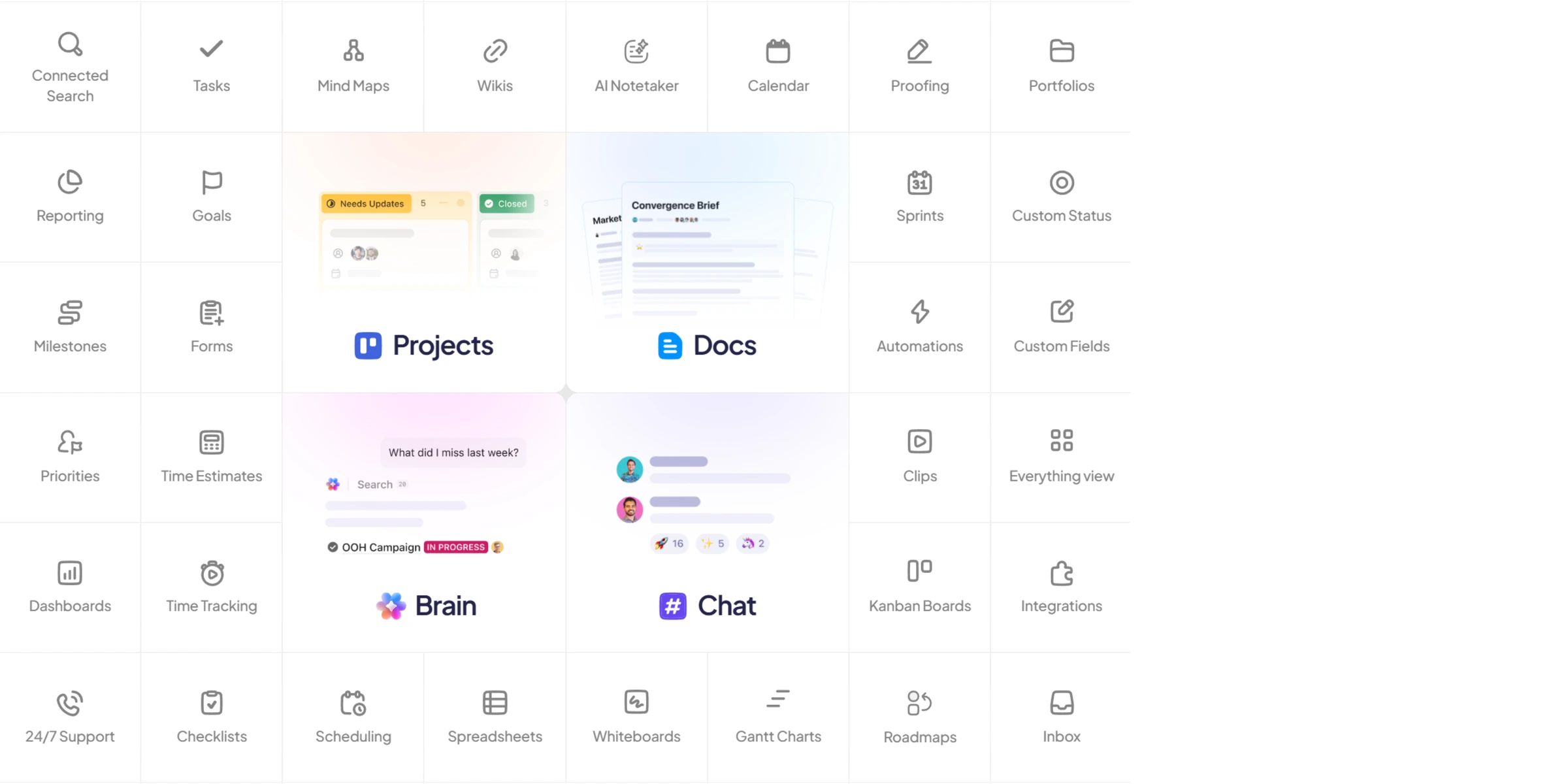
- 15+ view types: List, Board, Gantt, Calendar, Workload, Mind Map, Timeline — all built in
- Cheapest paid tier at $7/user/month — undercuts every major competitor except Trello
- Docs, whiteboards, goals, and chat built in — genuinely an all-in-one workspace
- Performance is the #1 complaint everywhere — the app gets noticeably sluggish on larger workspaces
- Mobile app is buggy and laggy — Reddit is full of sync issues between desktop and phone
- Overwhelming complexity for new users — 'fast to start, slow to get right' is accurate
- AI features cost $9-28/user/month ON TOP of your base plan — not cheap
- Automation quirks: assignee changes don't always trigger correctly, and workflows break in subtle ways
Here's my problem with ClickUp: it does everything, and it does most of it well, but the performance tax is real. I've read hundreds of Reddit threads about PM tools at this point, and the pattern is always the same: someone asks "what should I use?", half the replies say ClickUp, and the other half say "I switched FROM ClickUp because it was too slow."
Both camps are right.
The free tier alone gives you more than Monday.com's $9/seat Basic plan. Unlimited tasks, unlimited members, Kanban boards, sprint management, docs, calendar view, and time tracking, all without paying anything. That's not a "free trial." That's a legitimately usable product for a small team.
But load up a workspace with 50+ projects and a few hundred tasks, and you'll feel it. Page loads slow down. Filters take a beat longer than they should. The mobile app sometimes shows stale data until you force-refresh. For a tool that's supposed to save you time, the irony stings.
Worth it? If your team is process-mature and willing to invest the setup time, absolutely. If you want something that just works out of the box, keep reading.
2. Monday.com — Best for Non-Technical Teams
The UI is genuinely pleasant and non-technical teams adopt it without any training or onboarding sessions.
Budget-conscious teams who need Gantt charts and time tracking without paying for premium tiers.
- Genuinely the easiest PM tool to learn — marketing teams and ops teams adopt it without training
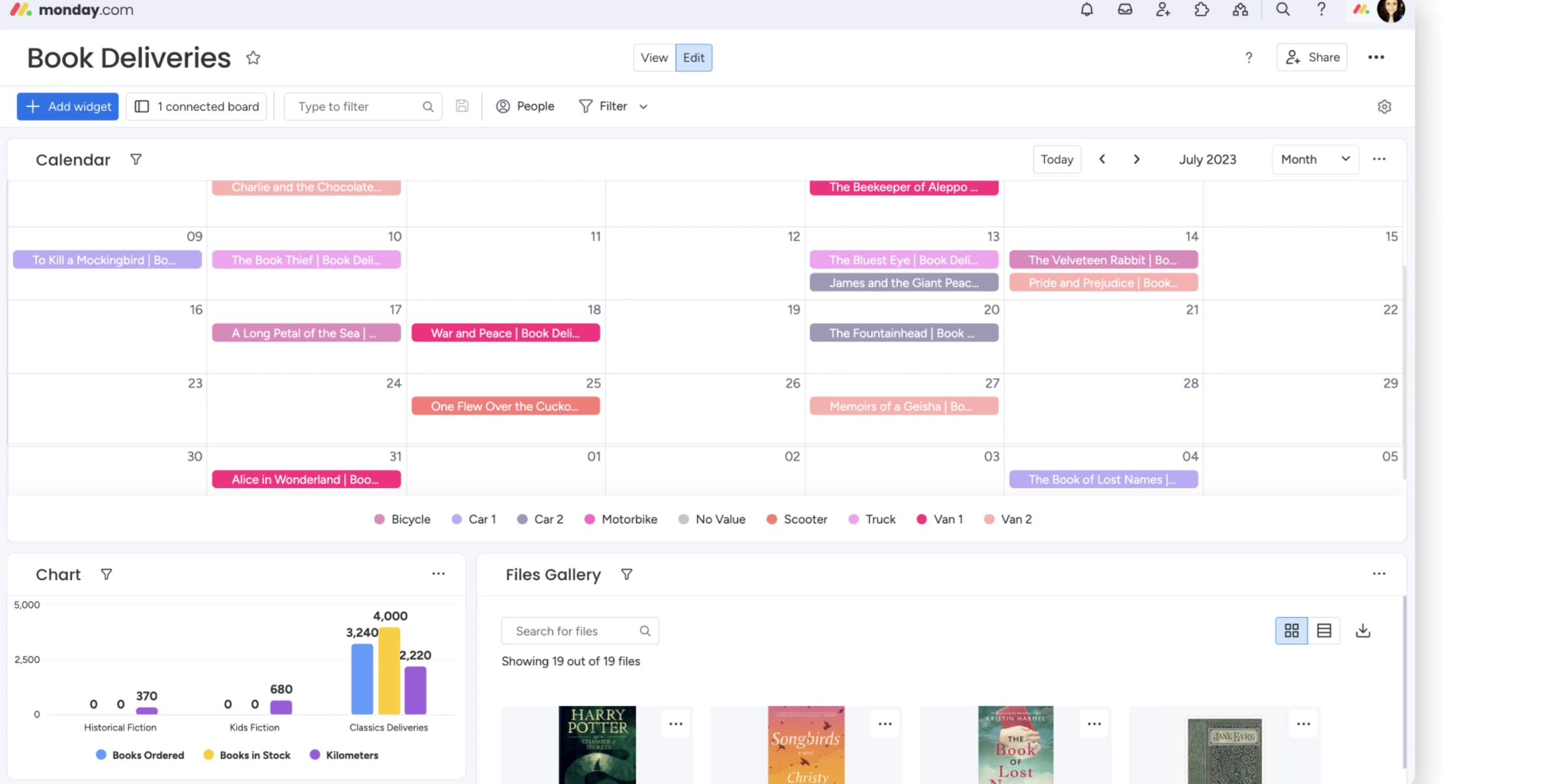
- Beautiful, color-coded boards that make status tracking visually intuitive
- Strong automation builder on Standard+ plans — saves real hours on repetitive workflows
- 200+ templates for quick project setup across industries
- Multiple product lines (CRM, Dev, Service) on the same platform
- Seat purchases are in forced increments (3, 5, 10, 12...) — can't just add one person
- Free plan is crippled: 2 users, 3 boards, 200 items total — barely a demo
- Gantt charts require Standard ($12/seat), time tracking requires Pro ($19/seat) — core features behind expensive tiers
- Activity logs on Basic plan retained for only 1 week — need Standard for 6 months
- Reddit reports that cancelling triggers daily warning banners visible to all team members — aggressive retention tactic
Monday.com's UI is genuinely pleasant. I'll give it that. If you've ever tried to get a marketing team to use Jira and watched their eyes glaze over, Monday.com is the antidote. The color-coded boards, drag-and-drop everything, and zero-jargon interface make it the easiest PM tool for non-technical teams to actually adopt.
The pricing, though. Let me break down what that $9/seat/month actually gets you.
Basic plan ($9/seat, annual): unlimited boards, 5GB storage, 1 dashboard. No automations. No integrations. No timeline view. No time tracking. No guest access. And you're locked into a minimum of 3 seats, so you're paying $27/month minimum even if it's just you and one teammate.
To get automations and integrations, you need Standard at $12/seat. Gantt charts? Standard. Time tracking? That's Pro at $19/seat. For a team of 10 on Pro, you're looking at $190/month — or $2,280/year. ClickUp gives you all of that on the $7/seat plan. And if you need automations beyond what's built into your PM tool, dedicated automation platforms like Make or Zapier connect to all of these for a fraction of Monday's per-seat premium. If you're looking for systems that can reason over tasks and trigger work across tools, our AI agents comparison covers that layer separately.
Monday.com makes sense if your team values simplicity over feature density and your budget can absorb the premium. For everyone else, the math doesn't work.
3. Asana — Best for Cross-Functional Teams
The Workflow Builder handles structured cross-team handoffs better than any other tool here.
Small teams under 10 people where the free tier is too restrictive and per-user pricing stings.
- Workflow Builder automates complex cross-team handoffs — marketing to design to engineering in one flow
- Timeline view (Gantt) included on Starter — not locked behind a premium tier like Monday.com
- Goals and Portfolios for OKR tracking across teams (Advanced+)
- Integration ecosystem is massive — connects to nearly every SaaS tool you already use
- Clean, minimalist UI that scales well from 10 to 500+ users
- Single assignee per task — cannot assign a task to two people, which is a constant complaint
- Pricing escalates fast: Starter $10.99, Advanced $24.99 per user per month
- Time tracking only available on Advanced ($24.99/user) — expensive for a core PM feature
- Customer support is chatbot-first — no live support, and email response times are slow
- Free tier limited to 10 users with no Timeline, no custom fields, no Workflow Builder
The single-assignee limitation is the thing that comes up in every single Reddit thread about Asana. Every one. You literally cannot assign a task to two people. You can add collaborators, sure, but only one person is the "owner." For cross-functional work where a designer and a copywriter both need to deliver on the same task? It's maddening.
Asana's team has acknowledged this for years and hasn't fixed it. Draw your own conclusions about their product priorities.
That said, Asana's Workflow Builder is legitimately good for structured processes. If your team runs repeatable workflows (content production pipelines, onboarding checklists, product launch sequences), the automation handles the handoffs between teams cleanly. It's where Asana earns its price premium over ClickUp.
The integration ecosystem is also a genuine strength. If you're a SaaS-heavy team running Slack, Figma, Salesforce, HubSpot, and Google Workspace, Asana plugs into all of them without third-party middleware. That matters when you're managing work across 5+ departments.
Skip it if: you're a small team under 10 people (the free tier is too restrictive) or if per-user pricing at $25/month for full features makes you sweat.
4. Linear — Best for Software Development Teams
The speed difference is immediately noticeable — it feels like a native desktop app, not a web app.
Non-engineering teams who need cross-functional project management with Gantt charts and time tracking.
- Fastest PM interface I've seen — keyboard shortcuts for everything, zero loading spinners
- Purpose-built for engineering: cycles (sprints), triage, issue tracking, and GitHub/GitLab integration that actually works
- AI agents included on all plans, even free — automated issue creation, triage intelligence, and duplicate detection
- Clean, focused design that developers genuinely enjoy using — rare for a PM tool
- No per-feature gating — what you get on the free plan works the same as paid, just fewer issues
- Engineering-only tool — non-dev teams find it confusing and overly specialized
- Free tier caps at 250 issues — that runs out fast on any real project
- No time tracking at all — need a separate tool or integration
- No Gantt charts or timeline views — Linear doesn't believe in them
- Limited reporting compared to Jira — if you need 15 custom dashboards, look elsewhere
I need to be upfront: Linear is not a general-purpose PM tool. If you manage marketing campaigns, client projects, or anything outside software development, skip to the next section. Linear will confuse your team and waste your time.
But if you write code? It's the best issue tracker on the market. And I say that having used Jira for years.
The speed difference is immediately noticeable. Linear feels like a native desktop app, not a web app. Keyboard shortcuts for everything: Cmd+K to navigate, C to create an issue, L to assign a label. Zero loading spinners. Zero page refreshes. The r/projectmanagement and r/programming communities are borderline obsessive about it, and honestly, I get it.
The opinionated workflow is the key differentiator. Linear doesn't let you build whatever you want (unlike ClickUp or Notion). You get cycles, projects, issues, and triage. That's it. And that constraint is actually the point. It forces your team into a clean workflow instead of letting you build a Frankenstein system that nobody maintains.
At $10/user/month, it's cheaper than Jira Premium ($17.50/user). For engineering teams that want speed over configurability, use it. Everyone else, skip it.
5. Notion — Best for Docs + Lightweight PM
Teams that need documentation AND task tracking in one tool get genuine value from Notion's flexibility.
Teams managing more than a few thousand tasks where database performance becomes a constant annoyance.
- Flexibility is unmatched — databases, views, relations, rollups let you build any PM system you can imagine
- Best-in-class documentation and wiki features — no other PM tool does docs this well
- Templates marketplace has thousands of PM setups you can duplicate and customize
- Free for individuals — no limits on pages, just team features
- Strong for content teams: editorial calendars, asset databases, and publishing workflows in one place
- Performance degrades noticeably on databases over 5,000 rows — filtering takes 2-4 seconds at scale
- No native task dependencies — can't link tasks as blockers without workarounds
- No built-in time tracking — need a third-party integration
- Steep learning curve — your team has to design the PM system from scratch
- Mobile app is significantly less functional than desktop — editing databases on phone is painful
I covered Notion extensively in our Notion vs Obsidian comparison, and the PM angle doesn't change my core take: Notion is a phenomenal knowledge base that can be hacked into a project management tool. If your shortlist is specifically ClickUp versus Notion, the newer ClickUp vs Notion comparison is the cleaner decision guide. But "can be" and "should be" are different things.
The setup cost is real. You're building your PM system from Notion databases: task boards, sprint views, project timelines, status automations. It takes hours. And if you don't have a Notion power user on the team, it'll take days. Compare that to ClickUp or Monday where you pick a template and start working in 5 minutes.
Where Notion genuinely wins: teams that need docs AND project management in one tool. Content teams, product teams writing PRDs, agencies managing client deliverables alongside knowledge bases. If 60% of your work is documentation and 40% is task tracking, Notion makes more sense than running Confluence plus Asana. Pair it with a solid email marketing platform for client outreach and you've got a lean content operation.
But if task tracking is your primary need? Get a real PM tool. Notion's database performance alone should disqualify it for teams managing more than a couple thousand tasks. I've seen the lag firsthand with about 3,200 rows. It's not catastrophic, but it's noticeable enough to be annoying every single time you filter.
6. Basecamp — Best Flat-Rate Pricing for Teams
The $299/month flat rate for unlimited users makes it the cheapest per-person option at 30+ team members.
Teams with complex projects involving timelines, dependencies, and resource allocation.
- Pro Unlimited at $299/month — flat rate, no per-seat fees, unlimited users. For 20+ person teams, this is unbeatable value
- Lowest learning curve of any PM tool — your team will be using it in 30 minutes, not 3 days
- Built-in team communication: message boards, campfire chat, automatic check-ins that replace standup meetings
- Client/guest access is free on all paid plans — great for agency work
- 60-day free trial on Pro Unlimited — generous enough to actually evaluate it properly
- No Gantt charts. No task dependencies. No subtasks. No priority fields. The feature list is... short
- No native time tracking — requires a $50/month add-on
- Per-user plan ($15/user/month) is expensive for what you get compared to ClickUp ($7/user)
- Very limited customization — you adapt your process to Basecamp, not the other way around
- Minimal reporting and analytics — no dashboards, no workload views, no resource management
$299/month for unlimited users. No seat calculations. No "whoops, we added 3 people and now the bill jumped $150." For a 30-person team, that works out to $10/person/month, cheaper than Monday.com's Basic plan. For a 50-person team? $6/person. The economics flip in Basecamp's favor fast.
The trade-off is brutal though. No Gantt charts. No task dependencies. No subtasks. No priority field on tasks. No workload view. If your projects involve complex timelines with blocking dependencies and resource allocation, Basecamp literally cannot do it. The tool is philosophically opposed to complexity.
That's either a feature or a dealbreaker. There's no middle ground.
Small agencies running 5-10 client projects simultaneously love it. The message boards and automatic check-ins replace half their meetings. Client access is free. The simplicity means clients actually use it instead of ignoring another tool invitation. As I noted in our meeting assistants roundup, eliminating unnecessary meetings is half the productivity battle — Basecamp's check-ins accomplish exactly that.
Skip it if your projects are complex. Use it if your projects are simple and your team is large.
7. Trello — Best for Personal Task Management
Absolute simplicity with zero learning curve — create a board, add cards, drag across columns, done.
Anyone whose needs have grown beyond basic Kanban, since ClickUp's free tier now does everything Trello does and more.
- Simplest PM tool to learn — if you can move sticky notes on a whiteboard, you can use Trello
- Cheapest paid plan at $5/user/month (annual) — lowest entry point of any tool here
- Butler automation is surprisingly capable for a 'simple' tool — no-code workflow builder included
- Free tier gives you unlimited cards and 10 boards — more than enough for personal use
- Drag-and-drop card interface is still the gold standard for visual Kanban
- No native Gantt charts, time tracking, dependencies, or reporting — everything requires Power-Ups
- Scales poorly for teams — once you're managing 3+ projects with overlapping deadlines, it breaks down
- Recent UI redesign heavily criticized — users report it's 'visually cluttered, functionally worse'
- Power-Up dependency means core features cost extra and introduce compatibility issues
- Atlassian ownership hasn't helped — pricing changes sometimes happen without clear notification
I genuinely don't know who Trello is for anymore in 2026. And I say that as someone who used it for years.
The problem is simple: ClickUp's free tier now does everything Trello does, plus Gantt charts, time tracking, docs, goals, and sprint management. For free. With unlimited members. Trello's free tier gives you 10 boards and no advanced features. The value proposition has collapsed.
Trello still has one thing going for it: absolute simplicity. If you're a freelancer tracking personal tasks, or a very small team (2-3 people) that just needs a shared to-do board, Trello is the least intimidating option. No setup, no configuration, no learning curve. Create a board, add some cards, drag them across columns. Done.
But the second your needs grow beyond basic Kanban (and they will), you'll be looking for something else. The r/ClickUp and r/productivity communities recommend ClickUp or Monday.com as Trello replacements more than anything else. That should tell you where the market has moved.
If you're already on Trello and it works? Don't switch just because I said so. But if you're evaluating tools fresh, start with ClickUp. If ClickUp's complexity scares you, then consider Trello. That's the honest order of operations.
The Pricing Reality Check
Let me do the math nobody else does. Here's what each tool actually costs for a team of 10 on the plan you'd realistically need (not the cheapest plan, the one that includes the features you'll actually use):
- ClickUp Unlimited: $70/month ($840/year)
- Trello Premium: $100/month ($1,200/year)
- Linear Basic: $100/month ($1,200/year)
- Notion Plus: $100/month ($1,200/year)
- Monday.com Standard: $120/month ($1,440/year), and that's with the 3-seat minimum already satisfied
- Asana Advanced: $250/month ($3,000/year), because you need Advanced for time tracking
- Basecamp Pro Unlimited: $299/month ($3,588/year), but this covers unlimited seats, so it gets cheaper per person as you grow
At 10 users, ClickUp wins on price by a wide margin. At 30 users, Basecamp's flat rate becomes the cheapest option. At 50+ users, Basecamp is half the cost of everything else.
One thing to watch: ClickUp's AI add-on at $9/user/month. If you want AI features, your $70/month bill jumps to $160/month. Suddenly Monday.com's AI-included Standard plan doesn't look so expensive.
Pricing traps to avoid:
- Monday.com forces seat increments. You can't buy 4 seats, only 3 or 5
- Asana's Advanced tier is where the real features live, but it's $25/user, 2.5x their Starter plan
- Basecamp's Plus plan ($15/user) is bad value. The Pro Unlimited at $299 flat is where the economics work
- Trello's Power-Ups can quietly add $3-10/user/month for features that are free in ClickUp
AI Features: Hype vs Reality
Every PM tool now has "AI features." Most of them are glorified text generators. Here's what actually matters:
Linear's AI is the most useful because it's focused. Triage Intelligence auto-routes incoming issues to the right team. Duplicate detection catches redundant tickets before they pile up. AI agents auto-create issues from Slack messages. It's narrow and genuinely helpful. If you are deciding whether that agent should touch a task system rather than a full PM suite, the Superlist MCP vs Todoist MCP vs Linear Agent comparison is the tighter buying frame.
Monday.com's AI generates task summaries and suggests automations. Useful for reducing busywork, but not transformative. Included in Standard+ plans.
Asana's AI generates project plans and summarizes conversations. Similar to Monday, nice to have, but you won't choose Asana because of it.
ClickUp's Brain AI is powerful but expensive. $9/user/month on top of your base plan. At that price point, you could subscribe to a standalone AI tool like ChatGPT or Claude and get more flexibility.
Notion's AI is best-in-class for document work: summarizing, writing, Q&A across your workspace. But for PM-specific AI? It doesn't do task routing, sprint planning, or intelligent scheduling. If you want AI that actually manages projects, Notion isn't it.
Basecamp and Trello? No meaningful AI features.
The honest take: AI in PM tools is still early. The scheduling intelligence in Motion and Reclaim AI is more impactful than anything these PM tools offer. If the actual bottleneck is getting tasks onto a realistic calendar, compare the best time blocking apps before replacing your project manager. Don't choose a PM tool based on AI features in 2026. Choose it based on the fundamentals.
The Bottom Line
For most teams: ClickUp. The feature density and pricing are hard to beat. Accept the performance quirks and the learning curve. The payoff is worth it.
For non-technical teams: Monday.com. Your marketing team will actually use it. Budget accordingly.
For engineering teams: Linear. Stop fighting Jira. Switch and don't look back.
For docs-heavy teams: Notion. But only if documentation is at least half your workflow.
For large simple teams: Basecamp. The flat-rate pricing is unbeatable at scale. Just accept the feature limitations.
For cross-functional enterprises: Asana. It's expensive, but the workflow automation and integrations earn it at scale.
For solo/tiny teams: Trello, but honestly, ClickUp's free tier is better. Try both. If you're managing tasks alongside a knowledge base, Notion or Obsidian might be the smarter pick.
Frequently Asked Questions
Ready to check ClickUp?
Use the verified route if the trade-offs still fit. If not, jump back to the summary and compare the alternatives.
Crypto and productivity editor focused on cost, custody risk, setup friction, exports, fees, and workflow drag. Prioritizes verifiable numbers and clear skip criteria over hype.
Lucas starts with total operating cost, then ranks tools by setup and recurring friction, custody or export, reversibility, and whether the decision still makes sense when the exit path is included.
Related Articles

Hey Noah vs Lindy vs Fyxer: Best AI Executive Assistant
AI executive assistants compared by action authority, reversibility, workflow fit, cost predictability, context reach, and trust readiness
Compare Hey Noah, Lindy, and Fyxer by approvals, email sending, scheduling, calls, integrations, security, and current entry prices.

Paste vs Maccy vs Raycast: Which Mac Clipboard Manager Fits?
Mac clipboard managers compared by local history, Apple-device sync, privacy posture, launcher fit, setup burden, and subscription value
Paste, Maccy, and Raycast compared by clipboard history, Apple-device sync, local storage, privacy posture, pricing, and workflow fit.