
Giving an AI assistant access to your tasks sounds efficient right up until it creates duplicate projects, moves the wrong deadline, or turns one messy meeting note into 47 tiny obligations.
That is the real buying question behind Superlist MCP vs Todoist MCP vs Linear Agent. Not "which app has AI?" They all have some AI story now. The better question is: which task system deserves agent access, and which one should stay boring?
My short answer: choose Superlist MCP if you want a fresh AI-readable task layer, choose Todoist MCP if Todoist is already your source of truth, choose Linear Agent if your tasks are product and engineering issues, and choose Super Productivity if you should not connect a cloud assistant to tasks at all.
Does it actually save time or just look cool? For this category, that question is the whole review.
This is an evidence-led comparison. I checked official MCP docs, official pricing pages, current changelogs, rendered screenshots, current SERP competitors, GDT operator data, and concrete Reddit friction examples. I did not authenticate an MCP connector, connect an AI assistant to a live task account, mutate real tasks, test mobile sync, or measure exact time saved.
If you still need a normal task-manager comparison, start with our Todoist vs TickTick guide. If the problem is calendar ownership, compare the time blocking apps before adding another AI layer. And if your work is team execution rather than personal tasks, the project management tools roundup is the better base layer.
-
#1 Superlist MCPBest AI-first task layer: official MCP, lists and notes, Claude/ChatGPT setup, low-cost Basic path
-
#2 Todoist MCPBest if Todoist already runs your life: hosted MCP plus mature projects, filters, recurring tasks, and Ramble capture
-
#3 Linear AgentBest for software teams: issues, triage, product context, code-aware updates, and agent workflows
-
#4 Super ProductivityBest local-control fallback: free, open-source, offline/private, exportable, and no cloud AI authority by default
Start with Superlist MCP if you are building the task system around AI access. Use Todoist MCP if migration would create more work than the agent saves. Pick Linear Agent when the task is really an issue, spec, customer request, or bug. Keep Super Productivity in the decision if privacy and local ownership are the point.
The task-agent trap
A task system can contain client names, family errands, HR notes, project delays, health reminders, and unfinished thoughts. If a tool turns that into AI context, the buyer needs a reason.
Bad trade: buying an "AI task manager" because the demo looked clean, then spending every Friday deduplicating work the agent created on Tuesday.
Here is my bias: I would rather use a dumb task app I trust than a clever agent I have to babysit. The moment an AI task layer creates a second review queue, it has failed. That is why Super Productivity gets a serious slot here instead of being treated like an odd open-source footnote.
How I ranked the task-agent picks
The rubric has five parts: Agent Access, Workflow Fit, Setup Risk, Pricing Clarity, and Control. Agent Access asks whether the assistant can actually read and update useful task data. Workflow Fit asks whether the app matches personal tasks, AI-assisted list planning, engineering issues, or local deep work. Setup Risk covers OAuth, permissions, connector support, mobile behavior, and the cleanup tax if the assistant touches a messy system. Pricing Clarity asks where the AI and team thresholds actually land. Control asks how much private task context leaves the buyer's device.
Superlist MCP vs Todoist MCP vs Linear Agent
| Feature | Superlist MCP | Todoist MCP | Linear Agent | Super Productivity |
|---|---|---|---|---|
| Best job | AI-readable task and list layer | Mature personal/team task system with official AI access | Engineering/product issue context | Local-first deep work, time tracking, and private tasks |
| Agent access | Official MCP can read and update lists/tasks through supported assistants | Hosted MCP with OAuth and read/create/update task and project access | Built-in Linear Agent plus MCP support and code-context updates | No hosted cloud MCP layer in this comparison |
| Starting price verified | Free; Basic $6/mo or $59/yr; Super $25/mo or $249/yr | Free; Pro $7/mo or $60/yr; Business $10/user/mo or $96/user/yr | Free; Basic $10/user/mo annual; Business $16/user/mo annual | Free/open-source |
| AI/task feature threshold | Most MCP features on standard plans; advanced features may require paid plan | Ramble and Task Assist on Todoist plans; deadlines/durations in Ramble need paid plan | Agent/Skills on all plans; automations and Code Intelligence on Business/Enterprise | Privacy, offline mode, plugins, integrations, and export are the value |
| Biggest risk | Connector reliability, task-detail support, and permission scope need a pilot | A messy existing task taxonomy gives the agent messy authority | Overkill for personal tasks and non-engineering work | Less cloud-agent convenience and more self-managed workflow |
| Skip if | Todoist or Linear already owns the workflow | You want a fresh AI-first list layer instead of a mature task app | Your tasks are errands, recurring habits, or solo planning | You specifically want hosted AI write-access |
| Action | Try Superlist | Try Todoist | Try Linear | Try free |
1. Superlist MCP: best AI-first task layer
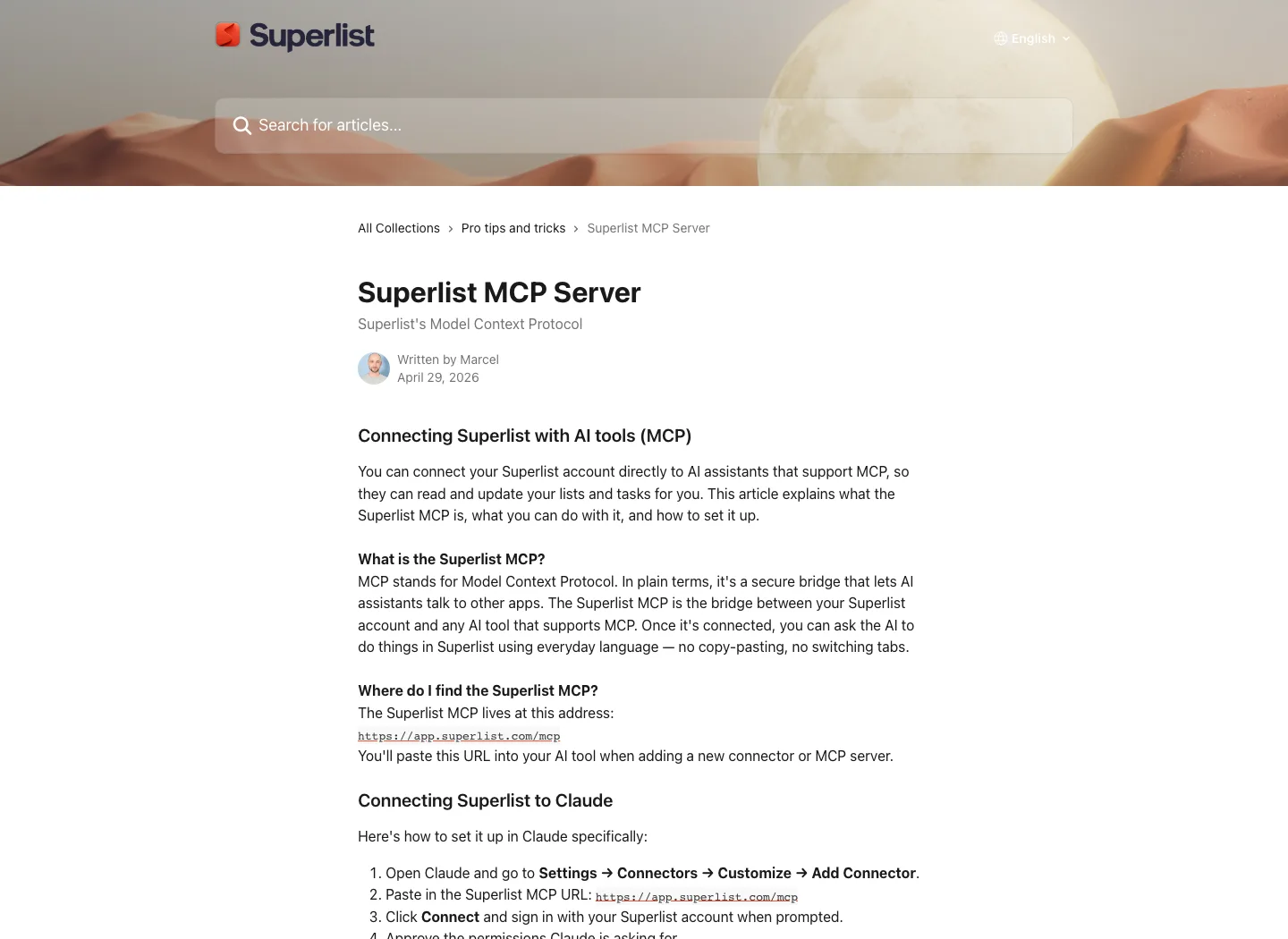
Superlist MCP wins if you are choosing a task layer for AI on purpose. The official help page says supported assistants can read and update your lists and tasks, and it gives concrete Claude and ChatGPT setup paths through the Superlist MCP URL.
That matters because Superlist is not merely adding a smart input box to an old task app. Its pitch is closer to "your lists and notes should be accessible from the conversation where work is already happening." The examples are exactly the tasks an agent should handle: add items, check what is overdue, move unfinished tasks, create a new launch list, summarize the week, or draft a project plan from meeting notes.
The pricing page is also readable. Free allows up to 5 private lists and 5 shared lists with unlimited tasks and notes. Basic is $6/month or $59/year and adds unlimited private lists, sublists, shared lists up to 25 members per list, larger file uploads, 25 GB storage, integrations with Gmail, Google Calendar, Slack, Linear, Email Forwarding, and GitHub, plus Talk AI voice input. Super is $25/month or $249/year and adds unlimited AI meeting notes/summaries, AI chat with meeting notes, AI email/Slack message summarization to tasks, and Make AI content generation.

The catch is trust. Superlist says the AI tool only gets access to data your account already has access to and that you can revoke access. Good. But a Reddit thread from the Superlist account also surfaced real early-friction examples: Developer Mode tradeoffs, session reconnect issues, and a user wanting better support for task details, reminders, and deadline interpretation. That is not a reason to dismiss it. It is a reason to pilot it on one list before giving it your whole life.
Superlist's MCP documentation is explicitly about assistants reading and updating lists/tasks, not just generic AI branding.
Skip it if Todoist or Linear already holds the task system and migration would create more cleanup than value.
Superlist ranks first for an AI-first task layer because the official MCP surface is direct, current, and task-specific, though connector reliability still needs a real pilot.
- Official MCP help page for Claude, ChatGPT, and other supported assistants
- Can read and update lists and tasks through supported AI tools
- Free and Basic tiers make the first pilot cheaper than many AI workspace tools
- Lists, notes, integrations, and AI meeting/task features fit the agent-task use case
- This review did not authenticate the MCP connector or let an agent change tasks
- Advanced AI features may require the $25/month Super plan
- Community examples show early friction around Developer Mode, sessions, and task-detail/reminder support
- Not ideal if your actual work already lives in Todoist, Linear, Jira, or GitHub
Use it when the task system is still flexible. Do not use it as a cosmetic add-on to a chaotic backlog.
2. Todoist MCP: best if Todoist already runs your life
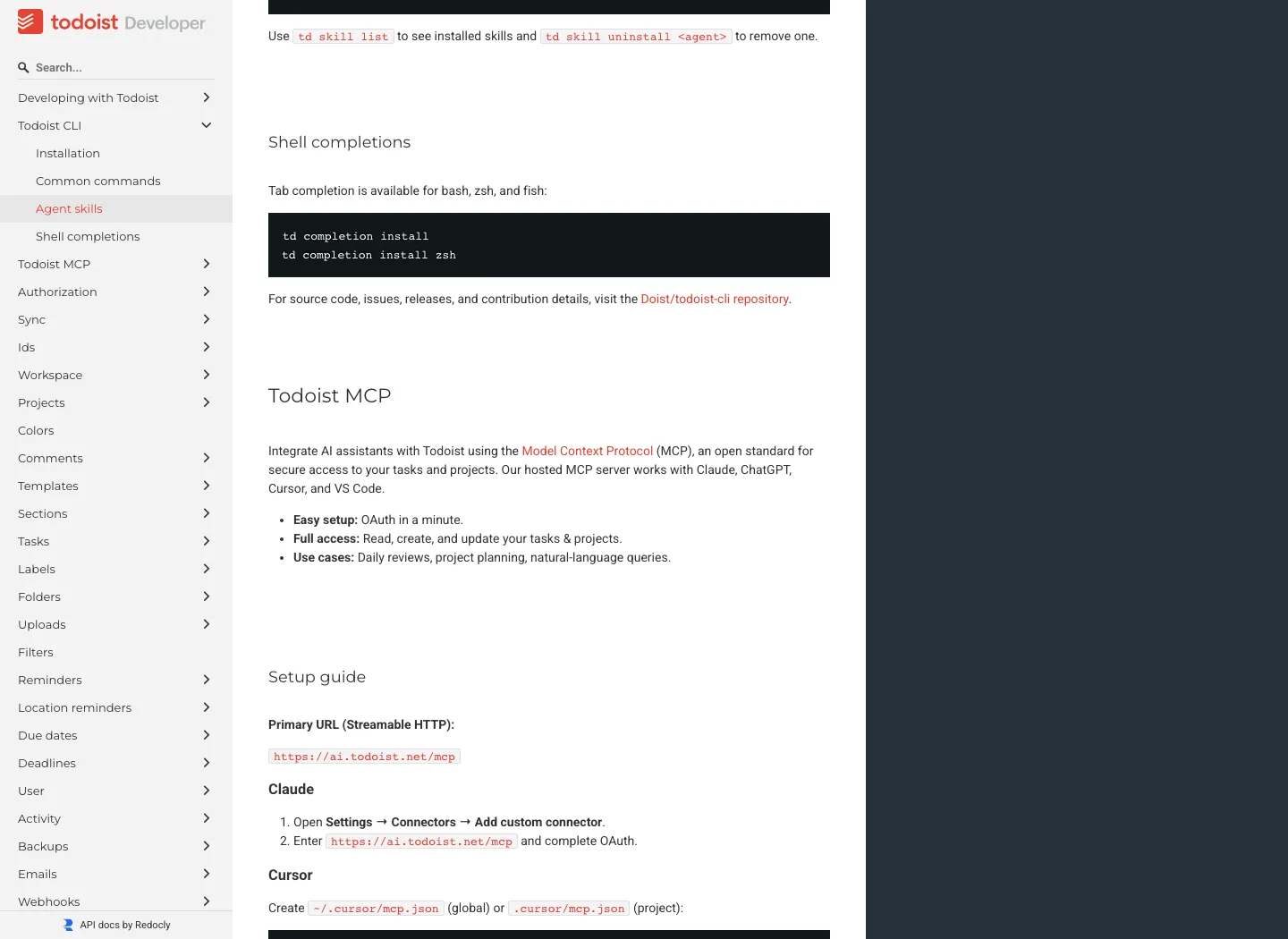
Todoist MCP is the safest recommendation for existing Todoist users. The current Todoist developer docs list a hosted MCP server, OAuth setup, and support for Claude, ChatGPT, Cursor, VS Code, Claude Code, and other clients. The key phrase is full access: read, create, and update your tasks and projects.
That is a big deal because Todoist is not a startup task board trying to find a use case. It already has projects, sections, labels, filters, recurring tasks, reminders, deadlines, comments, files, team workspaces, activity history, and mature clients. If your system is already clean, MCP gives AI access to a structure you trust.
The pricing is less cheap than old Todoist comparisons still suggest. Todoist Pro is now $7/month or $60/year after the December 10, 2025 update. Todoist Business is $10/user/month or $96/user/year. If you read our older Todoist vs TickTick angle, the task-capture story has also changed: Todoist Ramble can capture task names, descriptions, dates/times, projects, priorities, sections, labels, deadlines, and durations, but deadlines and durations are paid features, and subtasks/custom reminders are not supported in that Ramble table.
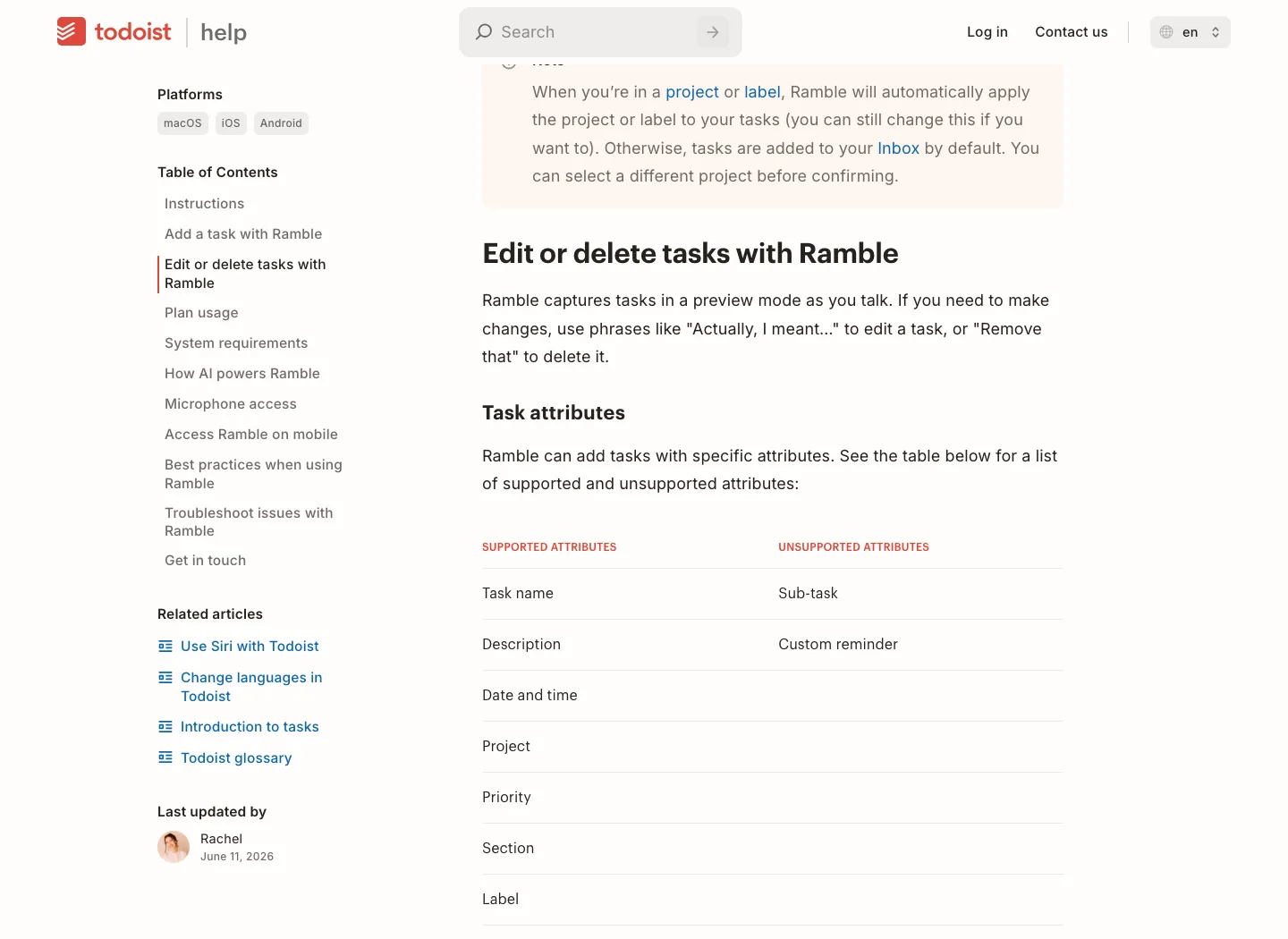
That distinction matters. Ramble solves input friction. MCP grants system authority. One lets you speak a task into Todoist; the other lets an assistant read, create, and update task/project data. Those are not the same risk level.
The reason Todoist is not ranked first is simple: the best Todoist buyer already chose Todoist before MCP entered the room. If you have years of recurring tasks, filters, labels, and team habits there, use Todoist MCP. If you are starting fresh and want an AI-first list layer, Superlist is the cleaner experiment.
Todoist now documents an official hosted MCP server with OAuth and read/create/update access for tasks and projects.
Skip it if your Todoist system is already messy. Agent access amplifies the structure you have, not the structure you wish you had.
Todoist ranks second because official MCP plus mature task infrastructure is strong, but its best buyer is someone already committed to Todoist.
- Official hosted MCP server with OAuth setup and multi-client instructions
- Mature projects, labels, filters, recurring tasks, deadlines, comments, and team workspaces
- Ramble improves capture separately from MCP write-access
- Clear public pricing updates for Pro and Business plans
- This review did not authenticate Todoist MCP or let an agent change tasks
- Pro and Business prices increased in December 2025
- Ramble does not support every task attribute, and some attributes require a paid plan
- MCP full access can create cleanup work if your projects and labels are already inconsistent
3. Linear Agent: best when tasks are product issues
Linear Agent is not a better personal to-do list. It is a better way for software teams to operate around issues, customer requests, specs, triage, code context, and project updates.
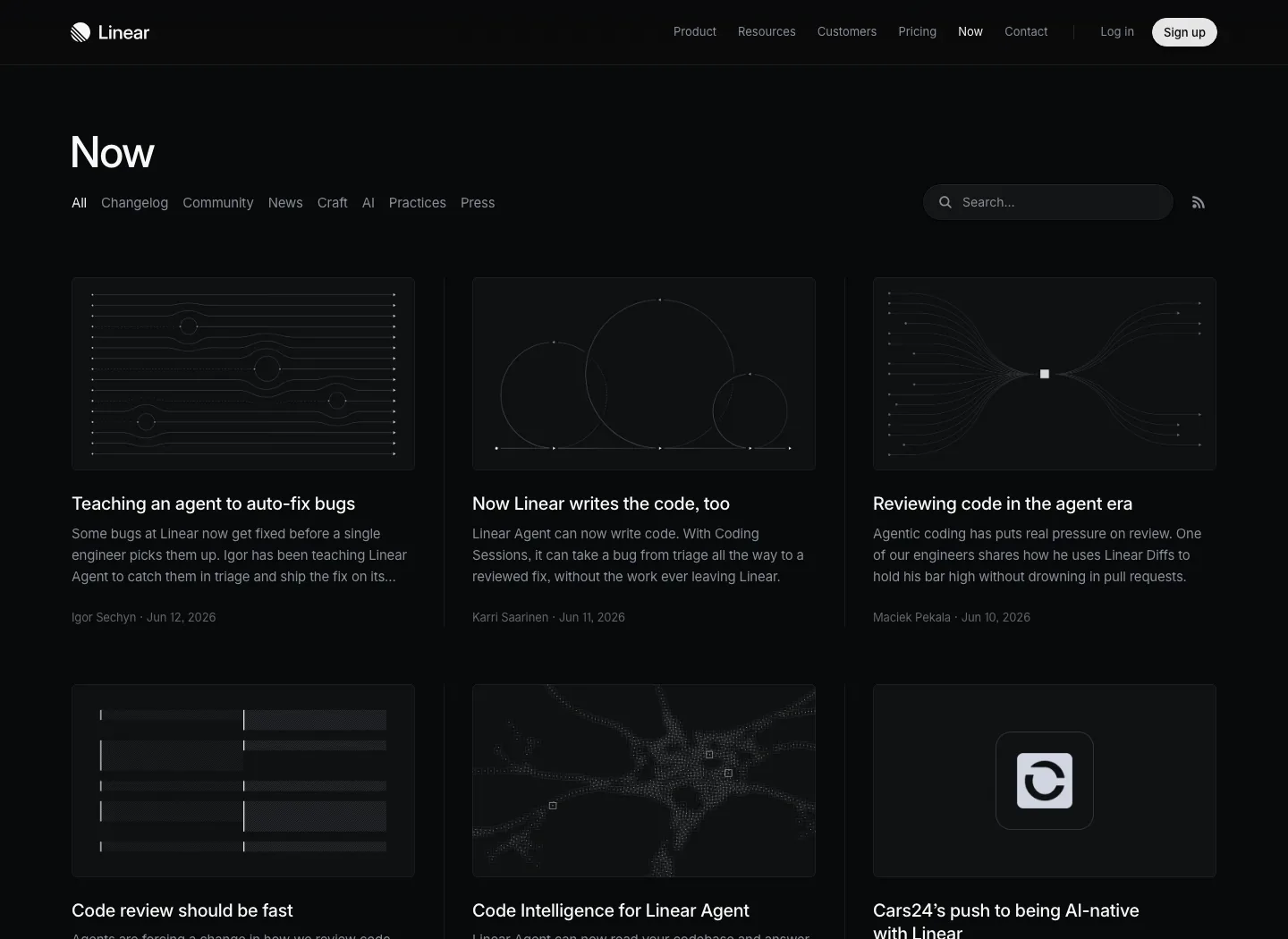
The March 2026 Linear Agent changelog says the agent understands your roadmap, issues, and code, can synthesize context, make recommendations, and take action. It can also work in Slack, Microsoft Teams, comments, replies, desktop, and mobile. The same changelog says Agent and Skills are included on all Linear plans during beta, while Automations and Code Intelligence are on Business and Enterprise. Linear's Now page then shows the direction of travel: code-aware agent work, Coding Sessions, and MCP support around June 2026.
Pricing tells you who this is for. Linear has a Free plan, Basic at $10/user/month billed yearly, and Business at $16/user/month billed yearly. Business adds unlimited teams, private teams and guests, Triage Intelligence, Linear Agent automations beta, Code Intelligence beta, Linear Insights, Linear Asks, and support integrations.
That is overkill for groceries, daily chores, or solo time blocking. For calendar scheduling, read the Motion vs Reclaim AI comparison. If you are deciding between task and doc workspaces, read ClickUp vs Notion. Linear belongs here because the task-agent question changes when the "task" is an issue with product context attached.
Linear Agent is grounded in roadmap, issue, customer request, and code context rather than generic personal task capture.
Skip it for personal productivity, chores, habit tracking, and solo to-do lists.
Linear ranks third overall because it is the strongest engineering-team tool but too specialized for most task-manager buyers.
- Built directly into Linear issue/project/customer-context workflows
- Agent and Skills are included on all Linear plans during beta
- Recent updates show code-aware agent work, Coding Sessions, and MCP support
- Business tier adds Linear Agent automations beta and Code Intelligence beta
- Not a personal task manager replacement
- Business plan is the honest comparison for advanced agent automation
- This review did not test a real Linear workspace or agent workflow
- Per-seat team pricing can be wasteful if you only need individual tasks
4. Super Productivity: best when AI should stay out
Super Productivity is the boring answer that many buyers should consider first. It is not ranked fourth because it is weak. It is ranked fourth because it does not solve the hosted MCP task-layer problem. Its value is different: tasks, time tracking, focus tools, boards, GitHub/Jira integrations, local-first privacy, JSON/CSV export, and open-source control.
That matters because "let AI manage my task list" is sometimes a symptom of a worse problem: too many tasks, no triage habit, no weekly review, and no place where work is actually trusted. In that case, adding an agent is automation theater.
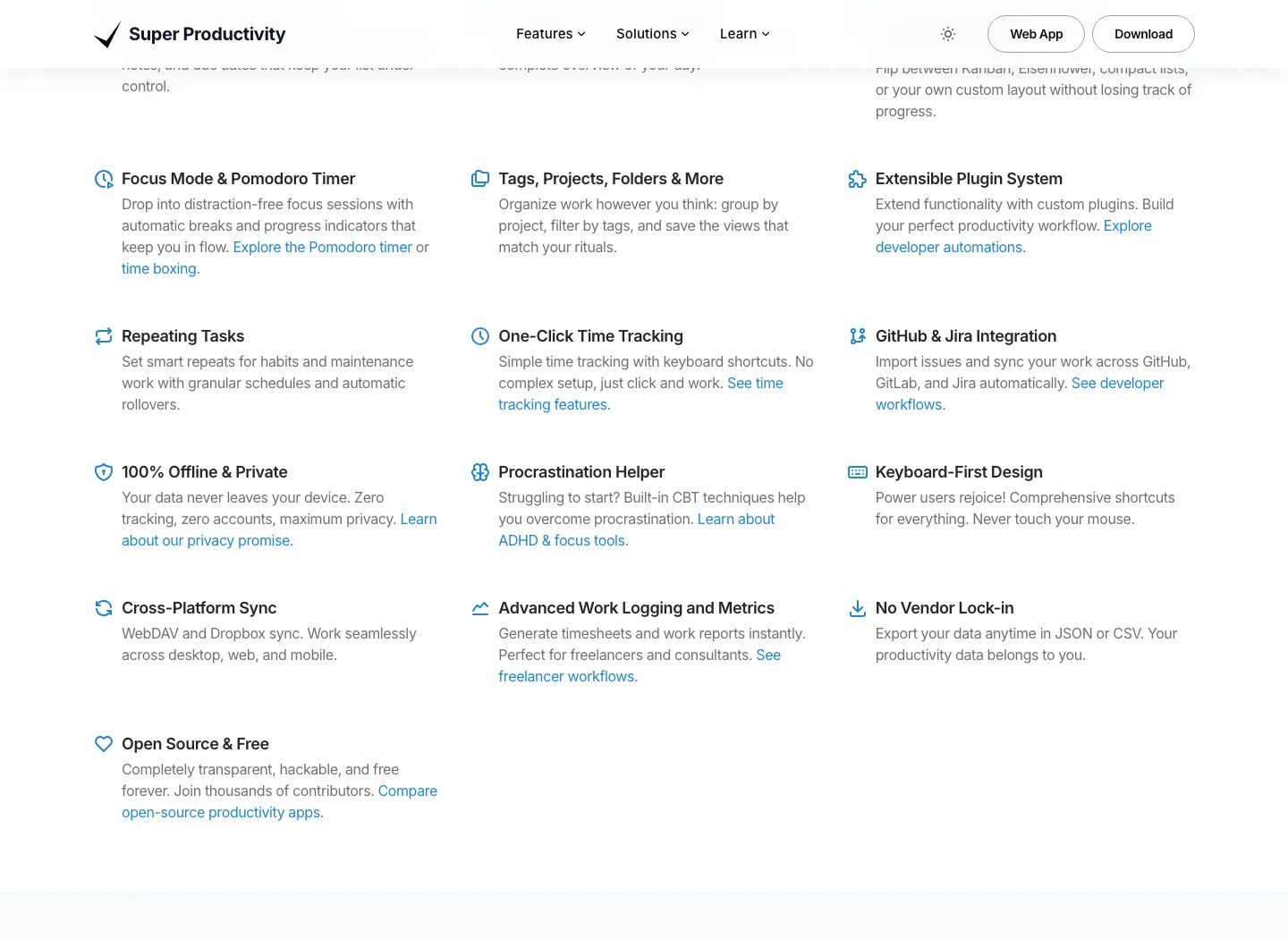
The official site says tasks, time tracking, and focus tools live in one open-source app, offline and private. It also states that data never leaves your device, there is zero tracking and zero accounts, and export is available in JSON or CSV. For a developer or freelancer who wants focus sessions, work logs, GitHub/Jira/GitLab import, and privacy, that may be better than connecting yet another cloud service.
Affiliate click data is also a useful signal here: Super Productivity was the highest clicked slug in the latest 30-day affiliate click report. That does not prove revenue, conversion, or market sentiment, and I am not claiming it does. It does tell us GDT readers keep showing interest in a free/local productivity alternative, so it belongs in this buying decision.
It is the cleanest answer when the buyer wants tasks, time tracking, focus tools, export, and local control instead of cloud AI write-access.
Skip it if the entire point is letting Claude, ChatGPT, Cursor, or another assistant update a hosted task database.
Super Productivity ranks fourth in this specific agent-layer comparison, but it scores highest for price and control.
- Free and open-source
- Offline/private positioning with no accounts and no tracking
- JSON/CSV export reduces lock-in risk
- Tasks, time tracking, focus mode, Pomodoro, boards, and developer integrations in one app
- No hosted cloud MCP layer in this comparison
- More self-managed than Superlist, Todoist, or Linear
- Not the obvious pick for team task delegation
- This review did not test install, sync, plugin, or issue-import workflows
How to choose without getting burned
Choose Superlist MCP if the task system is new, flexible, list-heavy, and you want the AI assistant to become part of planning. It is the most interesting fresh option because the product is leaning into the "task layer for agents" idea instead of treating MCP as an appendix.
Choose Todoist MCP if Todoist is already where tasks get trusted. Do not migrate to Superlist just because a launch page looks newer. Migration has a cost, and Todoist now has official hosted MCP. If you already have a clean Todoist system, that is a stronger starting point than a shiny blank board.
Choose Linear Agent if the work is software-team work. Bugs, triage, customer requests, specs, product updates, and code-linked decisions are not normal tasks. They need product context. Linear is built for that context.
Choose Super Productivity if the honest problem is focus, privacy, and ownership. A local-first app will not write your weekly plan from a chat prompt, but it also will not quietly turn half-finished thoughts into cloud agent context.
One hard rule: do not start with full write-access. Start with a low-risk project, read-only summary, or one disposable list. If the assistant cannot keep a clean list clean, it has no business touching the real one.
Pilot checklist before you give an agent write-access
Do the boring pilot first. Create one test project or list with 20-30 real-but-low-risk tasks. Include overdue items, recurring work, vague notes, a few priorities, and one task you definitely do not want changed. Then ask the assistant to summarize the list, identify stale tasks, propose a plan for today, and explain what it would change before it changes anything.
If that read-only pass is useful, allow one narrow write action: add three tasks from a meeting note, move unfinished tasks to tomorrow, or create a project outline from a short brief. Do not test bulk deletion, priority rewrites, or recurring-task edits first. Those are exactly the actions that look efficient in a demo and create cleanup work in a real system.
Check three things after the pilot. First, did the assistant understand your task language, or did it invent its own categories? Second, did the app make permission and undo behavior obvious? Third, did the output reduce work, or did it create a second review queue? If you need to inspect every task like a pull request, the setup is not saving time yet.
That is why I rank Superlist, Todoist, Linear, and Super Productivity as different answers rather than one ladder. The best agent layer is the one that matches the cleanup cost you are willing to own.
Also considered
TickTick is still a strong personal productivity app, especially if calendar and habits matter more than agent access. I did not rank it here because the buying question is MCP/agent task authority, and our Todoist vs TickTick article already covers the normal task-manager decision.
Notion, ClickUp, and Asana can all fit adjacent task and workspace decisions, but they turn this into a broader project-management comparison. For that, use the project management tools guide and then decide whether the AI layer is actually the missing piece.
Zapier, Make, and n8n matter when you want automations between apps instead of AI access to a task database. If your real problem is routing work across tools, the Zapier vs Make vs n8n comparison is more useful than buying another task app.
Frequently Asked Questions
Final verdict
My default recommendation is Superlist MCP for buyers who want the freshest AI-first task layer, but the wrong buyer can still make it fail. Avoid broad write-access until a pilot proves the agent understands your labels, deadlines, ownership rules, and undo path. The real risk is not the subscription cost; it is giving a confused assistant permission to break the task system your team already relies on.
Superlist MCP is the best fresh pick for buyers who want an AI-readable task layer, but Todoist MCP is the smarter move if Todoist already holds the trusted system. Linear Agent belongs to software teams, and Super Productivity is the right answer when agent write-access is the wrong problem.
Pilot Superlist MCPMost people do not need an AI task manager. They need fewer tasks, cleaner projects, and a weekly review they actually do.
If you already have that discipline, MCP can help. If you do not, it just gives the mess a faster keyboard.