
The best time blocking apps do not magically make the week lighter. They just make the lie visible.
You either have enough space for the work, or you do not. A good blocker tells you that before Friday. A bad one makes your calendar look disciplined while the actual tasks keep sliding into the evening.
My default pick is Reclaim AI because it solves the problem with the least workflow rebuild. If you already live in Todoist, Asana, ClickUp, Jira, Linear, Google Tasks, or plain calendar work, Reclaim can defend focus time and schedule tasks without asking you to move your entire life into another planner.
Does it actually save time or just look cool? That is the whole filter here.
This is an evidence-led roundup. I checked official pricing pages, Akiflow's public Time Slots documentation, rendered evidence screenshots, current GDT operator/SEO/affiliate data, competitor pages, and concrete Reddit friction examples. I did not create accounts, connect calendars, import a task list, test mobile notifications, measure rescheduling accuracy, or run a one-week productivity experiment.
If your shortlist is already down to the automated calendar pair, read our Motion vs Reclaim AI comparison. If you are still deciding whether your task manager itself is the bottleneck, our Todoist vs TickTick comparison, project management tools roundup, and ClickUp vs Notion comparison are better upstream reads.
-
#1 Reclaim AIBest default: auto-block tasks, habits, focus time, buffer time, and calendar sync around your existing workflow
-
#2 AkiflowBest power planner: Time Slots, command-bar planning, task containers, meetings, and integration-heavy daily control
-
#3 SunsamaBest planning ritual: guided daily planning, no-credit-card trial, and a calmer manual workflow
If your calendar is already the source of truth, start with Reclaim AI . If you want to build the day by hand and actually enjoy that process, compare Akiflow . If the problem is not scheduling but finishing work at a sane hour, Sunsama deserves a look.
How I ranked the best time blocking apps
I ranked these tools on five criteria: Block Control, Calendar Fit, Task Capture, Focus Feedback, and Value Clarity. Block Control asks whether the app helps put work on the calendar without creating chaos when plans move. Calendar Fit asks whether the tool works around real meetings, multiple calendars, and existing commitments. Task Capture asks whether you can get work from task list to calendar without retyping everything. Focus Feedback asks whether the app shows what was planned, missed, protected, or carried over. Value Clarity asks whether the bill makes sense for the work it replaces.
That rubric punishes beautiful planner apps when they become a second job. It also punishes aggressive AI calendars when they rearrange the day so often that you stop trusting the plan.
Not great.
The buyer psychology matters here. Founders overvalue automation because it feels like getting an operator for $19 a month. Developers overvalue keyboard control because it feels precise; if that is the real bottleneck, the newer Raycast vs Alfred vs BetterTouchTool comparison is a better upstream read. If the friction is mostly reused snippets, URLs, and copied blocks around planning, compare Paste, Maccy, and Raycast for Mac clipboard history before changing the calendar stack. Teams overvalue dashboards because finance and operations want proof that work is moving. The real test is boring: does the user trust the calendar after two meetings move, one task runs long, and the afternoon is already half gone?
A r/productivity thread about automatic scheduling described Motion packing tasks too tightly into awkward blocks; a separate r/ProductivityApps thread around Reclaim alternatives had a user bounce because the UI did not fit them. Those are not survey data. They are warning flares: the category fails when automation or interface taste becomes the new productivity problem.
The time-blocking trap: the calendar can lie beautifully
The expensive mistake is buying a time-blocking app before naming the failure mode. Are you missing focus time because meetings eat the week? Reclaim is the obvious first stop. Are you losing tasks because they live across Slack, email, a PM tool, and a notebook? Akiflow has the stronger command-center pitch. Are you planning too much and finishing too little? Sunsama is the only tool here that makes restraint feel like a feature.
Motion is the temptation buy. It promises the whole system: AI calendar, tasks, projects, meetings, docs, and planning. That can be exactly right for someone who wants a new work operating layer. But if you just wanted your Todoist tasks to land on a calendar, Motion is a sledgehammer.
TickTick is the reality check. At $35.99 per year, it makes every $17-$34 monthly planner answer one uncomfortable question: what am I getting that a cheap task manager with calendar views cannot already do?
Most time-blocking roundups miss this because they assume the buyer is starting from zero. Most buyers are not. They already have accounts, task lists, client promises, team rituals, and a messy calendar. The risk is not picking a weak app. The risk is picking a strong app that fights the system the buyer already uses.
Best time blocking apps comparison
| Feature | Reclaim AI | Akiflow | Sunsama | Motion | TickTick |
|---|---|---|---|---|---|
| Best job | Auto-block tasks and focus time around existing calendars | Manual time blocking for power users | Daily planning ritual | AI scheduling plus work management | Budget task calendar |
| Time-blocking model | Flexible AI blocks for tasks, habits, focus, buffers, and sync | Time Slots, tasks inside slots, command-bar planning | Guided daily planning and deliberate task selection | AI calendar, task planner, meetings, projects, docs | Task manager with calendar views and Pomo estimates |
| Starting price verified | Lite free; Starter $10/seat/mo yearly | $19/mo yearly or $34 monthly | 14-day trial; $17/mo billed yearly | Pro AI $19/seat/mo annual | Premium $35.99/year |
| Best buyer | Already has a task system and needs calendar honesty | Keyboard-first planner who wants one control surface | Over-planner who needs a calmer day | Wants a broader work OS, not just blocks | Wants cheap tasks plus calendar structure |
| Main risk | Free plan range and integrations are limited | Planning overhead and higher monthly cost | Less compelling if automation is the job | Too aggressive or too much system change | Not a full auto-scheduler |
| Skip if | You want a manual daily planning command center | You just need automatic task blocks | You want AI to reschedule the week | Your current task system is already working | You need calendar automation from external tools |
| Action | Try Reclaim | Try Akiflow | Try Sunsama | Try Motion | Try TickTick |
1. Reclaim AI: best default time blocking app
Reclaim wins because it does not make you move house. The useful part is that it can sit on top of the tools you already use and defend actual calendar time for work. The official pricing page lists AI Tasks, AI Habits, AI Focus Time, AI Calendar Sync, AI Buffer Time, Scheduling Links, Smart Meetings, Planner, and integrations. That is the right shape for most buyers: add a scheduling layer, not another task-manager religion.
The Lite plan is free forever, but the limits matter. Reclaim lists a one-week scheduling range, one Scheduling Link, one Habit, one Personal Calendar Sync, limited integrations, unlimited tasks, and unlimited buffer time on Lite. Starter moves to $10 per seat/month on yearly billing and adds an eight-week scheduling range, unlimited Focus Time, three Scheduling Links, three Smart Meetings, unlimited Habits, unlimited Calendar Sync, unlimited integrations, tasks, and buffer time. Business and Enterprise showed $15 and $22 per seat/month on annual billing, which matters once this becomes a team calendar decision.
That is a real benchmark, not a vibe: a free one-week planning window versus an eight-week paid window. If you only need to prove whether auto-blocking helps, free is enough. If you want the calendar to plan farther ahead and integrate properly, you are probably in Starter.
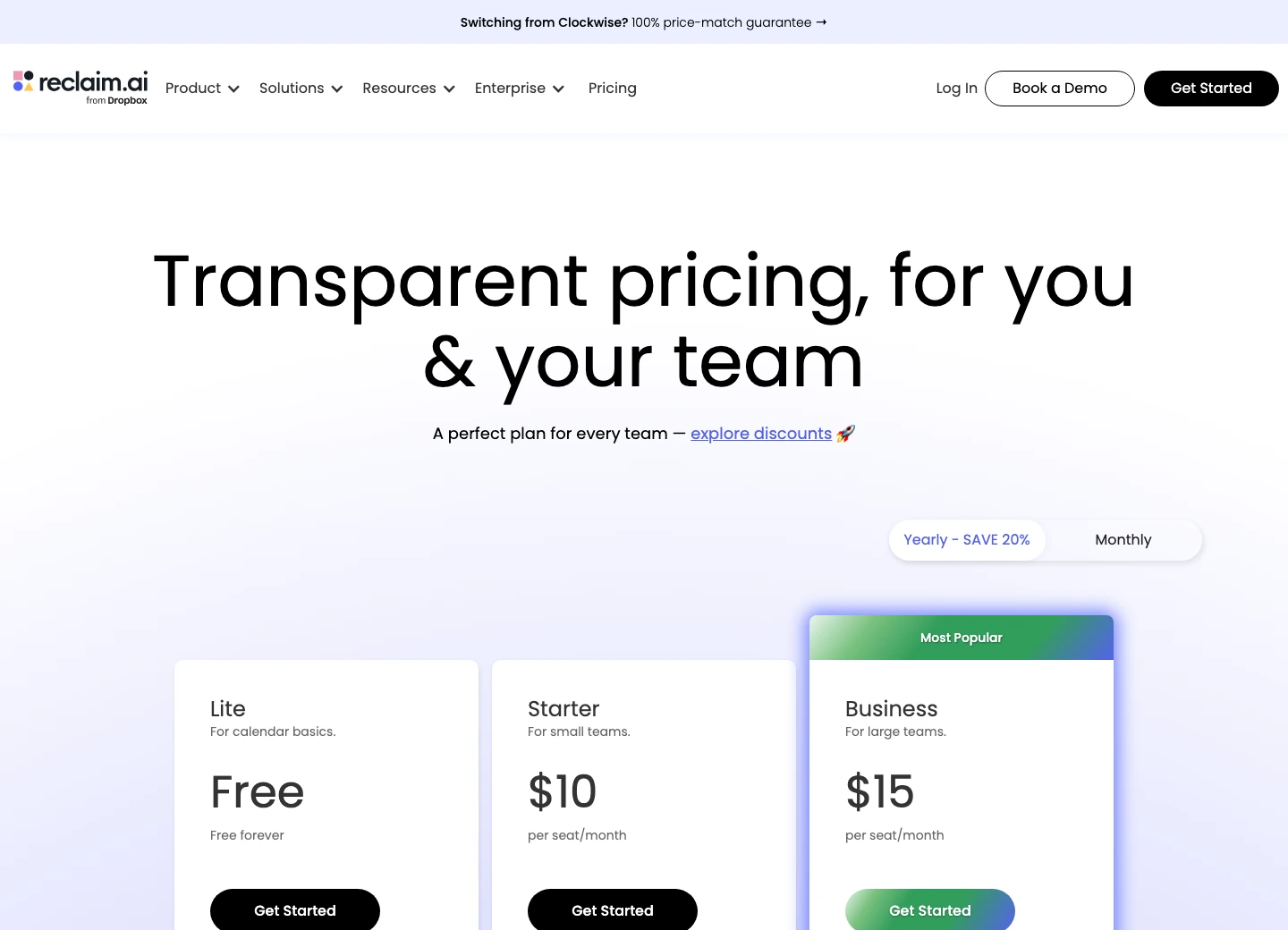
It blocks tasks, focus time, habits, buffers, and calendar sync around tools many buyers already use.
Skip it if you want to manually design the day inside a planner instead of letting the calendar adapt.
Reclaim ranks first because it adds honest calendar blocks with the least switching cost, even though the free plan is range-limited.
- Free Lite plan is useful enough to test the model before paying
- Paid plans add longer scheduling range, focus time, habits, calendar sync, integrations, tasks, and buffer time
- Works best as a layer over an existing task stack instead of forcing a full migration
- Stronger default for buyers who already use Todoist, Asana, ClickUp, Jira, Linear, Google Tasks, or normal calendars
- Free plan has a one-week scheduling range
- Planner depth is weaker than Akiflow or Sunsama
- Automation still requires good task estimates and priorities
- Some buyers will dislike the UI or prefer a more manual daily planning surface
2. Akiflow: best for manual time-blocking control
If Reclaim is the "do not make me rebuild everything" pick, Akiflow is the "give me the cockpit" pick. The official pricing page showed Pro Monthly at $34/month billed monthly and Pro Yearly at $19/month billed yearly, with unlimited integrations, tasks, meetings, power features, Aki, and a 7-day free trial.
The price is not casual. That is exactly why Akiflow should not be the default for everyone.
Where it earns the money is Time Slots. Akiflow's documentation says you can open your calendar, design an ideal week using Time Slots, allocate time for activities, and later allocate specific tasks to those slots. It lists three ways to create a slot: Option-click on the calendar, right-click, or click the calendar and switch to Slot. Projects can be dragged into the calendar to create project-specific slots, and tasks can live inside those containers.
That is the most serious manual time-blocking workflow in this list. It is also the one most likely to become calendar theater if you are not the kind of person who will maintain it. Be honest with yourself here. If you barely keep one task list alive, Akiflow will not magically turn you into a weekly planning monk.
The tradeoff is control versus maintenance cost: Akiflow gives the buyer better planning machinery, but it also makes the buyer responsible for running that machinery.
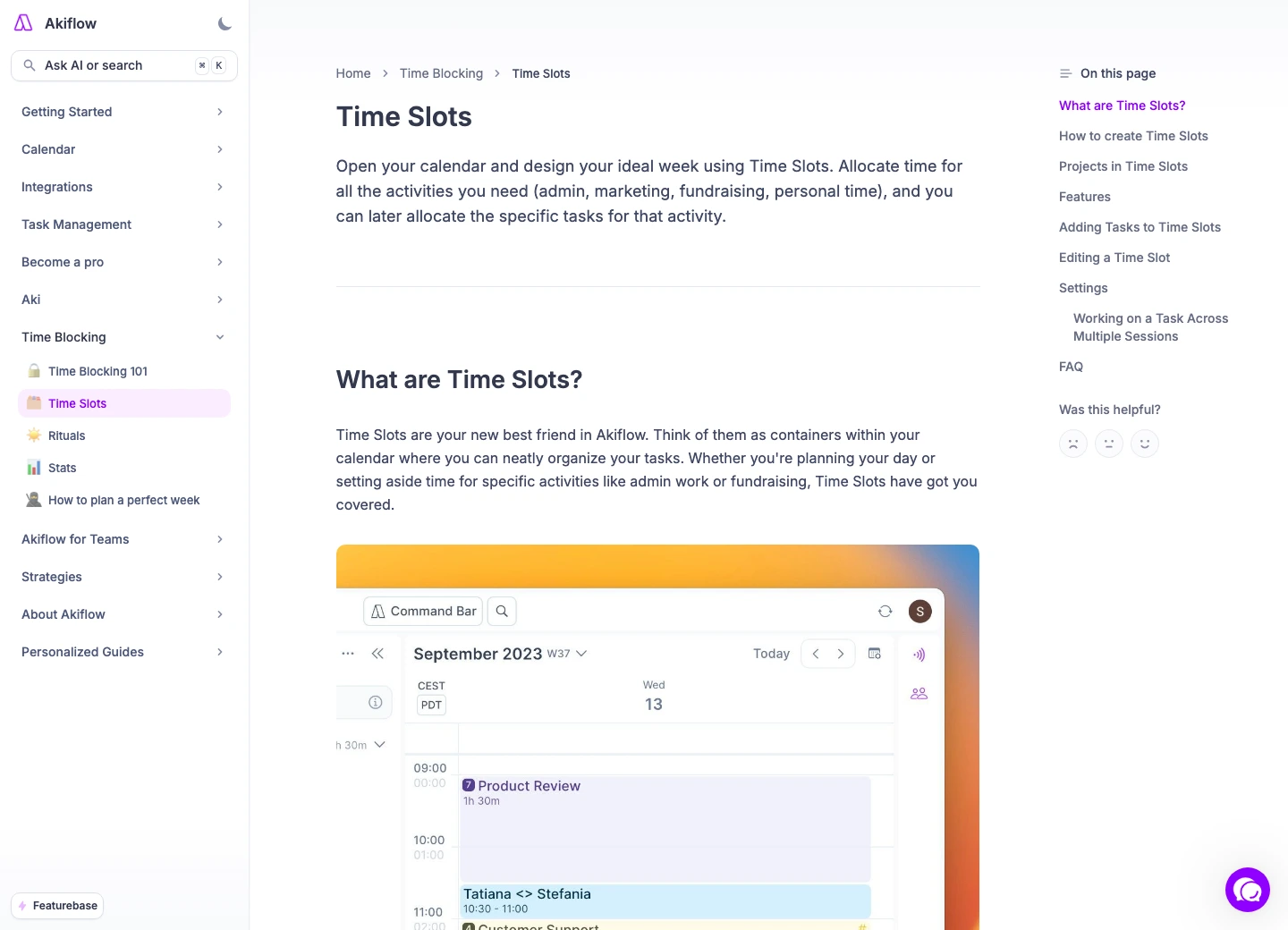
Time Slots make calendar blocks into task containers instead of decorative events.
Skip it if you want low-maintenance automatic scheduling or if $19-$34 per month feels like a planning tax.
Akiflow scores highest for manual control but ranks behind Reclaim because cost and planning effort make it a worse default.
- Time Slots are a real time-blocking structure, not just a calendar label
- Official docs show multiple slot-creation methods and task-to-slot planning
- Strong fit for keyboard-first planners who want command-center control
- Unlimited integrations, tasks, and meetings on the published Pro plans
- $34 monthly pricing is hard to ignore
- Requires active planning discipline to justify the subscription
- Can be too much tool for buyers who only need calendar protection
- Evidence here is public-doc based; no account workflow was tested
3. Sunsama: best if planning less is the point
Sunsama is the contrarian pick because it is not trying to win the AI scheduling arms race. That is the point. It is for people who need a calmer daily planning ritual, not another engine that grabs every empty square on the calendar.
The official pricing page rendered a 14-day free trial, no credit card required, and unlimited access to all features during the trial. It showed Pro at $17 per month billed yearly. That makes Sunsama easier to try than some competitors, but not cheap once the trial ends.
Here is the take that will annoy spreadsheet people: Sunsama can be worth it even if it has fewer scheduling tricks. If the tool makes you choose fewer commitments before the day starts, that can save more time than a clever auto-rescheduler.
The value is restraint.
But restraint only helps the right buyer. If your calendar is chaotic because external meetings move constantly, Reclaim or Motion is the better tool. If your tasks are scattered across half a dozen systems and you want to pull them into one command surface, Akiflow is more direct. Sunsama is for people who need to stop lying during planning.
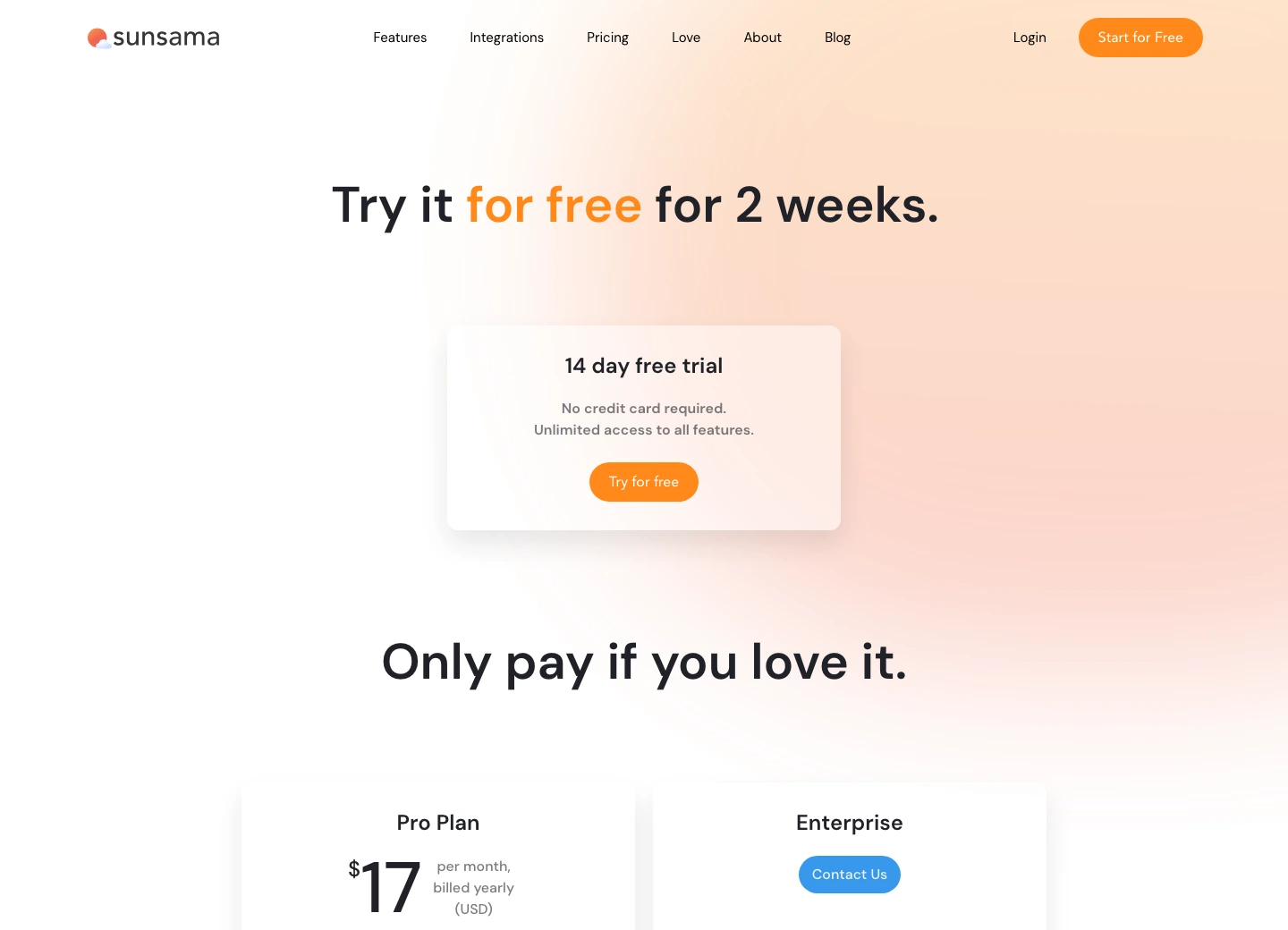
The no-credit-card trial and guided planning model make it easy to test whether the ritual actually fits.
Skip it if you want AI to auto-reschedule the week or if a monthly planning ritual will become another chore.
Sunsama ranks third because its calm planning discipline is valuable, but it is less flexible for automatic scheduling and not cheap.
- 14-day free trial with no credit card required
- Best fit for deliberate daily planning and shutdown habits
- Less likely to create aggressive calendar reshuffling than AI schedulers
- Good for people who overcommit and need a slower planning loop
- $17/month on annual billing is a serious commitment
- Not the strongest tool for automatic rescheduling
- Less compelling if your task system already works and only needs calendar blocks
- The value depends on whether you will actually follow the planning ritual
4. Motion: best when you want the whole work OS
Motion is the strongest tool here for the buyer who wants AI to manage more than time blocks. The official pricing page rendered Pro AI at $19/seat/month and Business AI at $29/seat/month on the annual team toggle, with AI Chat, AI Projects & Tasks, AI Calendar & Meetings, AI Docs, Wiki & Notes, AI Task Planner, AI Writer & Editor, and unlimited storage in the matrix.
That feature list is exactly why Motion ranks fourth, not first. For the right buyer, it is a lot of product. For the wrong buyer, it is a lot of gravity.
The existing Motion vs Reclaim AI comparison goes deeper on the smart-calendar split. The short version for this roundup: choose Motion when you want the app to become a central planning system. Do not choose Motion just because your current calendar feels messy. A messy calendar plus an aggressive scheduler can become a very polished mess.
Motion is the one I would shortlist for teams or professionals who want AI scheduling tied into projects and docs. I would not buy it as a lightweight time-blocking tool for a solo freelancer whose real problem is "my tasks are not on my calendar."
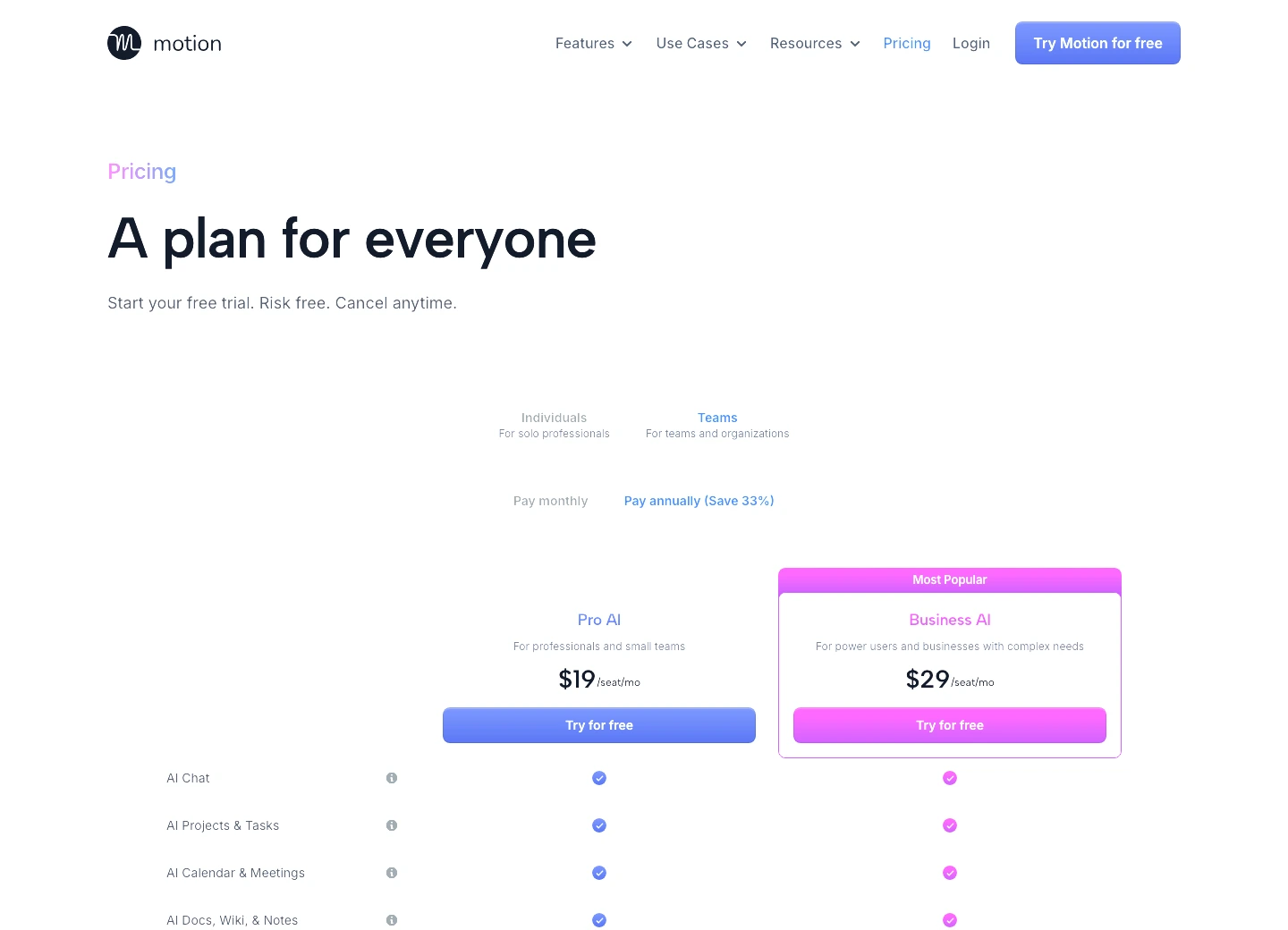
Motion's pricing page positions calendar, tasks, projects, meetings, docs, and AI planning as one broader system.
Skip it if you like your current task manager and only need calendar blocks around existing work.
Motion ranks fourth because its scheduling depth is real, but it asks the buyer to accept more system change than a normal time-blocking app.
- Strongest fit when AI calendar, tasks, projects, meetings, and docs should live together
- Published pricing page shows Pro AI and Business AI with broad feature coverage
- Better for buyers who want a new operating layer for work
- More ambitious than simple task-calendar blockers
- Too much product if you only want time blocks
- Annual per-seat pricing makes the decision heavier
- Aggressive scheduling can feel stressful for buyers who want manual control
- Evidence here does not include live calendar-connection testing
5. TickTick: best budget time blocking app
TickTick is not trying to beat Reclaim at auto-scheduling or Akiflow at manual calendar control. It wins a different argument: maybe you do not need a premium time-blocking app at all.
The official Premium page showed an annual plan for $35.99, described as less than $3/month. It also lists full calendar functionality, access to more calendar views, start and end dates for tasks, third-party calendar subscriptions, calendar widgets, estimated Pomo for tasks, premium themes, and more white-noise options for the Pomodoro timer.
That is the cheapest serious floor in this group. If your current problem is "I cannot see my tasks on a calendar," TickTick may solve enough of it for the price of two months of Sunsama or one month of Akiflow monthly billing.
The tradeoff is depth. TickTick is a task manager with calendar muscle, not a full AI scheduling assistant. If you need tasks pulled from Jira or ClickUp and moved around live meetings, use Reclaim. If you want time-slot containers and task progress inside blocks, use Akiflow. If you need cheap calendar discipline, TickTick is annoyingly hard to dismiss.
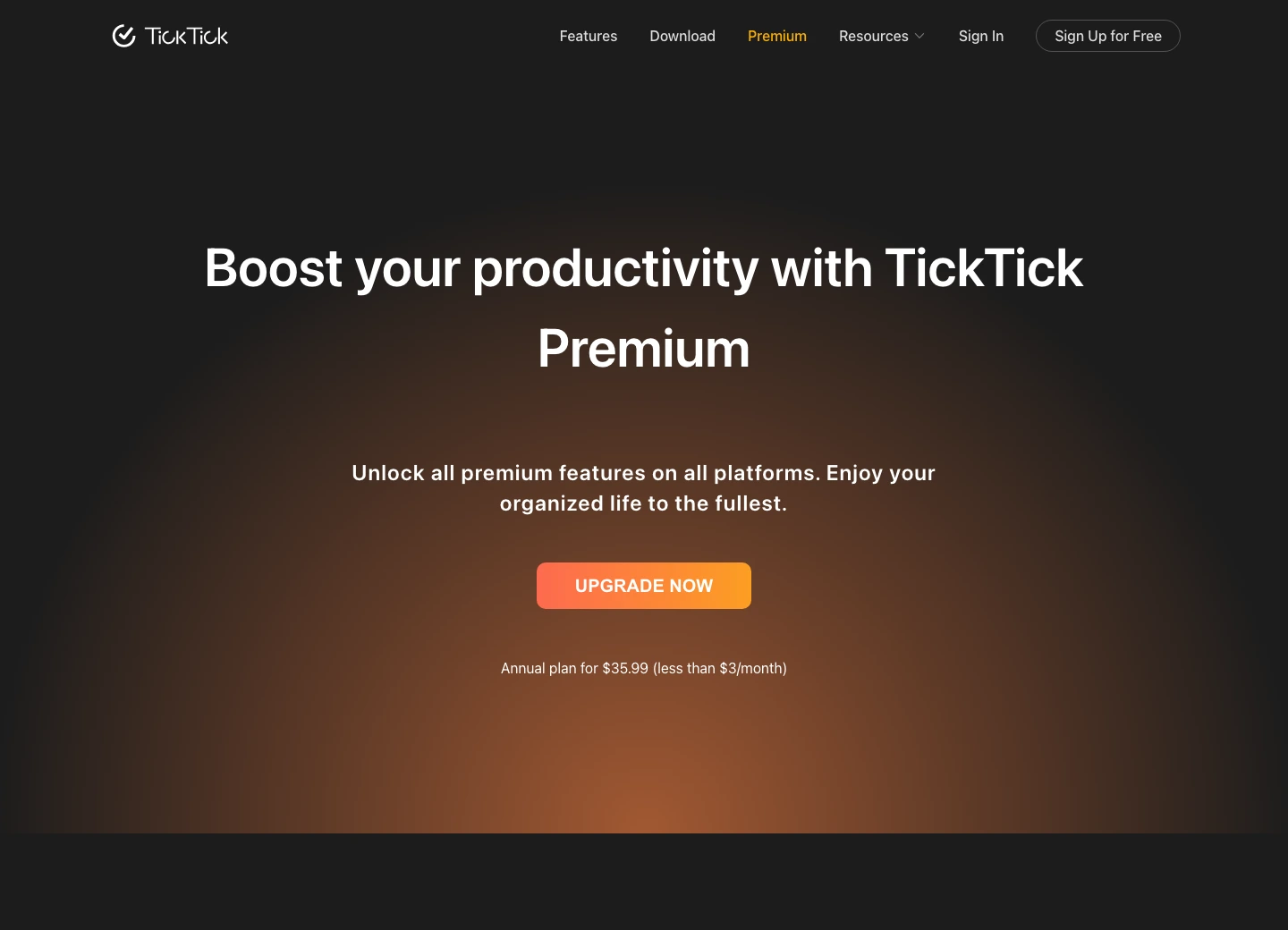
Its annual price makes every monthly time-blocking subscription justify itself.
Skip it if you need automatic scheduling from external task systems or serious calendar automation.
TickTick ranks fifth because it is excellent value but weaker for true scheduling automation and time-slot workflow depth.
- $35.99/year is dramatically cheaper than the monthly planner tools
- Premium includes full calendar functionality and more calendar views
- Pomo estimates and task features make it useful beyond basic blocks
- Strong fit for budget buyers who want one task app with calendar structure
- Not a full automatic scheduling assistant
- Less workflow depth than Akiflow Time Slots
- Less calendar-overlay intelligence than Reclaim
- Can become cluttered if you treat it like a project-management replacement
Also considered for time blocking
Todoist did not make the ranked list because it is better as the task source than the time-blocking layer. Our Todoist vs TickTick review covers the task-manager decision in more depth. If you already love Todoist, I would connect it to Reclaim before migrating everything into a new planner.
Morgen and Structured belong on a longer shortlist, especially for people who want a calendar-first planner or a simple day timeline. They did not make this ranked version because the five tools above had stronger official evidence fit, internal-link support, and commercial relevance for this article's buyer problem.
Google Calendar alone is still enough for some people. That is the least fashionable take in this whole category, but it is true. If you can manually block deep work, keep a small task list, and review the next day before shutting down, you may not need another subscription.
How to choose a time blocking app
Start with the bottleneck, not the app category.
If your meetings eat focus time, pick Reclaim. It is the safest default because it protects blocks around the calendar you already use. If your task capture is scattered and you want one serious planning surface, pick Akiflow. If your days fail because you overcommit before breakfast, pick Sunsama. If you want a broader AI work system and are willing to let one app manage more of the stack, pick Motion. If you mostly need task management with a calendar view, pick TickTick and spend the savings somewhere else.
The wrong move is buying the tool that matches your fantasy workflow. Buy the one that matches your actual failure mode. If you do not maintain estimates, no AI scheduler can save you. If you hate planning rituals, Sunsama will become a guilt app. If you dislike automation, Motion will feel like the calendar is arguing with you.
My rule is simple: the app should reduce the number of decisions you carry in your head. If it adds more decisions, it is not productivity software. It is a hobby with invoices.
Best time blocking apps FAQ
Final verdict: Reclaim first, Akiflow if you actually plan
Start with Reclaim AI if you already have a task manager and a calendar. That is most people. It can defend focus time, schedule tasks, add buffer time, sync calendars, and prove the model from a free plan before you pay for a longer range and deeper integrations.
Choose Akiflow if you want the most serious manual planning control. The Time Slots model is the clearest workflow proof in the category, and the command-center approach makes sense for people who enjoy running the day from one surface. Just do not pretend $19-$34 per month is casual.
Sunsama is the right pick when the work problem is overcommitment. Motion is the right pick when you want AI scheduling inside a broader work OS. TickTick is the right pick when you want the category's price floor and can live without the automation depth.
The wrong buyer warning is simple. Avoid Reclaim if you really want a manual planning cockpit. Avoid Akiflow if the calendar already feels like work. Avoid Motion unless the broader work-system tradeoff is intentional. The risk is regret, not missing features.
The punchline is uncomfortable: most people do not need a smarter calendar. They need a more honest one. Reclaim gets closest to that without asking you to become a different person first.
Reclaim AI is the best default time blocking app because it adds task, habit, focus, buffer, and calendar blocks around existing workflows with the lowest switching cost. Akiflow is the stronger power-planner pick, and TickTick is the budget reality check.
Try freeReady to check Reclaim AI?
Use the verified route if the trade-offs still fit. If not, jump back to the summary and compare the alternatives.
Crypto and productivity editor focused on cost, custody risk, setup friction, exports, fees, and workflow drag. Prioritizes verifiable numbers and clear skip criteria over hype.
Lucas starts with total operating cost, then ranks tools by setup and recurring friction, custody or export, reversibility, and whether the decision still makes sense when the exit path is included.
Related Articles

Hey Noah vs Lindy vs Fyxer: Best AI Executive Assistant
AI executive assistants compared by action authority, reversibility, workflow fit, cost predictability, context reach, and trust readiness
Compare Hey Noah, Lindy, and Fyxer by approvals, email sending, scheduling, calls, integrations, security, and current entry prices.

Paste vs Maccy vs Raycast: Which Mac Clipboard Manager Fits?
Mac clipboard managers compared by local history, Apple-device sync, privacy posture, launcher fit, setup burden, and subscription value
Paste, Maccy, and Raycast compared by clipboard history, Apple-device sync, local storage, privacy posture, pricing, and workflow fit.