

February 2026. You open your email and there's a form you've never seen before: 1099-DA. Your crypto exchange sent it. The IRS got a copy too. And all it shows is how much you sold, not what you paid, not your gains, not your losses. Just raw proceeds.
Welcome to the first year of mandatory crypto tax reporting in the US. The IRS rolled out Form 1099-DA for all transactions starting January 1, 2025. Coinbase and Kraken both missed the February 17 delivery deadline, which is one more reason to understand the Kraken vs Coinbase tradeoff before you spread activity across accounts. Cost basis isn't even required on the form yet. And to make things worse, there's a new per-wallet tracking rule that makes the old "dump everything into one spreadsheet" approach technically illegal.
So now you need crypto tax software. Not "might be helpful," actually need it. Posts on r/CryptoTax have tripled since January, and the confusion is real. I've been filing crypto taxes since 2020 and every year the tools get slightly less terrible. This year I compared the five that survived 2025 (TaxBit shut down entirely) to see how each handles the 1099-DA mess. None of them are perfect. But one is clearly the least painful for most people.
-
#1 CoinLedgerBest overall — cleanest UI, mobile app, widest tax software integration
-
#2 KoinlyBest for international users — 100+ countries, strongest DeFi support
-
#3 ZenLedgerBest if you want tax pro access bundled into every DIY plan
The 1099-DA Reality Check: What Changed in 2026
Three regulatory changes happened simultaneously, and they compound each other in the worst way possible.
1. Form 1099-DA is now mandatory. Every custodial crypto broker must report your transaction proceeds to the IRS. For the 2025 tax year, forms only include gross proceeds, no cost basis, no gain/loss calculations. That means your 1099-DA tells the IRS you sold $47,000 worth of crypto but says nothing about whether you made or lost money. Without software to calculate basis, you're handing the IRS a number that looks like pure profit.
2. Per-wallet cost basis tracking is required. Starting January 1, 2025, you must track cost basis separately for each wallet and exchange account. No more pooling all your BTC across Coinbase, Kraken, and a Ledger into one universal lot. If you sell from Coinbase, you use Coinbase's basis. This is the change that makes crypto tax software borderline mandatory for anyone with holdings on more than one platform. If you're still deciding which exchange stack to keep for 2026, our best crypto exchanges guide pairs well with this. And if you're not sure what you're holding where, a portfolio tracker can help you inventory before tax season.
3. CARF is coming. The Crypto-Asset Reporting Framework — a global information-sharing agreement between 58+ countries — starts collecting data January 1, 2026. International exchanges will share your transaction data with your home country's tax authority starting 2027 (2028 for the US). The "just use a foreign exchange and don't report" strategy has a very visible expiration date.
If you're holding crypto in a hardware wallet or trading on non-custodial exchanges, the reporting burden falls entirely on you. No broker is generating a 1099-DA for your self-custody transactions. You need software to pull that history and calculate what you owe. If you funded the wallet through a card or bank checkout, save the on-ramp receipt too; our MoonPay vs Transak vs Ramp fee comparison explains why the delivered amount can differ from the headline buy amount.
The 5 Best Crypto Tax Tools for 2026
1. CoinLedger — Best Overall
CoinLedger does one thing better than every competitor: it makes crypto taxes feel like a normal tax task instead of a nightmare. Import your exchanges, let it categorize transactions, review any flagged items, download your forms. The whole flow takes about 20 minutes for a straightforward portfolio.
It connects to 600+ exchanges and wallets via API or CSV upload. The interface is cleaner than Koinly's and faster than ZenLedger's. And it's the only tool here with a dedicated mobile app (4.8 on iOS, 4.7 on Android), which matters when you're pulling up your tax summary during a call with your accountant and don't want to fire up a laptop.
Tax software integrations are the widest in the category: TurboTax, H&R Block, TaxAct, and TaxSlayer. Koinly only integrates with TurboTax. If you file through H&R Block or TaxAct, CoinLedger is the only option that works without manual form entry.
Cleanest interface with the widest tax software integrations — TurboTax, H&R Block, TaxAct, and TaxSlayer.
DeFi-heavy users — CoinLedger struggles with newer chains and miscategorizes complex DeFi transactions.
- Cleanest interface of any crypto tax tool — import-to-report takes ~20 minutes for simple portfolios
- Only tool with a dedicated mobile app (iOS 4.8, Android 4.7 ratings)
- Widest tax software integration: TurboTax, H&R Block, TaxAct, and TaxSlayer
- 600+ exchange and wallet connections — covers most users without CSV uploads
- DeFi support limited to Ethereum, Polygon, BSC, and a few others — newer chains require manual entry
- Margin trading and futures transactions often need manual correction
- Pricing is per tax year — you re-purchase every year, which adds up
- No cryptocurrency payment option (ironic for a crypto company)
The real weakness is DeFi. If you're farming yield across Arbitrum, Optimism, or Solana, CoinLedger will miss transactions or miscategorize them. You'll spend time manually fixing those.
For a Coinbase + Kraken + Ledger user who mostly buys and holds? Fastest path from "confused" to "filed." We covered CoinLedger in more detail in our CoinLedger vs Koinly head-to-head.
Use it or skip it? Use it if you trade on major exchanges and want the quickest, cleanest filing experience. Skip it if your portfolio is heavy on DeFi or newer L2 chains.
2. Koinly — Best for International Users and DeFi
Koinly's free tier is absurdly generous. You can import 10,000 transactions, connect unlimited wallets and exchanges, and see your complete capital gains summary, all without paying. The catch is you need a paid plan ($49+) to actually download the tax reports. But that free preview is valuable. You can see exactly what you owe before deciding if the software is worth the money.
Where Koinly pulls ahead is coverage. It supports 100+ countries with localized tax reports (not just US FIFO/LIFO but UK share pooling, Australian CGT rules, Canadian ACB, and more). If you're not American, Koinly is probably your only real option. It also connects to 800+ exchanges (more than any competitor) and has the broadest DeFi protocol support across all major chains.
Supports 100+ countries with localized tax rules and has the broadest DeFi protocol coverage in the category.
US-only filers who want H&R Block or TaxAct integration — Koinly only connects to TurboTax.
- Most generous free tier — 10,000 transaction imports, unlimited wallets, full gains summary before paying
- Supports 100+ countries with localized tax rules — the only real option for non-US users
- 800+ exchange connections and the broadest DeFi protocol coverage in the category
- 2,200+ Trustpilot reviews at 4.6/5 — largest verified user base
- Auto-imports sometimes mislabel transactions — Reddit users report spending hours on manual corrections
- Only integrates with TurboTax — no H&R Block, TaxAct, or TaxSlayer support
- Help center documentation is weaker than CoinLedger's — harder to troubleshoot issues independently
- Interface feels cluttered compared to CoinLedger — more powerful but steeper learning curve
Where Koinly quietly separates itself: it handles the per-wallet cost basis rule better than most competitors. It automatically separates lots by wallet and exchange account, which means less manual reclassification when generating your Form 8949 and Schedule D. Users on r/CryptoTax have specifically called this out as a reason to stick with Koinly over CoinTracker, where per-wallet tracking still requires manual adjustments on certain import types.
The Koinly vs CoinLedger decision usually comes down to two questions: Are you outside the US? Koinly. Is your portfolio heavy on DeFi? Also Koinly. For a straightforward US-based exchange user, CoinLedger's cleaner interface and wider tax software integrations make more sense.
Use it or skip it? Use it if you're international, DeFi-heavy, or want to preview your tax liability for free before paying. Skip it if you need H&R Block integration or want the simplest possible experience.
3. CoinTracker — Best TurboTax Integration (But Expensive)
CoinTracker is the official crypto tax partner for both TurboTax and H&R Block. That means the data transfer is smoother than third-party integrations, with fewer formatting issues, fewer rejected imports, less debugging. If you live inside the TurboTax ecosystem, that's a real advantage.
CoinTracker also emphasizes portfolio and tax-loss-harvesting workflows. The current personal lineup uses a free tier plus six annual paid plans priced by prior-calendar-year transaction count, so the right comparison starts in the subscription flow rather than an old three-plan chart.
Official TurboTax and H&R Block partner with the smoothest data transfer and real-time tax-loss harvesting tools.
Budget-conscious users who need public price clarity — exact paid pricing appears only in CoinTracker's subscription flow.
- Official TurboTax and H&R Block partner — smoothest tax software integration available
- Portfolio and tax-loss-harvesting workflows sit beside the filing integrations
- Spam transaction filtering — automatically removes airdrop spam that inflates your transaction count
- Free tier plus six paid personal plans gives more transaction-count steps than the old three-plan model
- Exact paid pricing is only shown inside the subscription flow, which weakens public comparison clarity
- Moved to annual subscription model (was per-tax-year) — you're paying even in months you don't need it
- DeFi support is weak — complex transactions require manual reconciliation, multiple Reddit complaints
- Only 500+ exchanges supported vs Koinly's 800+ and CoinLedger's 600+
The pricing is still the problem, but the old $59/$199/$599 ladder is no longer current. CoinTracker now prices six annual personal tiers by the prior calendar year's transaction count, with exact self-serve amounts shown in the subscription flow. That makes it harder to compare before signing in than CoinLedger or Koinly's public tables.
Expensive for what you get.
Use it or skip it? Use it if you're a TurboTax/H&R Block user with a large, exchange-only portfolio and you want tax-loss harvesting. Skip it for anything DeFi-related. You'll be doing manual work anyway.
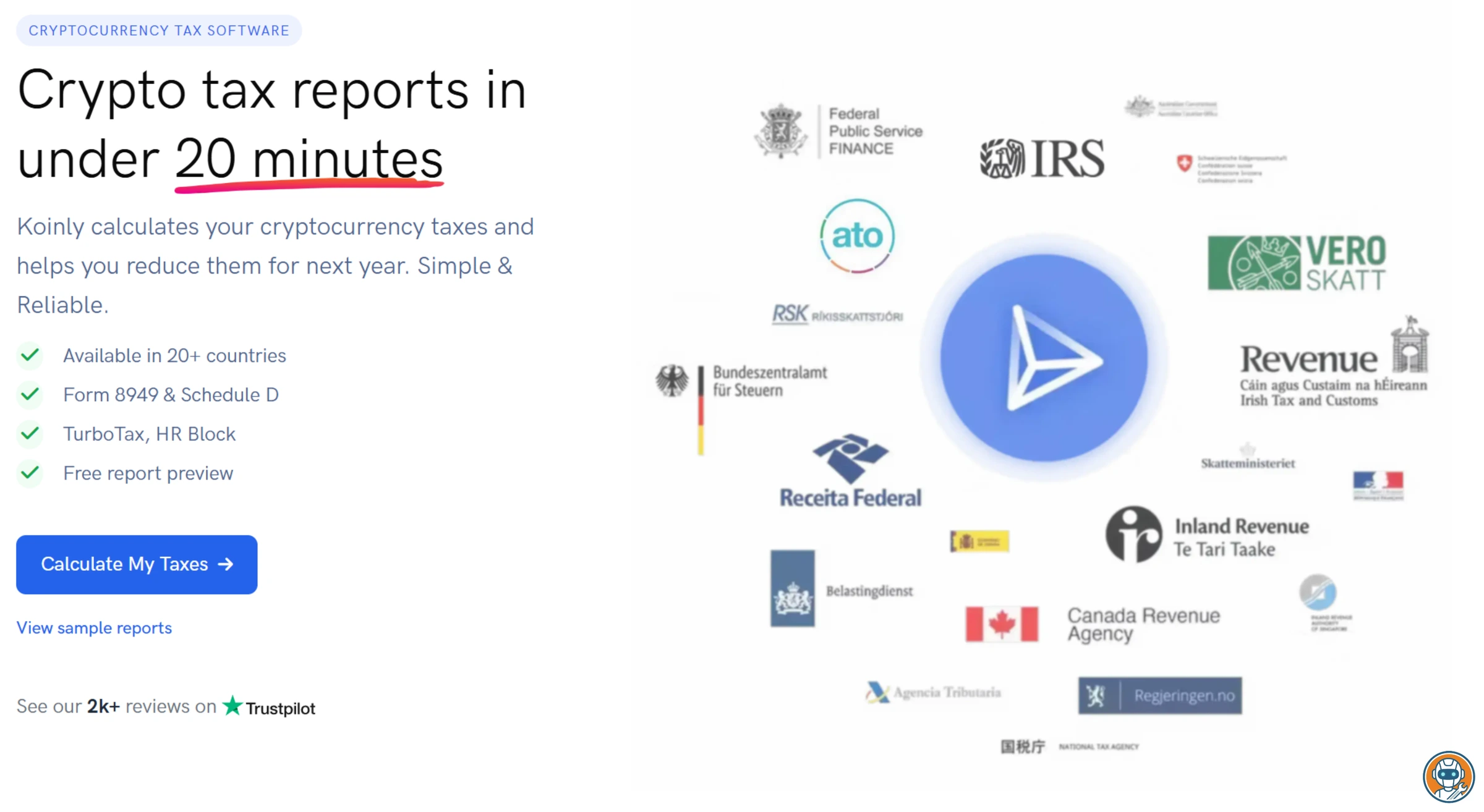
4. TokenTax — Best for CPA-Assisted Filing
TokenTax is the only tool here with in-house CPAs who will actually file your taxes for you. That's not a partnership or a referral. They employ tax professionals who handle crypto returns. If your portfolio is complex enough that you don't trust software alone, TokenTax's full-service tiers and VIP plan can take the entire problem off your plate.
The old brutal gotcha is gone: Basic is now $49/tax year and includes up to 100 transactions, support for centralized exchanges, DeFi and NFT support, Form 8949 or international reports, and live chat. Premium is still the meaningful jump at $199/tax year for up to 5,000 transactions and tax-loss harvesting.
Only tool with in-house CPAs who will actually file your taxes for you — full-service from import to submission.
Basic exchange traders who do not need CPA help — CoinLedger and Koinly are simpler at the same $49 entry price.
- In-house CPAs available for full-service tax filing — only tool that handles the entire process end-to-end
- Strong DeFi and margin trading support on Premium+ plans
- Highest Trustpilot rating in the category at 4.8/5 (though fewest reviews at ~200)
- Two 30-minute tax expert consultations included in higher tiers
- $49 Basic plan is improved, but Premium still jumps to $199 if you need tax-loss harvesting or higher transaction limits
- Only 120+ direct exchange connections — far fewer than CoinLedger, Koinly, or ZenLedger
- No free tier or free trial — you're paying before you see any results
- VIP plan reaches $3,499/tax year before any custom full-filing add-ons — priced for high-net-worth traders
TokenTax also supports margin trading and futures natively on Premium and above, which matters if you're trading perpetuals on Bybit or dYdX. Most competitors either ignore derivatives entirely or lump them into generic "other income" categories that require manual correction before your Schedule D is accurate. The 120+ direct exchange connections is the lowest count in this roundup, but TokenTax compensates with a universal CSV import tool that accepts custom formats from smaller platforms.
Use it or skip it? Use it if you have a complex portfolio (DeFi, margin, futures) and want a CPA to handle the whole thing. Skip it for basic exchange trading. You'll pay 2-4x more than CoinLedger or Koinly for a worse self-service experience.
5. ZenLedger — Tax Pro Access Bundled Into DIY Plans
ZenLedger no longer leads with a free downloadable tax-report tier. The current DIY ladder starts at Silver for $49/year and includes all detailed reports, DeFi, staking, margin trading, and tax pro access. That makes it less of a "free for tiny portfolios" pick and more of a straightforward paid tax workflow.
Pricing scales to $199/year for 5,000 transactions and $399/year for 15,000, with unlimited transactions available as a $600 add-on. The tax-loss harvesting tools are solid. It supports 400+ exchanges. They offer professional tax prep consultations and full tax preparation ($2,800/year) for users who want hands-on help.
Now the fine print.
DIY plans now include all detailed reports, DeFi/staking/margin support, and tax pro access.
Anyone with complex portfolios who wants the cleanest UI — the Trustpilot rating dropped to 2.8/5.
- $49 Silver plan includes all detailed reports plus DeFi, staking, and margin support
- 100+ DeFi protocol support with automatic classification
- Professional tax prep services available (CPA consultations from $150/hr)
- Tax-loss harvesting tools included on Premium and above
- Unlimited transactions cost $999 total ($399 Platinum + $600 add-on), so very high-volume users still pay up
- Trustpilot rating dropped to 2.8/5 in 2026 — the lowest of any tool in this roundup by a wide margin
- UI feels dated and clunkier than CoinLedger or Koinly — multiple users describe the experience as 'frustrating'
- Slow support response times even for paying customers — a recurring theme in reviews
ZenLedger's Trustpilot score dropped from 3.8 to 2.8 over the past year. Massive decline. Users on r/CryptoCurrency have started actively warning people away from it. The current plans now bundle tax pro access, which helps, but the UI still feels like it was designed in 2021 and hasn't been meaningfully updated.
Use it or skip it? Use it if you want tax pro access bundled into the DIY plan and do not mind a clunkier interface. Otherwise, CoinLedger or Koinly offer a better experience at comparable prices.
Side-by-Side Pricing and Features
| Feature | CoinLedger | Koinly | CoinTracker | ZenLedger |
|---|---|---|---|---|
| 100 transactions | $49 | $49 | See subscription flow | $49 |
| 1,000 transactions | $99 | $99 | See subscription flow | $199 (5,000 txns) |
| 5,000 transactions | $199 | Customized above 3,000 transactions | See subscription flow | $199 |
| Unlimited | $199+ | Customized for higher transaction counts | Plan-dependent | $999 ($399 + $600 add-on) |
| Free tax reports | ✗ | ✗ (free preview only) | ✗ | ✗ |
| DeFi support | Limited (ETH, Polygon, BSC) | ✓ All major chains | Limited | ✓ 100+ protocols |
| NFT support | ✓ | ✓ (EVM chains) | ✓ | ✓ |
| Tax-loss harvesting | ✓ | ✓ | Plan-dependent | ✓ |
| TurboTax integration | ✓ | ✓ | ✓ (official) | ✓ |
| H&R Block integration | ✓ | ✗ | ✓ (official) | ✗ |
| Mobile app | ✓ (iOS + Android) | ✗ (web only) | ✗ | ✗ |
| Countries | US primarily | 100+ | US, UK, CA + | US primarily |
| Exchanges supported | 600+ | 800+ | 500+ | 400+ |
| Trustpilot | 4.6/5 | 4.6/5 | 4.7/5 | 2.8/5 |
| Action | Try CoinLedger → | Try Koinly → | Try CoinTracker → | Try ZenLedger → |
Key Dates: 2026 Crypto Tax Filing Timeline
Here's what you need to know:
- Already happened: Feb 17, deadline for exchanges to send 1099-DA (Coinbase and Kraken were late)
- March 31, 2026: Electronic 1099-DA filing deadline for brokers to the IRS
- April 15, 2026: Federal income tax filing deadline (this is your deadline)
- October 15, 2026: Extended filing deadline (if you file Form 4868 by April 15)
- January 1, 2027: CARF international data exchanges begin (2028 for US)
The IRS has granted good-faith relief for brokers struggling with 1099-DA compliance in this first year. But that relief is for brokers, not for you. Your filing deadline hasn't changed. If your 1099-DA still hasn't arrived, use your exchange's transaction history export and run it through one of the tools above.
A deadline that catches people off guard every year: if you received staking rewards, airdrops, or mining income during 2025, those are taxable as ordinary income at the fair market value on the date you received them. That's separate from your capital gains on Form 8949. Several threads on r/cryptocurrency from February had users discovering they owed income tax on staking rewards they'd already sold at a loss. The gain/loss from selling is one event; the income from receiving is another. Every tool in this roundup handles that distinction, but you need to verify the income amounts match your records.
Frequently Asked Questions
Final Verdict
None of these tools are great. I've been burned by every single one at some point, whether it's phantom taxable events from miscategorized bridges or "missing purchase history" errors that take 30 minutes each to fix. All of them struggle with DeFi, all of them miscategorize some transactions, and all of them require manual cleanup for anything beyond basic exchange trading.
That's the honest state of crypto tax software in 2026.
But the new rules just made them mandatory. 1099-DA, per-wallet cost basis tracking, and CARF are all live or incoming. And if you're earning staking rewards, those are taxed as income at receipt. One upside: trades inside a crypto IRA are tax-deferred or tax-free, which simplifies your filing considerably. If you are choosing between a match-driven IRA and a simpler crypto IRA fee model, the Crypto.com IRA vs iTrustCapital comparison explains that account decision. But for everything outside an IRA, the "I'll figure it out later" era is done.
For most people: CoinLedger at $49/year for up to 100 transactions. Clean interface, mobile app, works with every major tax filing service. If you're international or DeFi-heavy, Koinly, the only tool that handles non-US tax rules properly. And if you want tax pro access included in a DIY crypto tax plan, ZenLedger is more interesting after its pricing refresh.
Whatever you pick, do it soon. April 15 doesn't care that Coinbase was late with your 1099-DA.
Ready to check CoinLedger?
Use the verified route if the trade-offs still fit. If not, jump back to the summary and compare the alternatives.
Crypto and productivity editor focused on cost, custody risk, setup friction, exports, fees, and workflow drag. Prioritizes verifiable numbers and clear skip criteria over hype.
Lucas starts with total operating cost, then ranks tools by setup and recurring friction, custody or export, reversibility, and whether the decision still makes sense when the exit path is included.
Related Articles

Best Tokenized Stock Platforms for EU Users
EU stock-token platforms compared by legal wrapper, total cost clarity, shareholder rights, trading hours, and self-custody exit
Kraken xStocks, Robinhood Classic Stock Tokens, and Crypto.com compared for EU users by ownership, fees, rights, market hours, and wallet withdrawal.

MiCA Deadline: Kraken vs Coinbase vs Crypto.com in EU
Post-deadline EEA exchange verification guide
Kraken, Coinbase, and Crypto.com compared for EEA users after the July 1 MiCA deadline: entities, restrictions, fees, and safe transfer checks.