
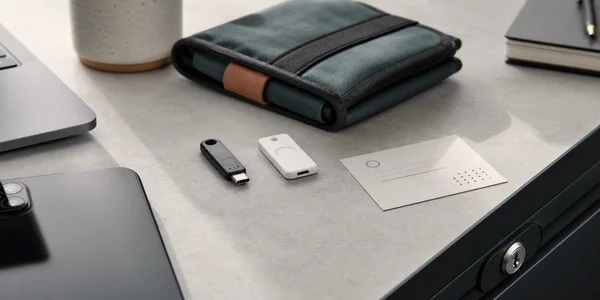
The wrong YubiKey vs Google Titan decision is not usually the brand. It is buying one security key, registering it everywhere important, and discovering later that the backup plan is memory, panic, or a recovery email you barely use.
My short version: YubiKey 5C NFC is the better default security key if you want the broadest room to grow. Google Titan is the better Google-first pick if the main job is Gmail, Google Workspace, or Advanced Protection and you want a simple official path.
This is not a hands-on lab test. I did not order the keys, enroll them into live accounts, create passkeys, or run a recovery drill. I checked official product pages, Yubico's technical documentation, Google's Titan and Advanced Protection docs, Apple's security-key requirements, rendered evidence screenshots, SERP competitors, and concrete community setup questions. Treat the scores as buyer-fit judgments, not cryptographic certification scores.
If you are still building the basic login stack, start with our password manager guide and authenticator app comparison. If you want the broader five-key market, use our security keys roundup. This page is narrower: YubiKey 5C NFC or Google Titan for the buyer who is ready to purchase.
-
#1 YubiKey 5C NFCBest default - $58, USB-C/NFC, 100-passkey firmware generation, and broader Yubico protocol support
-
#2 Google Titan Security KeyBest Google-first pick - from $30, USB-A/NFC or USB-C/NFC, and more than 250 passkeys per Google's announcement
If I were protecting email, a password manager, GitHub, finance, domains, and future unknown accounts, I would compare YubiKey 5C NFC first. If the center of gravity is Google Account or Google Workspace, I would compare Google Titan first and spend the decision time on backup-key setup.
The buying trap: one key is not a recovery plan
The key itself is only half the purchase. The other half is whether you can still get into the account after a key is lost, broken, left at home, or replaced. That is why the most useful comparison is not "which one is strongest?" It is "which two-key setup can I register everywhere important without confusion?"
Google Advanced Protection recommends a primary key and at least one backup key when you choose security keys. Apple goes further for Apple Account security keys: its support page says you need at least two FIDO Certified keys. That is the right mental model. Buy two, register both, save recovery codes, and document which accounts use which keys.
Do not ask a hardware key to solve weak recovery elsewhere. If your email account can be reset through an old phone number, your password manager has weak recovery settings, or your crypto exchange depends on a compromised inbox, a security key only protects one door. For crypto accounts, separate account login from asset custody: a security key protects exchange and email access, while a hardware wallet protects private keys.
How I compared YubiKey 5C NFC and Google Titan
The comparison uses five buyer criteria: account fit, backup clarity, protocol depth, passkey headroom, and price clarity. Account fit asks which ecosystem the key is easiest to explain inside. Backup clarity asks whether the buyer can realistically buy two keys and register both. Protocol depth separates simple FIDO sign-in from OATH, PIV, OpenPGP, and other YubiKey 5 workflows. Passkey headroom matters because device-bound passkeys can fill hardware storage over time. Price clarity matters because the first safe purchase is often two keys plus tax and shipping.
The evidence boundary is narrower than the product claims. Official pages document standards, connectors, published capacity, and account setup, but this review cannot verify firmware behavior under attack, physical tamper resistance, or real account-recovery outcomes. The threat model here is phishing-resistant login plus loss of a key, not a hardware-lab compromise.
The main competitor gap is stale passkey math. Some current comparisons still frame YubiKey 5 as a 25-passkey product. Yubico's 5.7 technical documentation now lists 100 discoverable credentials for FIDO2 and 64 OATH credentials. Google still has the larger capacity story, with its Titan announcement saying the latest keys can store more than 250 unique passkeys, but the old 25-vs-250 framing is too blunt for a 2026 buyer.
Community threads were useful only as setup-friction evidence. I found concrete r/yubikey questions about Google accounts, Advanced Protection, multiple keys, and Titan/YubiKey registration confusion. I did not treat those threads as representative sentiment or proof that one product is unreliable.
YubiKey vs Google Titan comparison table
| Feature | YubiKey 5C NFC | Google Titan |
|---|---|---|
| Official price | $58 | $30 USB-A/NFC; $35 USB-C/NFC |
| Best buyer | Broad security-key default | Google-first security |
| Connector options | USB-C + NFC | USB-A/NFC or USB-C/NFC |
| Protocol depth | FIDO2/WebAuthn, U2F, OTP, OATH, PIV, OpenPGP | FIDO standards, Google firmware/integrity positioning |
| Passkey storage | 100 discoverable credentials on current 5.7 docs | More than 250 unique passkeys per Google announcement |
| Main caveat | A correct two-key setup costs more | Less flexible for advanced Yubico-style workflows |
| Action | Check YubiKey | Check Titan |
The real price is the two-key price
The single-key price is useful for sorting options, but it is not the purchase I would plan around. YubiKey 5C NFC at $58 becomes $116 before tax and shipping when you buy a proper pair. Google Titan becomes $60 if you buy two USB-A/NFC keys, $70 if you buy two USB-C/NFC keys, or $65 if you mix one of each.
That price gap is the cleanest argument for Titan. If your setup is mostly Google Account, Google Workspace, a password manager, and a few FIDO-supported services, saving $46 to $56 on the pair is not trivial. The backup key is the part people skip when the first key already feels expensive. A cheaper pair that actually gets registered beats a more capable single key sitting alone on a key ring.
The counterargument is that the YubiKey pair buys more ceiling. OATH codes in Yubico Authenticator, PIV smart-card use, OpenPGP, OTP, and broader enterprise/developer habits are not theoretical for some readers. If you already know what those words mean, the $116 two-key math may be easier to justify than buying Titan first and replacing the setup later.
There is also a middle path, but it belongs in the broader security key comparison rather than this head-to-head. Yubico Security Key C NFC is cheaper than YubiKey 5C NFC and still handles FIDO/passkeys. I would consider it before Titan only when the buyer wants Yubico hardware but does not need the YubiKey 5 protocol stack.
1. YubiKey 5C NFC: better default for broad account security
YubiKey 5C NFC wins the default slot because it leaves fewer future doors closed. The official U.S. product page showed $58, USB-C, NFC, firmware 5.7, and the multi-protocol positioning in the same purchase path. Yubico's page also lists FIDO2/WebAuthn, U2F, OTP, OATH-TOTP, OATH-HOTP, Smart Card/PIV, and OpenPGP support for the 5 Series.
That does not mean every buyer needs every protocol. A normal person securing Gmail, a password manager, GitHub, banking, and a few high-value accounts may never touch PIV or OpenPGP. The reason YubiKey still wins as the default is optionality. If you later want Yubico Authenticator codes, smart-card workflows, SSH/Git signing, admin enrollment, or a more technical setup, the 5C NFC has room that Titan does not try to provide.
The part I like most is boring: USB-C plus NFC. That is the least regrettable connector choice in 2026. USB-C covers modern laptops, tablets, and newer phones. NFC keeps iPhone and Android sign-in realistic without adapters. If your current desk still has USB-A machines, Titan's $30 USB-A/NFC model is tempting, but for a first clean setup I would rather avoid buying around old ports unless those old ports are the real daily environment.
The model-name caveat is real. YubiKey 5C, YubiKey 5C NFC, YubiKey 5 NFC, YubiKey 5Ci, Security Key C NFC: those are not interchangeable labels. The "NFC" part matters for phones. The "5" series matters if you want the broader protocol stack. The Security Key series is a cheaper FIDO-only lane. Sloppy model selection is how people pay for a key that does not match the device they actually use.
The wrong buyer is the person who only wants a cheap FIDO spare and then pays for protocol depth they will never use. That is the YubiKey tradeoff: it reduces future regret, but it can be overkill for a simple Google-and-password-manager setup.
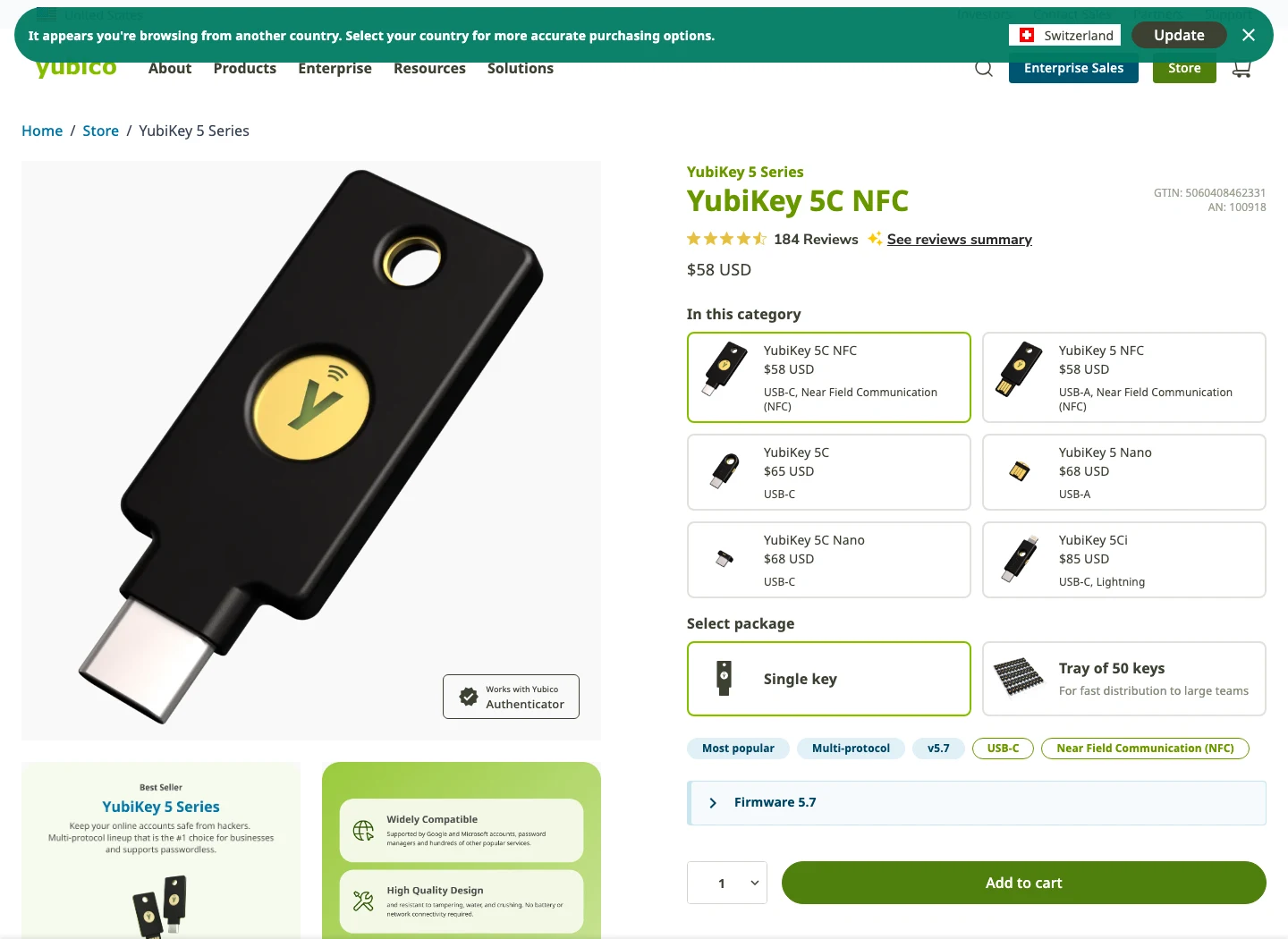
It combines USB-C, NFC, documented 5.7-generation passkey headroom, and Yubico's broader protocol stack in one mainstream key.
Skip it if you only need a simple Google-first FIDO key or if the correct two-key purchase pushes you toward a cheaper FIDO-only option.
YubiKey 5C NFC scores higher because protocol depth, modern connector fit, and 100-passkey documentation make it safer as a broad first comparison, with two-key cost as the main drag.
- USB-C plus NFC is the cleanest modern connector pair
- Broader protocol support than Titan
- Yubico 5.7 documentation lists 100 discoverable FIDO2 credentials
- Better fit for developers, admins, password-manager power users, and mixed account stacks
- Two-key setup costs more than two Titan USB-A keys
- Advanced features can distract buyers who only need FIDO sign-in
- Model naming can be confusing if you mix 5C, 5C NFC, 5 NFC, and Security Key models
- This review did not test physical durability or live account enrollment
2. Google Titan: better if Google is the account center
Google Titan is the easier recommendation when the buyer's most important account is Google. The rendered Google Store page showed Titan from $30, with USB-A/NFC at $30 and USB-C/NFC at $35. The product story is simple: protect Google Account access, work with Advanced Protection, and use FIDO standards without making the buyer learn every hardware-key protocol acronym.
Titan also has the passkey-capacity headline. Google's Titan announcement says the latest keys can store more than 250 unique passkeys. If you are planning many hardware-bound passkeys and do not need OATH, PIV, or OpenPGP, that headroom is a real advantage.
The caveat is exactly the point: Titan is cleaner because it is narrower. Google says Titan is built on FIDO open standards and works with many apps and services, so it is not a Google-only key. But its best buyer is still Google-first: Gmail, Google Workspace, Advanced Protection, and people who want a straightforward official Google Store purchase.
That narrower shape is not automatically bad. A lot of account-security mistakes happen because a tool tries to be a small platform and the buyer never learns what half the platform does. Titan is easier to hand to a parent, a non-technical founder, or a Google Workspace user who just needs a stronger login method and a spare. The product story is easy: buy two, register both, keep one safe.
I would be more careful with Titan for developer-heavy workflows. If the same buyer is asking about SSH signing, smart-card login, PIV certificates, OpenPGP, or storing OATH codes on the key, they are already outside Titan's best lane. Titan can still protect many FIDO-supported services, but the advanced-tooling conversation belongs to YubiKey or another multi-protocol key.
The wrong Titan buyer is the one trying to save money now while already needing advanced protocols. That buyer risks a second purchase later, plus the messy work of registering another key across every important account.
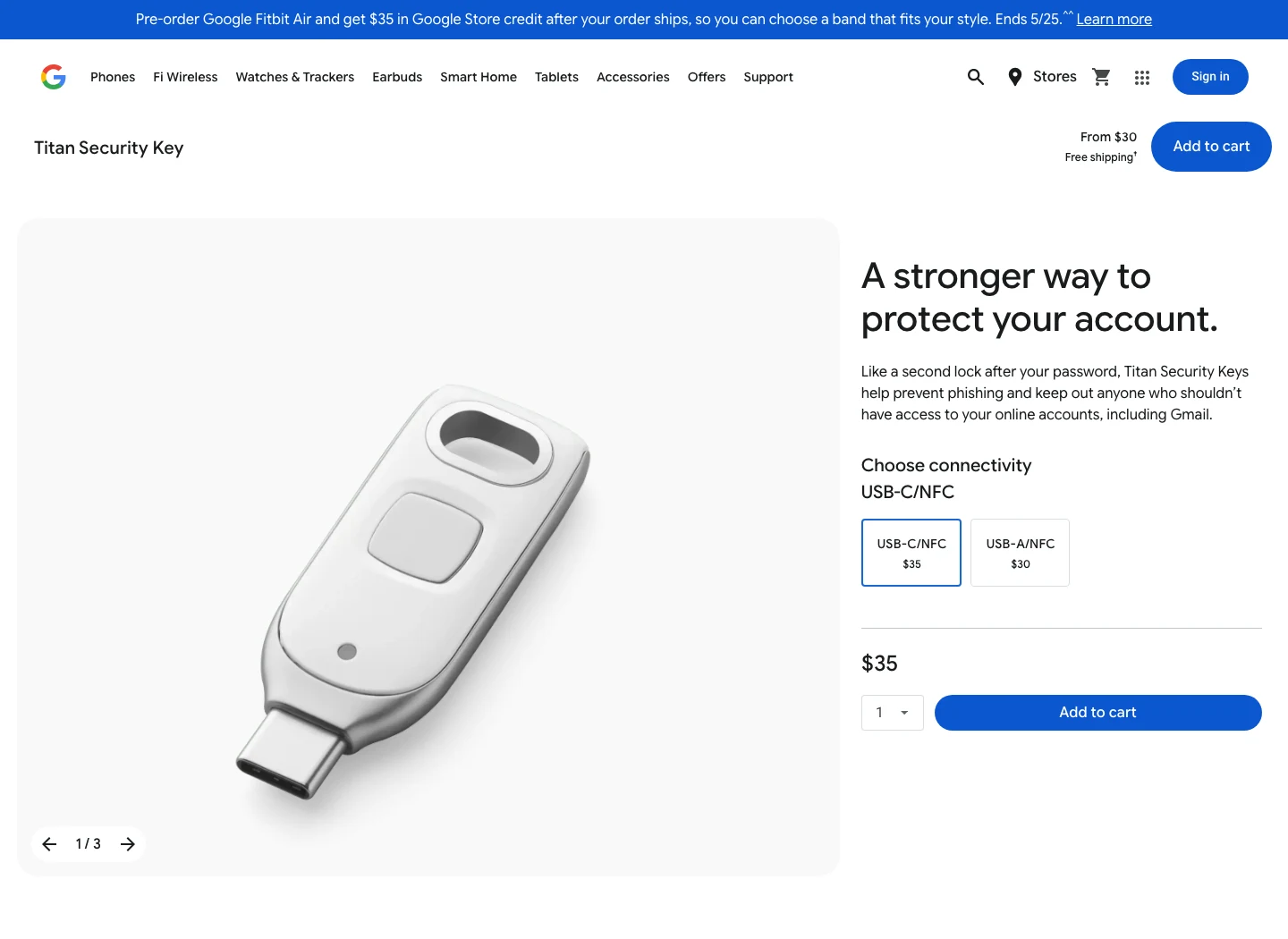
Titan is easy to explain for Google Account, Gmail, Google Workspace, and Advanced Protection buyers, and Google's announcement gives it the bigger passkey-capacity story.
Skip it if you expect Yubico Authenticator codes, PIV, OpenPGP, smart-card workflows, or a broader hardware-key ecosystem.
Titan scores well for Google-centered buyers because price clarity, passkey capacity, and Advanced Protection fit are strong, but it loses default points on broader protocol depth.
- Official Google Store path with from-$30 pricing
- USB-A/NFC and USB-C/NFC options are easy to understand
- Google says latest Titan keys store more than 250 unique passkeys
- Strong fit for Advanced Protection and Google Workspace buyers
- Less flexible than YubiKey 5C NFC for advanced protocols
- Best product story is Google-centered, even though FIDO support extends beyond Google
- No hands-on enrollment or account recovery testing was performed here
- Buyers still need a second key and recovery documentation
3. Backup setup: the part that makes either key fail
Both products can be the right answer if the backup setup is boring and complete. Both can be the wrong answer if you buy one, register it on a password manager, and leave recovery to chance.
That is the real failure mode.
For Google accounts, Advanced Protection says to use a primary key and at least one backup key if you choose security keys. For Apple Account, Apple's support page says at least two FIDO Certified keys are required, and that you can be locked out if you lose all trusted devices and security keys. Those are not edge-case warnings. They are the operating instructions.
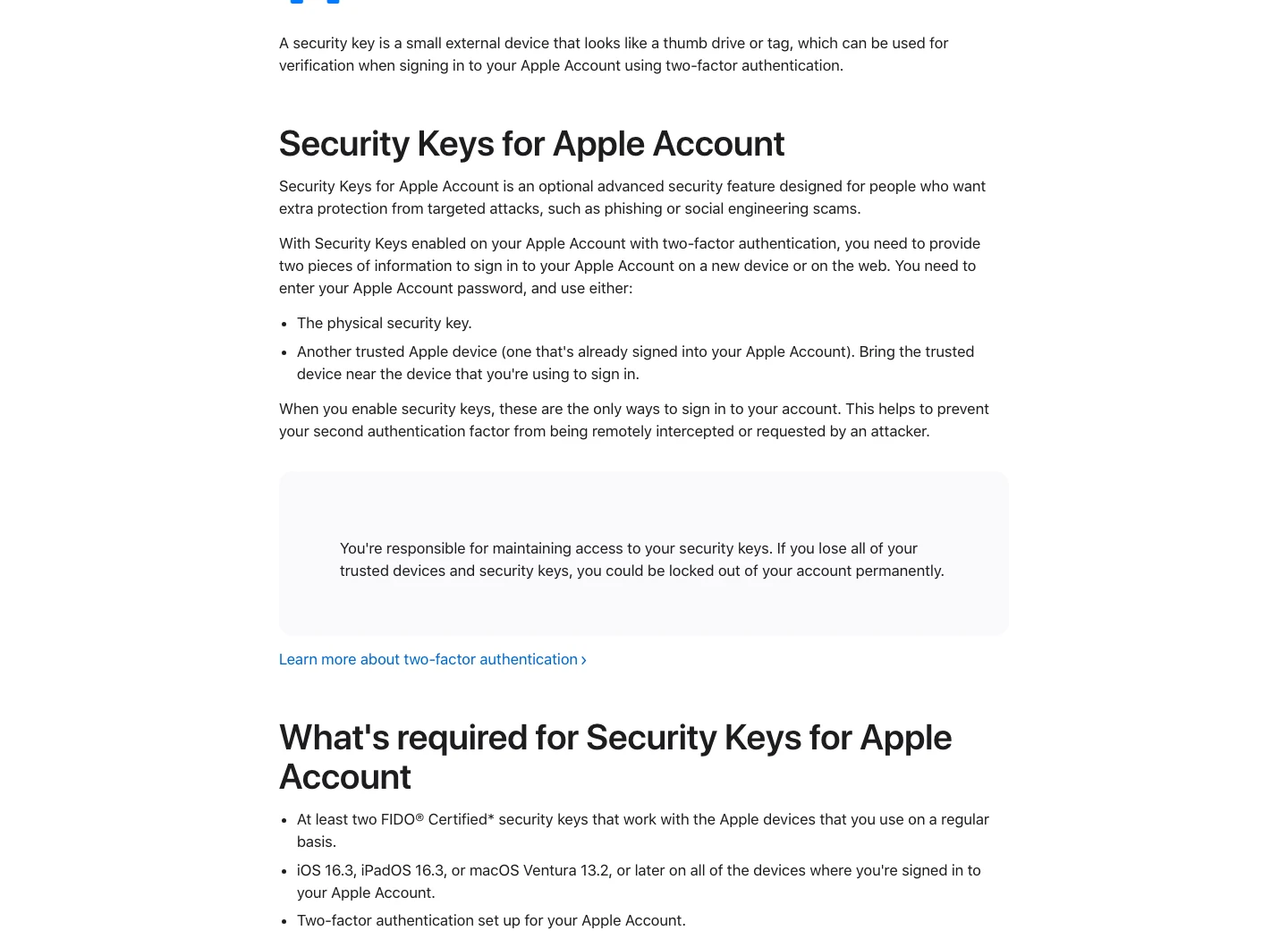
My setup order would be simple. Buy two matching keys unless you have a reason to mix models. Register both on the password manager and primary email account first. Save recovery codes offline. Then add the same two keys to banking, brokerage, GitHub, domain registrar, cloud admin, crypto exchange, and any account that can reset another account. If identity recovery is already the problem, use our identity theft protection comparison instead of treating a new hardware key as cleanup.
Matching keys reduce confusion. Mixed keys can work, and in some households a USB-A/NFC Titan plus a USB-C/NFC Titan may be practical. But mixed setups create more notes to maintain: which key is primary, which connector works with which laptop, which one lives at home, which one travels, which one was registered on which account. That is manageable. It is also exactly the kind of detail that disappears when setup is rushed.
The recovery note does not need to be dramatic. Put a short note in your password manager or encrypted storage that says which accounts have both keys registered, where the spare key lives, and where recovery codes are stored. Do not store the recovery codes only in the same account protected by the key. That is the account-security version of locking the spare key inside the house.
That part is not optional.
For families and small teams, make the spare-key plan understandable to someone else. A setup that only one person understands can still fail during travel, illness, employee turnover, or a phone replacement. The hardware key is the visible object. The process around it is the actual protection.
If the process is confusing on setup day, it will be worse on recovery day.
Where passkey capacity actually matters
Passkey capacity is easy to overrate and easy to ignore. Most people will not fill 100 hardware-bound passkey slots soon. Many services still use non-discoverable security-key registration or keep passwords as fallback. But passkey adoption is moving enough that buying a key with stale headroom is not ideal.
This is where Titan has a clean marketing win. Google's announcement says the latest Titan keys can store more than 250 unique passkeys. If your plan is to create hardware-bound passkeys everywhere and you want the simplest capacity story, Titan looks strong.
YubiKey's current story is still enough for most buyers. The 5.7 documentation lists 100 discoverable credentials for FIDO2. That is not as high as Titan's stated capacity, but it is a major difference from old comparisons that still talk as if YubiKey 5 is stuck at 25. For a normal buyer, 100 hardware-bound passkeys is not the limiting factor. The limiting factor is whether the accounts support the flow cleanly and whether the backup key is registered before the first key goes missing.
Which one should you choose?
Choose YubiKey 5C NFC if you want one default family for mixed accounts: email, password manager, developer tools, finance, crypto exchange login, cloud admin, and possible future advanced workflows. It is the better "I do not know what I will need in two years" purchase.
Choose Google Titan if the main decision is Google Account protection and you want a simpler, cheaper, official Google path. It is especially clean for Gmail, Google Workspace, and Advanced Protection buyers who do not care about OATH, PIV, OpenPGP, or Yubico Authenticator.
Do not choose either because a table told you one is universally stronger. The useful purchase is two keys that work with your laptop and phone, registered before the emergency, with recovery codes stored somewhere you can actually find.
YubiKey 5C NFC is the better default because it has the broader protocol stack and enough current passkey headroom for most buyers. Google Titan is the better Google-first purchase because it is cheaper, simpler, and has the stronger passkey-capacity headline.
See pricingFinal verdict: YubiKey for flexibility, Titan for Google-first simplicity
If the buyer is security-conscious but not sure where the setup will go next, I would start with two YubiKey 5C NFC keys. The price is higher, but the connector fit, Yubico ecosystem, multi-protocol room, and 100-passkey documentation make it the safer default.
If the buyer is mainly protecting Google Account access, I would not overcomplicate it. Google Titan is a clean Google-first key with from-$30 pricing, USB-A/NFC and USB-C/NFC options, more than 250 passkeys per Google's announcement, and a direct tie to Advanced Protection.
The wrong buyer risk is simple. Do not buy Titan to avoid YubiKey's cost if you already need YubiKey's protocols, and do not buy YubiKey to feel safer if the higher price means you skip the backup key.
The adult move is to finish the backup plan. Register both keys. Store recovery codes. Check phone and laptop compatibility. Then move on with your life.
Frequently Asked Questions
Ready to check YubiKey 5C NFC?
Use the verified route if the trade-offs still fit. If not, jump back to the summary and compare the alternatives.
Security and privacy editor focused on evidence-led buying guides. Reads official documentation, audit notes, privacy policies, recovery limits, and support pages before turning security claims into practical recommendations.
Sarah starts by locating the evidence boundary, then ranks security and privacy tools by audit and policy scope, recovery design, trust boundaries, residual risk, and what a cautious buyer can verify.
Related Articles
Venice AI vs Proton Lumo vs Duck.ai: Which Private AI Chat Fits?
Private AI chat decision guide
Venice AI, Proton Lumo, and Duck.ai compared by privacy architecture, saved-history protection, provider exposure, plan limits, model access, and price.
Malwarebytes vs Bitdefender vs Norton
Paid antivirus decision guide
Malwarebytes, Bitdefender, Norton, and Microsoft Defender compared by paid antivirus value, real-time protection, renewal risk, bundle scope, and lab evidence.