
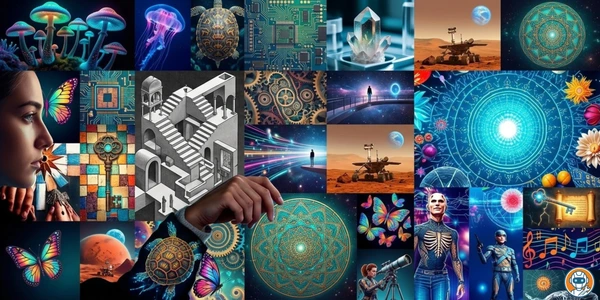
The best AI image generator for most people in 2026 is not automatically Midjourney. Midjourney still wins on polish, Leonardo AI is the free tier I would try first, and Ideogram is the obvious pick if the image needs readable text.
Here's something nobody in the AI art space wants to admit: the gap between a $30/month Midjourney subscription and a completely free tool like Leonardo AI has been shrinking every single month. Six months ago it was obvious. Now? You have to squint.
I've been tracking AI image generators since DALL-E 2 dropped in 2022 and the space looked nothing like this. Back then, one tool dominated and everything else was novelty. In 2026 there are at least six generators worth your attention, each carving out a niche that actually makes sense. Midjourney still produces the prettiest pictures. But "prettiest" isn't the only metric that matters when you're paying real money.
So I dug into all six. Verified pricing on official sites (March 2026), read through Reddit threads where actual users share their frustrations, checked commercial licensing terms, and calculated what you'd actually spend generating 100 images a month on each platform. The cost differences are wild.
Here's which ones are worth your money, which free tiers are actually usable, and which tool I keep going back to when I need something that just works.
-
#1 MidjourneyBest image quality — V7 is stunning, but you'll pay for it
-
#2 Leonardo AIBest free tier — 150 daily tokens, no credit card, good enough for most
-
#3 IdeogramBest for text in images — 95% accurate typography, solid free plan
Quick answer: the best AI image generator by use case
- Use Midjourney when image quality matters more than price and you can justify at least $10/month before seeing a single generation.
- Use Leonardo AI when you want the best free AI image generator for blog posts, social graphics, product mockups, or testing prompts before paying.
- Use Ideogram when text accuracy matters. Posters, logos, signs, thumbnails, and ad concepts are where it beats prettier general-purpose tools.
- Use Adobe Firefly when commercial safety matters more than raw image quality, especially if your team already lives in Creative Cloud.
If your shortlist is specifically Adobe Firefly, Midjourney, and Ideogram, read the dedicated Firefly vs Midjourney vs Ideogram comparison. It separates commercial-review risk, text rendering, private workflow, and current plan rules more directly than this broader category map.
Midjourney V7 — still the benchmark (and still no free tier)
Look, I'll just say it: Midjourney V7 produces the best-looking AI images available right now. The compositions are better. The lighting is more natural. The textures have this quality that other generators just don't match — skin looks like skin, fabric looks like fabric, reflections actually make physical sense. If you've used Midjourney V6 and thought it was good, V7 is a noticeable step up.
But here's the thing. Midjourney still operates like it's 2023 in some ways. No free tier. No free trial. You pay before you generate a single image. The Basic plan at $10/month gives you roughly 200 images (3.3 hours of fast GPU time), which sounds fine until you realize you'll burn through half of those iterating on a single concept. The Standard plan at $30/month is where most people land because it includes unlimited Relax mode generations, slower (30-60 seconds vs 10 seconds) but no cap. If you need the full power-user tier, the public pricing ladder now tops out at $120/month.
The web interface has improved a lot since the Discord-only days. You can now use it entirely through midjourney.com with a proper editor, image organization, and style references. But compared to tools like Leonardo that have full editing suites built in, Midjourney's workflow still feels spartan. Generate, upscale, download. That's about it.
Reddit's r/midjourney community is massive and mostly positive, but the recurring complaint is pricing. One user put it well: "I love MJ but $30/month for an image generator when I'm already paying $20 for ChatGPT Plus feels like a lot." And honestly, they're right. If you're not doing professional creative work, that $30 is hard to justify when Leonardo gives you 150 free tokens a day.
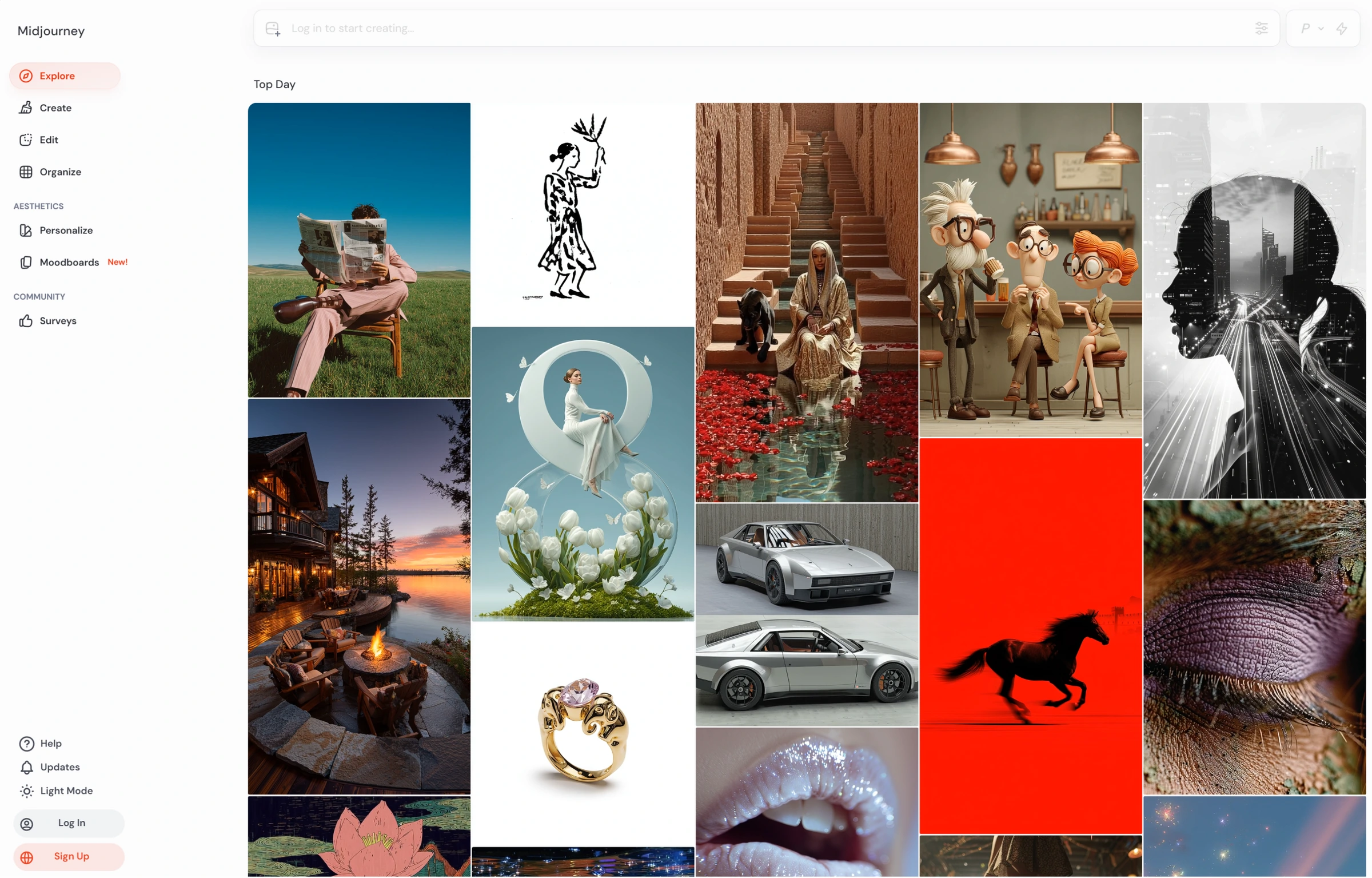
V7 produces the best compositions, lighting, and textures of any AI image generator available.
Casual users who only need occasional images and don't want to pay before generating.
- Best overall image quality in 2026. V7's lighting, textures, and composition are ahead of everything else
- Unlimited generations in Relax mode on Standard ($30/mo) and above — no credit anxiety
- Web-based editor replaced the old Discord-only workflow. Style references and image blending actually work well
- Commercial rights on all paid plans. No licensing gray areas for professional use
- No free tier and no free trial. You pay $10 minimum before seeing a single result
- Basic plan's 200-image limit evaporates fast when you're iterating. Most users need Standard at $30/mo
- Minimal editing tools compared to Leonardo or Adobe Firefly — you generate and download, that's it
- Prompt engineering still matters more here than on other tools. Casual prompts get mediocre results
Bottom line: worth it if you're a designer or content creator who needs consistently beautiful output and doesn't mind paying for it. If you only generate images occasionally, the free tier tools below will serve you fine.
DALL-E is dead. Long live GPT Image.
This confused a lot of people (including me, initially). OpenAI announced in November 2025 that DALL-E 3 is being deprecated, pulled from the API entirely by May 2026. If you've been using image generation inside ChatGPT, you were quietly switched to "GPT Image" back in December 2025. Same chat interface, different model under the hood.
And GPT Image is actually... better? It follows complex prompts more reliably than DALL-E 3 ever did. Tell it "a corgi wearing a tiny cowboy hat sitting on a pile of tax documents with a confused expression" and you get exactly that. DALL-E 3 would've given you the corgi, maybe a hat, and ignored the tax documents entirely. The instruction-following improvement is real.
The catch is access. ChatGPT Free gives you 2-3 images per day, enough to scratch the itch but not enough for actual work. Plus ($20/month) bumps that to roughly 50 images per 3-hour window, which is generous. But here's the hidden cost: you're paying $20/month for ChatGPT's entire feature set (code, writing, search) and image generation is just one piece. If you only need images, that $20 is overpriced compared to dedicated tools.
The API pricing is interesting for developers. GPT Image 1.5 starts at $0.02/image for low-quality square outputs and goes up to about $0.19 for high-quality large images. If you're building an app that generates images, those API costs add up fast. Flux Pro's API at $0.04/image is cheaper for comparable quality.
Best instruction-following of any generator — complex multi-element scenes come out right.
Anyone who needs a dedicated image tool with style consistency controls.
- Zero learning curve. Type what you want in ChatGPT and get an image. No prompt engineering needed
- Best instruction-following of any generator — complex multi-element scenes come out right
- Bundled with ChatGPT Plus ($20/mo) alongside writing, code, and search — good value if you use the full suite
- Iterative editing via conversation. 'Make the hat red' just works within the same chat thread
- Free tier caps at 2-3 images per day. You hit the wall fast
- Plus tier's 50 images per 3 hours sounds generous until you're mid-project and waiting for the reset
- No style consistency controls like Midjourney's style references. Each generation is somewhat random
- API pricing ($0.02-0.19/image) gets expensive at volume compared to Flux ($0.04) or self-hosted options
If you already pay for ChatGPT Plus, the image generation is a solid bonus on top of everything else. As a standalone image tool though? $20/month for limited generations doesn't compete with dedicated platforms. Don't subscribe just for images.
Ideogram 3 — the one designers actually need
Every other AI image generator struggles with text. You ask for a movie poster and the title comes out as "MOVEI POSTTER" or some garbled nonsense. Ideogram built its entire identity around solving this, and with version 3, they've basically nailed it.
Typography accuracy sits around 95% based on what I've seen in their community gallery and Reddit threads. Logos, poster text, storefront signs, book covers. Ideogram handles all of it with a consistency that honestly surprised me. Midjourney V7 improved its text rendering, sure, but it still fumbles anything longer than three or four words. Ideogram renders full sentences on curved surfaces. Different league.
The free plan gives you 10 slow credits per week (resetting Saturday midnight UTC), which translates to roughly 40 images. Not bad. Everything's public on free, though, so if you're generating client work, that's a dealbreaker. The Plus plan is $20/month or $15/month on annual billing, with private generation and priority credits. Pro is $60/month or $42/month annually, adding more priority credits and unlimited slow generations.
One thing that bugs me: Ideogram's general image quality (outside of text) sits a tier below Midjourney. Landscapes, portraits, abstract art: they're good but not spectacular. The compositions feel a bit flat compared to what Midjourney or even Flux produce. If you need text in your images, Ideogram is the only serious choice. If you don't, other tools outperform it.
Renders typography at roughly 95% accuracy — logos, posters, and full sentences on curved surfaces.
Creators who need top-tier photorealism or artistic compositions without text.
- Best text rendering in any AI image generator. Period. Logos, posters, signs — it gets them right 95% of the time
- Free tier gives 40 images/week without a credit card. Enough for casual use
- Clean web interface with style presets. You don't need to learn prompt engineering to get decent results
- Top-up credit packs ($4 each) let you buy extra without upgrading plans — flexible for occasional heavy use
- General image quality (non-text) falls behind Midjourney and Flux. Compositions feel flat
- Free tier makes all generations public. Privacy-conscious users need a paid plan
- Priority credits expire monthly with no rollover on the base subscription. Use them or lose them
- Credit pricing is confusing — top-up packs give different amounts depending on your plan tier (100 vs 250 credits per $4)
Who should care: anyone making marketing materials, social graphics, logos, or anything with words on it. If you're generating photorealistic portraits or landscape art where text isn't involved, look elsewhere.
Leonardo AI — the free tier that shouldn't be this good
I genuinely don't understand Leonardo's business model sometimes. 150 free tokens per day, resetting every 24 hours, no credit card required. That's enough for roughly 10-15 images daily depending on your settings and model choice. For free. Most AI companies give you a 3-day trial and then slam the paywall. Leonardo just... lets you keep going.
The model marketplace is what sets it apart. You're not locked into one generation model. Leonardo hosts multiple fine-tuned models for different styles (photorealism, anime, fantasy, product photography) and community members upload their own. The current paid lineup lists Essential at $12/month, Premium at $30, Ultimate at $60, and Team Starter at $72/month ($24 per seat), before tax.
Quality-wise? Honestly, it depends on which model you pick. The default Phoenix model produces solid results that compete with Ideogram for general use. Some of the community fine-tunes are surprisingly good for niche styles. I found a product photography model that produces catalog-quality shots from text prompts. The best results require knowing which model to use for what, and that's a learning curve most casual users won't bother with.
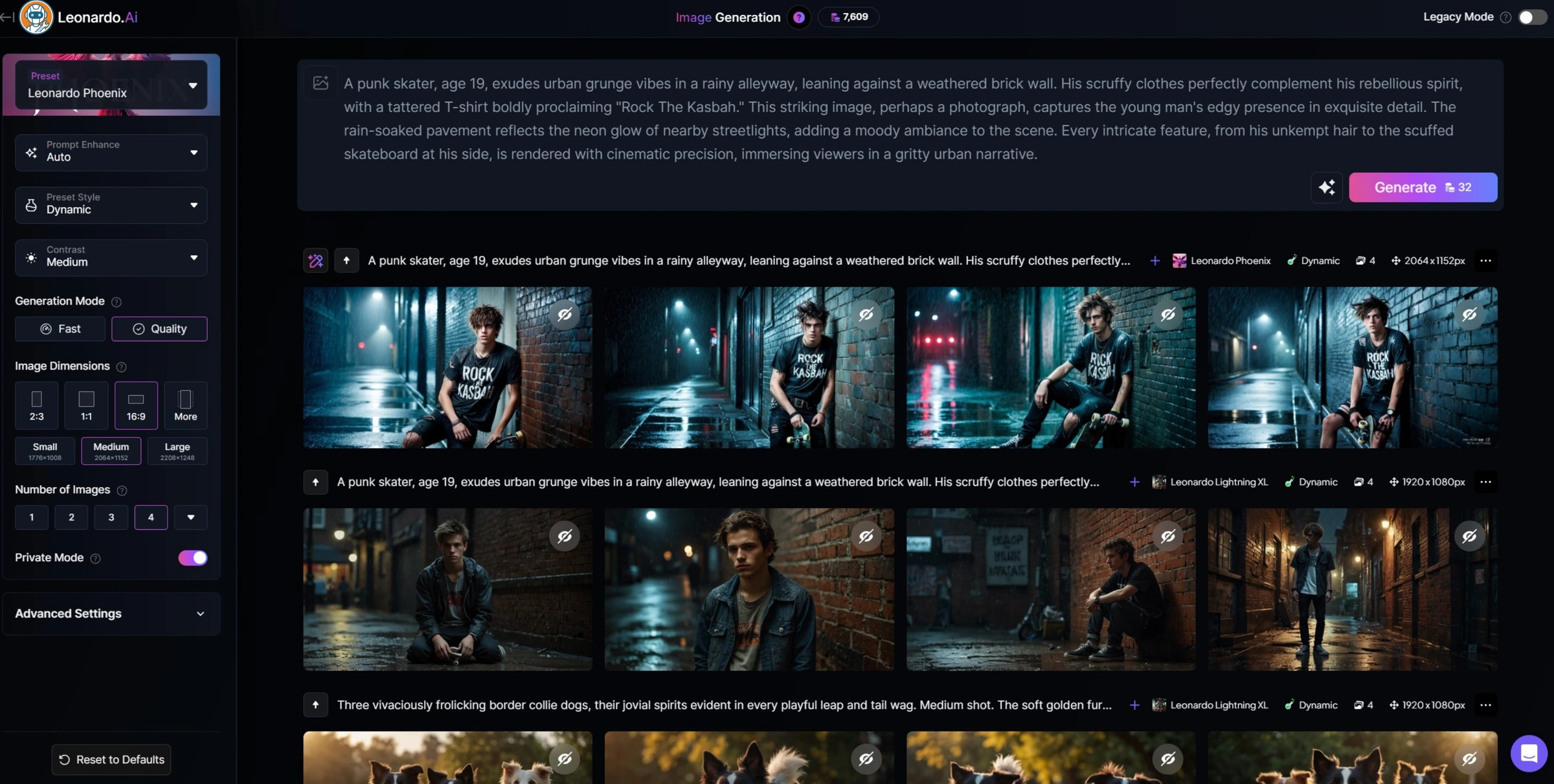
The downsides are real though. Free users face 8-20 minute wait times during business hours. The interface is cluttered. There are so many options and settings that new users report feeling overwhelmed. And Leonardo's image quality ceiling is lower than Midjourney's. You can get 80% of the way there for free, but that last 20% of polish is what separates "good enough for a blog post" from "good enough for a client presentation."
150 free daily tokens with no credit card — enough for 10-15 images per day, the most generous free tier.
Professionals who need Midjourney-tier aesthetics or can't tolerate peak-hour wait times.
- 150 free daily tokens with no credit card. Enough for 10-15 images per day — the most generous free tier by far
- Multiple generation models including community fine-tunes. Pick the right model for your style and results improve dramatically
- Built-in editing tools (canvas, upscaling, background removal) that other generators charge extra for
- Token rollover on paid plans — unused tokens carry to next month instead of vanishing
- Free tier wait times of 8-20 minutes during peak hours. Frustrating when you're mid-project
- Interface overwhelm — too many models, settings, and options for newcomers. The learning curve is steeper than it needs to be
- Image quality ceiling sits below Midjourney. Great for most use cases, but professionals will notice the difference
- Free generations are public. Private mode requires a paid plan starting with Essential at $12/month
This is my default recommendation when someone asks "what AI image tool should I try first?" The free tier is absurdly generous, quality covers 80% of use cases, and the paid plans are reasonable if you outgrow it. Only skip Leonardo if you specifically need Midjourney-tier aesthetics or Ideogram-tier text rendering.
Adobe Firefly — the safe choice (at a price)
Firefly exists because Adobe's customers were terrified of copyright lawsuits. That's not shade — it's literally the product's origin story. Trained exclusively on Adobe Stock images, public domain content, and openly licensed material, Firefly is the only major generator where Adobe will actually back you legally if someone claims your generated image infringes their copyright. Enterprise plans include IP indemnification. Try getting that from Midjourney.
The quality is... fine. Firefly produces clean, commercial-looking images that work for stock photography replacement, social media graphics, and marketing materials. But it lacks the artistic flair of Midjourney and the photorealism of Flux. Everything has a slightly sanitized quality, like stock photos, which makes sense given the training data. Reddit users describe it as "the Toyota Camry of AI image generators." Reliable, predictable, nobody's going to be wowed.
Adobe Firefly has limited free access. Standard is $9.99/month, Pro is $19.99, Pro Plus is $49.99 at regular price, and Premium is $199.99 at regular price. Creative Cloud entitlements can change the practical cost, so existing Adobe subscribers should check what their plan already includes.
Worth noting: Firefly's integration into Photoshop (Generative Fill, Generative Expand) and Illustrator (text-to-vector) is where it actually shines. The standalone generator is mid. The in-app tools that let you extend a photo's background or swap elements inside Photoshop? That's useful workflow stuff that no other generator offers.
Only major generator offering IP indemnification, trained exclusively on licensed content.
Anyone not already in the Adobe ecosystem who wants the best image quality per dollar.
- Trained on licensed content only. IP indemnification on enterprise plans — the safest choice for commercial use
- Integrated into Photoshop and Illustrator. Generative Fill and Expand are seriously useful production tools
- Unlimited standard generations on all paid plans. Credits only consumed by premium features
- Included with Creative Cloud subscriptions — if you already pay for CC, Firefly is essentially free
- Image quality is noticeably behind Midjourney, Flux, and even Ideogram for creative work. Feels like stock photos
- Standalone pricing is expensive for what you get. $9.99/month for a generator worse than Leonardo's free tier
- Credit system is confusing — different features consume different credit amounts with no clear calculator
- Free plan is extremely limited. Barely enough to evaluate the tool before hitting the paywall
Makes sense if you're already deep in the Adobe ecosystem or need bulletproof commercial licensing. Otherwise? Leonardo is free and produces comparable (honestly, sometimes better) results.
Flux — the open-source option that punches way up
If Midjourney is the Mac of AI image generators, Flux is the Linux. More powerful in the right hands, completely customizable, and it'll cost you either nothing or next to nothing. But you'll need to know what you're doing.
Black Forest Labs (founded by the original Stable Diffusion creators) released the Flux model family in 2024-2025 and it's been gaining serious ground. Flux Pro produces photorealistic images that rival Midjourney's quality, and some Reddit users in r/StableDiffusion argue it actually beats MJ for realistic portraits and product photography. The open-source Flux Schnell model runs locally on a decent GPU (12GB VRAM minimum) and produces impressive results for zero ongoing cost.
The pricing structure is developer-first. There's no monthly subscription. Flux Pro through the API costs $0.04 per image. Flux 2 Pro starts at $0.03 per megapixel. Enterprise self-hosting starts at $999/month for 100K images. The open-source models (Schnell under Apache 2.0, Klein under Apache 2.0) are free to use however you want, including commercially.
Here's my contrarian take on Flux: it's the most underrated generator in this list. The people who use it love it. But Black Forest Labs has done basically zero marketing, there's no polished web app for casual users, and you need to either use the API or run it locally. That friction keeps normal people away, which is a shame because the quality-to-price ratio is the best available.
For developers who are comfortable with APIs, Flux is a no-brainer. Build it into your app, pay per image, scale as needed. For everyone else, Leonardo or Ideogram will be a better experience, even if the underlying image quality isn't quite as high.
Photorealistic quality rivaling Midjourney with fully open-source models under Apache 2.0.
Non-technical users who want a polished app experience with editing tools.
- Photorealistic quality that rivals Midjourney — especially for portraits and product shots
- Open-source models (Schnell, Klein) under Apache 2.0. Run locally for free, use commercially, fine-tune however you want
- API pricing at $0.04/image is among the cheapest for pro-quality generation. No subscription required
- Fully customizable — fine-tune on your own data, run on your own hardware, no vendor lock-in
- No user-friendly web app. You're using the API, a third-party frontend, or running it locally
- Local generation requires 12GB+ VRAM GPU ($400-800+). Not accessible to casual users
- No built-in editing tools, style presets, or community features. It's a model, not a product
- Documentation is sparse and developer-focused. If 'API endpoint' sounds scary, Flux isn't for you
For developers and technical creators who want maximum quality at minimum cost, Flux is hard to beat. The API is cheap, the quality is excellent, and the open-source models give you freedom no subscription service can match. But if you want a polished app experience, this isn't it.
The credit math nobody else publishes
Every AI image tool uses a different billing unit (tokens, credits, GPU minutes, or per-image pricing), which makes comparison shopping a nightmare. So I did the math for 100 images per month at standard quality:
- Leonardo AI: Free. 150 tokens/day covers it easily with room to spare
- Ideogram: Free. 40 images/week = 160/month on the free tier
- Flux API: $4.00/month (100 images × $0.04)
- Midjourney Basic: $10/month (covers ~200 images)
- GPT Image (ChatGPT Plus): $20/month (but you get the full ChatGPT suite too)
- Adobe Firefly Standard: $9.99/month (unlimited standard generations, so technically cheapest per-image on paid plans)
At 500 images/month the picture shifts. Leonardo's free tier falls short, so you would need at least the $12/month Essential plan. Ideogram's free tier caps out too. Midjourney Standard at $30/month with unlimited Relax mode becomes the cleaner high-volume comparison. Flux API cost depends on actual image volume.
The real surprise? If you only need 50-100 images monthly for blog posts, social media, or presentations, you literally never need to pay. Leonardo and Ideogram's free tiers cover it. If those images are headed into slide decks, compare the deck layer separately in our Gamma vs Canva vs Beautiful.ai guide. That's a fact most "best AI image generator" articles conveniently leave out, probably because affiliate commissions don't come from free users.
Side-by-side comparison
| Feature | Midjourney | GPT Image | Ideogram | Leonardo AI | Adobe Firefly | Flux |
|---|---|---|---|---|---|---|
| Starting price | $10/mo (annual: $8/mo) | $20/mo (ChatGPT Plus) | $7/mo (annual Basic) | $12/mo (Essential) | $9.99/mo (Standard) | $0.04/image (API) |
| Free tier | None | 2-3 images/day | 40 images/week (public only) | 150 tokens/day (~10-15 images) | Very limited | Open-source models (run locally) |
| Image quality tier | S-tier | A-tier | A-tier | A-tier | B-tier | S-tier |
| Text in images | Improved in V7, still inconsistent | Decent for short phrases | Best in class (~95% accuracy) | Basic | OK within design tools | Limited |
| Commercial rights | All paid plans | Plus/Pro plans | Paid plans only | Paid plans | All plans + IP indemnification | Apache 2.0 (open-source models) |
| API access | No public API | Yes ($0.02-0.19/image) | Yes | Yes (Apprentice+) | Yes (enterprise) | Yes (primary interface) |
| Local/self-hosted | No | No | No | No | No | Yes (12GB+ VRAM needed) |
| Editing tools | Basic (upscale, vary, pan) | Conversational editing | Basic | Full suite (canvas, upscale, remove bg) | Photoshop/Illustrator integration | None built-in |
| Style consistency | Style references + sref codes | Limited (no style references) | Style presets | Multiple models + community fine-tunes | Style references | Full fine-tuning control |
| Best for | Art, design, creative professionals | Casual users, ChatGPT subscribers | Marketing, logos, text-heavy graphics | Free users, versatile creative work | Adobe users, commercial safety | Developers, technical creators |
| Action | Try Midjourney | Try ChatGPT | Try Ideogram | Try Leonardo | Try Firefly | Try Flux |
What about Stable Diffusion?
I get this question constantly. Stable Diffusion 3.5 is still available, still open-source (Community License for companies under $1M revenue), and still has a massive ecosystem of fine-tunes and tools. But here's my honest take: Flux has surpassed it for most use cases. The image quality gap between Flux Pro and SD 3.5 is noticeable, and the Flux community is growing faster.
If you're already running Stable Diffusion locally with a ComfyUI or Automatic1111 setup, there's no rush to switch. Your workflows still work. But if you're starting fresh in 2026, Flux is where I'd point you. Same open-source philosophy, better output, more active development.
That said, Stable Diffusion still wins for one thing: the sheer size of the model ecosystem. Tens of thousands of community fine-tunes on CivitAI, specialized models for every style imaginable. If you need a very specific aesthetic (like professional headshots or anime in a particular studio's style), the SD fine-tune library is unmatched.
Frequently Asked Questions
Final verdict
Six months ago I would've told you to just get Midjourney and call it a day. In March 2026, the answer is more nuanced.
If you want the absolute best image quality and you're willing to pay $30/month, Midjourney V7 is still the answer. Nothing else matches its aesthetic consistency and the level of polish in every generation. For creative professionals billing clients, it pays for itself in the first project.
But most people reading this aren't professional artists. If you're generating images for blog posts, social media, or personal projects, Leonardo AI's free tier is embarrassingly good for zero dollars. Pair it with Ideogram for anything that needs text, and you've covered 90% of use cases without spending a cent. I keep coming back to that combination myself.
For developers: Flux. The API is cheap, the quality is excellent, the open-source models give you total control. If I were building an app that needs image generation today, I wouldn't even consider the alternatives.
And the hot take I'll stand behind: Adobe Firefly is the most overpriced tool in this comparison relative to its output quality. The commercial safety angle is real, but if that's your only reason to use it, you're paying a premium for a legal guarantee that most small businesses will never actually need. Put the AI creative budget toward a tool that produces better images instead.
Ready to check Midjourney?
Use the verified route if the trade-offs still fit. If not, jump back to the summary and compare the alternatives.
AI tools editor focused on public docs, changelogs, API limits, free-tier constraints, and developer community feedback. Turns fast-moving AI claims into buyer-focused recommendations without implying undocumented hands-on testing.
Anthony starts with the workload behind the demo, then ranks AI tools by documented model access, limits, implementation clarity, failure behavior, and the cost of an acceptable result.
Related Articles

Bardeen vs Zapier Agents vs Lindy: Best AI Coworker
AI coworkers compared by starting context, agent authority, usage economics, approval boundaries, and offboarding clarity
Compare Bardeen, Zapier Agents, and Lindy by workflow fit, approvals, credits, integrations, browser permissions, and cancellation terms.

GPT-5.6 vs Claude Sonnet 5 API: Which Tier Fits?
Production API model routing guide
GPT-5.6 Sol, Terra, and Luna compared with Claude Sonnet 5 on API price, long context, tokenization, migration risk, tools, and workload fit.